

O DevTools MCP It emerges to redefine AI-assisted optimization and debugging, crucial for the performance of any web application.
For those building a profitable SaaS or professionals seeking promotion, loading speed and user experience are the backbone of success, and this protocol is key to standing out in the market.
O Chrome DevTools Model Context Protocol (MCP) It is a sophisticated interface that integrates the capabilities of Chrome DevTools directly into AI Agents (LLMs).
This protocol transforms AI into a debugging assistant capable of interacting in real time with an active Chrome browser.
The result is a level of analysis, diagnosis, and correction that previously required a senior developer, making this guide essential for applying this technology to your reality.
What is DevTools MCP and how does it work?
The complexity of modern web applications, even those built on No-Code platforms, demands a degree of optimization that the human eye and manual audits can hardly keep up with.
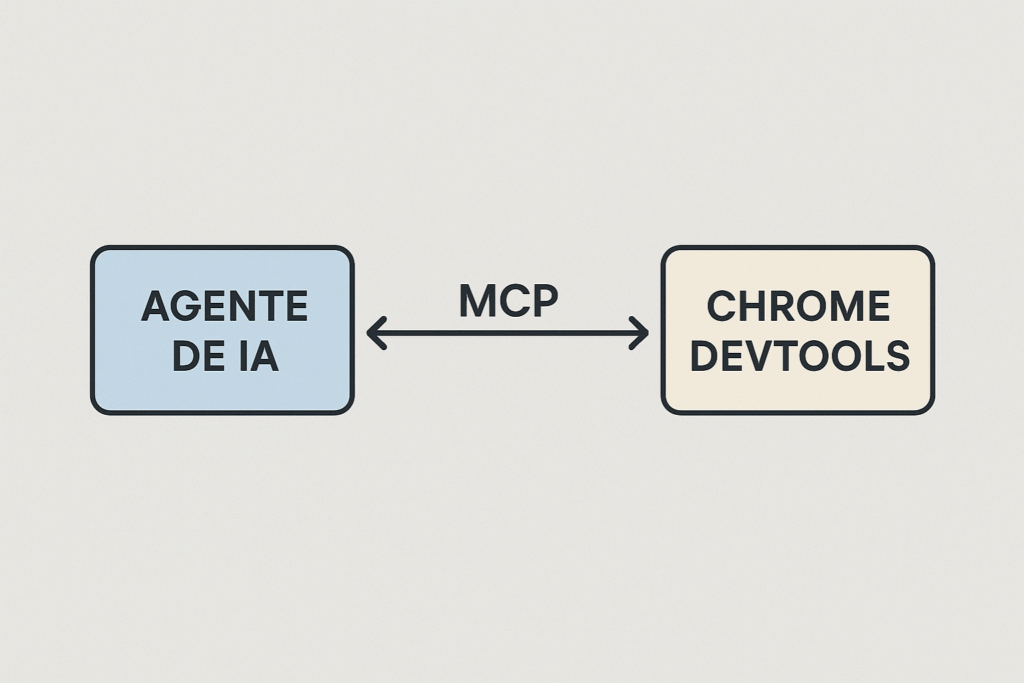
O DevTools MCP It was created to fill this gap, providing bidirectional and semantic communication between an AI Agent and the current state of a web page.
This capability is crucial for those who use visual tools, because the underlying code, although automatically generated, still needs performance validation in a real production environment.
Traditionally, troubleshooting performance or layout issues involved manually navigating through the tabs in Chrome DevTools. Elements for DOM inspection, Network for request analysis and Performance for trace.
MCP automates this inspection, allowing AI not only to access this data, but also to understand it in the context of the task.
This means that the AI Agent can identify the CSS code that causes an unwanted "layout shift" or the script that is blocking the main thread even before the end user feels the impact on navigation.
This real-time performance analysis is the differentiating factor that transforms a functional MVP into a highly competitive market product.
Model Context Protocol (MCP): The Bridge Between LLMs and the Browser
The term Model Context Protocol (MCP) refers to the standardized interface language that allows LLMs to receive, process, and send commands to Chrome DevTools, as detailed in... Official Chrome DevTools (MCP) blog for its AI agent..
It essentially translates the AI Agent's intent — such as "analyze why loading time is slow" — into specific DevTools Protocol commands, such as collecting network metrics, running a Lighthouse audit, or simulating a slow 3G connection.
This ability to translate and execute directly is what enables AI-Assisted Debugging.
The language model, instead of merely suggesting a theoretical fix, can test it in a live environment by inspecting the DOM and measuring the immediate impact.
This ensures that the proposed optimizations are not only correct, but contextually applicable to your application.
The Great Pain Point for Founders and Employees: Performance Optimization and Scalability
The founder is under constant pressure. They need to validate the product quickly and cheaply (due to financial insecurity and lack of technical skills), but the lack of performance is driving away early adopters.
A slow web app, even if built with excellence in No-Code, is a factor in its failure.
O DevTools MCP It addresses this pain point by automating optimization to ensure a professional-level experience without the need to hire an expensive front-end specialist.
It allows the Founder to build an MVP with excellent performance and achieve scale.
Similarly, professionals (struggling with difficulty applying technologies and needing promotion) who want to stand out with automations and internal applications need their solutions to be robust and fast.
An automated process that stutters or an internal control panel that loads slowly is a negative point in your evaluation.
MCP provides him with the tool to innovate and automate without relying on the IT team., Proving the value of your deliverables with concrete optimization data (No-Code Solution for Businesses).
The Architecture of DevTools MCP: Client, Server, and the Power of AI-Assisted Debugging
So that the DevTools MCP For it to work, it's necessary to understand its fundamental architecture, which is based on two primary components that interact through the already existing [unclear/unclear]. Chrome DevTools Protocol, which defines the API calls.
How an AI Agent Uses the MCP Client for Real-Time Debugging
O MCP Client It is the part that resides within the AI Agent or the LLM.
Its function is to receive a user request – such as “Find and tell me why the main image on the page is taking so long to load” – and transform it into a sequence of actionable commands that the Chrome browser can understand.
This MCP Client sends these commands to the DevTools Server via WebSocket.
The real magic of AI-Assisted Debugging happens when the Server responds. The MCP Client receives not only raw data (such as network logs), but a context rich. The LLM uses this context to:
- Diagnose: Identify the problem (e.g., the image has an excessive file size).
- Suggest the correction: Suggest a change (e.g., "reduce the image to 500kb and use the WebP format").
- To check: Re-run the performance audit to confirm that the correction had the desired effect, validating the real-time optimization cycle, according to studies on... AI-Assisted Debugging with Performance Insights.
Setting up the DevTools Server: The First Step Towards Automation
O DevTools Server It is the Chrome browser instance (or an environment). headless (such as Puppeteer) which exposes the DevTools Protocol to be accessed.
Setting up this DevTools Server is relatively simple and, in the context of DevTools MCP, This is the point of contact that allows AI to take control of the inspection.
Many implementations of Coding Agents, such as those available in The official Chrome DevTools MCP repository on GitHub., These solutions already include the DevTools Server setup as part of their basic infrastructure, making life easier for the No-Code user.
By configuring the DevTools Server, you are, in effect, granting your AI the ability to see and interact with your application exactly as a human user would, but with the precision of an expert.
It is essential for anyone dealing with AI infrastructure and seeks to automate complex maintenance tasks, transforming the AI Agent into a true technical assistant.
How to use DevTools MCP to optimize Core Web Vitals: Advanced Diagnostics with DevTools MCP
Core Web Vitals (CWV) optimization has become an indispensable ranking factor for Google, with LCP (Largest Contentful Paint) being a critical metric for speed perception.
Ignoring CWVs, especially LCP, is the same as leaving money on the table for the Founder and the same as losing relevance in deliverables for the professional.
O DevTools MCP It offers a powerful, automated way to master these metrics, aligned with Google's quality guidelines. Core Web Vitals.
Auditing the LCP (Largest Contentful Paint) and Other Critical Metrics
One of the most valuable applications of Chrome DevTools MCP It is the ability to perform complete Lighthouse and Core Web Vitals audits and analyze the results at a semantic level.
Instead of simply presenting a score, AI can identify the element that is the LCP, analyze the chain of dependencies that delay it, and suggest exactly how it should be optimized.
To understand deeply how the Largest Contentful Paint (LCP) This directly affects your conversion rate; see the... The ultimate guide to LCP and performance..
For example, an AI Agent using MCP can diagnose that a delay in LCP is not caused by an external resource, but rather by a CSS block that is blocking rendering.
It can then, through AI-Assisted DOM Inspection, suggest prioritization. inline This critical CSS is used to verify improvements in real time, providing the No-Code user with a ready-to-apply solution.
AI-Assisted DOM Inspection: Solving Complex Layout Problems
AI-Assisted DOM Inspection is the feature that allows AI to not only see the page structure, but also understand the geometry and positioning of elements.
This is especially useful for diagnosing complex layout problems, such as Cumulative Layout Shift (CLS).
An AI agent can:
- Monitor the Layout: Observe the DOM Inspection during loading.
- Identify Changes: To detect which element caused the shift (the visual change).
- Suggest a Correction: Suggest including fixed dimensions or reserving space (placeholder) for the late loading element, correcting the CLS.
This level of granularity and the ability to simulate end-user behavior, all in an automated way, is what positions the domain of DevTools MCP as a highly valued skill in the market.

DevTools MCP vs. Playwright MCP: Which one to choose?
When exploring the ecosystem of coding and automation agents, you may encounter other protocols with the acronym MCP (such as Playwright MCP), which can be confusing.
It is crucial to understand that, although both use the concept of Model Context, they have fundamentally different focuses in the development cycle.
It's important to note, to avoid common confusion, that the acronym MCP (Microsoft Certified Professional) refers to a completely distinct certification within the Microsoft ecosystem, with Focus on career development and IT., unrelated to Chrome DevTools.
Focus on Deep Analysis vs. Automated Functional Testing
O Chrome DevTools MCP It is, above all, a tool of diagnosis and optimization. Their focus is on:
- Performance Analysis: Measure loading times, memory consumption, network bottlenecks, and execution threads.
- Semantic Debugging: Allowing AI to understand why The code is slow or broken, based on detailed data from Chrome DevTools.
- Quality Improvement: Focus on optimizing metrics such as LCP and FCP (First Contentful Paint).
Already the Playwright MCP (focused on Playwright) tends to be a solution primarily aimed at automated functional tests.
Its main focus is to emulate user interactions, ensuring that the workflow (such as login, registration, form filling) functions as expected across different browsers, with an emphasis on stability and test coverage.
You can learn more about Playwright's test automation features by consulting the official documentation of the tool.
When to Use Each Protocol in Your Development Strategy
- Use DevTools MCP: Whenever your priority is to speed, resource optimization and technical excellence.
It's the ideal tool for the Founder who needs their SaaS to be profitable. fast to retain clients, and for the CLT (Consolidation of Labor Laws) employee who needs to prove the efficiency of its internal application. - Use Testing Solutions (such as Playwright): Whenever your priority is to reliability of the user flow and the browser compatibility.
When working with No-Code solutions, you can (and should) use both approaches.
First, use the DevTools MCP to ensure that your application's baseline performance is top-notch.
Next, use functional testing tools to automate the verification that all user interactions work correctly.
The Path to High Performance: MCP DevTools Integrated with the Future of No-Code
The adoption of AI Agents and DevTools MCP This does not mean the end of technical knowledge, but rather a raising of the level of demand.
With repetitive debugging and auditing tasks automated, the No-Code professional (whether a Beginner Generalist, Founder, or Freelancer) can focus on what really matters: the solution to the business problem and the strategic architecture of the product..
Leveraging Solutions like FlutterFlow with Intelligent Debugging
High-performance No-Code platforms, such as FlutterFlow, generate clean code, but optimizing delivery and browser context remains a challenge.
The use of DevTools MCP This is especially relevant here because it allows the performance of mobile and web applications (built on FlutterFlow) to be audited with the same depth as Chrome DevTools, enhancing our learning process. FlutterFlow Course.
An AI Agent with MCP can simulate loading on a mobile device with a slow 4G connection and suggest asset loading optimizations or the use of web workers to maintain a fluid interface.
This transforms performance optimization from a manual trial-and-error task into a scientific, AI-assisted process.
The Next Step: Integrating the AI Coding Training from No Code Startup
To thoroughly understand the philosophy behind DevTools MCP And with other tools that integrate artificial intelligence into the development process, it is essential to seek an education that combines expertise in AI with the practicality of Low-Code.
The Model Context Protocol is a clear example of how AI can interact with complex environments, requiring professionals to have the necessary knowledge base to architect and manage these AI Agents.
THE AI Coding Training The No Code Startup focuses precisely on preparing professionals to work in this new scenario, where creating softwares is not just about dragging and dropping, but about commanding AI Agents with technical precision to guarantee high-performance and scalable products.
This is the future of development: where AI is the engine and its knowledge is the map.
FAQ: Frequently Asked Questions
What is the Model Context Protocol (MCP) and how does it apply to Chrome DevTools?
The Model Context Protocol (MCP) is a communication standard that allows Large Language Models (LLMs) to interact directly with Chrome DevTools.
It serves as a translator, transforming the AI Agent's instructions and questions about performance or layout into DevTools protocol commands, enabling real-time AI-assisted debugging.
How can an AI Agent use Chrome DevTools MCP for real-time code debugging?
The AI Agent acts as an MCP Client, sending requests to the DevTools Server.
He can ask the server to run a Lighthouse Audit, inspect a specific element, or monitor CPU usage.
The context-rich response allows the AI to diagnose the problem (e.g., render blocking resourceSuggest a fix and check if the solution worked, all in a matter of seconds.
What specific tasks does DevTools MCP allow you to automate, such as performance audits or DOM inspection?
DevTools MCP enables the automation of various technical tasks. This includes complete Lighthouse audits to verify accessibility and performance.
It also performs Real-Time Performance Analysis to identify network or JavaScript bottlenecks.
Furthermore, AI-assisted DOM Inspection can diagnose layout problems (such as CLS), and the protocol even allows for the simulation of different network conditions to optimize loading.
What are the main differences between Chrome DevTools MCP and Playwright MCP?
The Chrome DevTools MCP is focused on diagnosis, optimization, and deep technical debugging, using the capabilities of Chrome DevTools to analyze performance.
Playwright MCP, on the other hand, focuses more on Functional testing and user flow automation Across multiple browsers, ensuring interactions function as expected, with an emphasis on stability.
How can I use DevTools MCP to diagnose and fix complex layout problems?
The protocol allows the AI Agent to monitor the style and geometry properties of the elements.
If a layout problem (such as CLS, Cumulative Layout ShiftIf detected, AI-Assisted DOM Inspection can isolate the problematic element, identify the lack of space reservation, and suggest adding fixed dimensions to the code, automatically correcting the visual stability issue.
Alternative text: Visualization of the No-Code Start Up ecosystem, focusing on high performance and strategic solutions. The performance optimization revolution is no longer restricted to elite developers.
With the emergence of protocols such as DevTools MCP, The barrier to entry for technical excellence has been broken down.
He indicates that the future lies in the synergy between the AI Agent and specialized knowledge.
Mastering the art of managing this intelligence is what will set successful builders apart.
The time to learn how to use AI as your debugging and optimization co-pilot is now. Take the Next Step: Enroll in the AI Coding Training and Build the Future of Software!















 EN
EN  PT
PT  ES
ES 