
Contents
What are artificial intelligence agents?
An AI agent is a "chatbot with superpowers." Unlike a traditional chatbot, which only answers questions, an AI agent is designed to... complete tasks. He understands a goal, plans the steps, and acts to achieve it.
How it works: An agent uses a “brain” (an AI model such as GPT, Gemini or Claude) to reason. But the main thing is that he can:
- Remembering previous conversations (Memory).
- Consult external databases (Knowledge Base).
- Using "Tools" to act in the real world (such as searching on Google or sending emails).
Example: You ask a chatbot"What's the weather like?" he replies. You ask a agentMonitor the weather and send me an email. if "It will rain tomorrow." The agent monitors (action) and sends (action).
What you get: AI Agents They are the evolution of chatbots. They are task executors, not just sources of information.
Basic structure of an AI agent
An AI agent is made up of a few key elements:
- AI Model: an agent needs to be connected to a model, such as GPT, to understand and generate responses.
- Prompt base: are initial instructions that guide the agent's behavior.
- Memory: Allows the agent to remember previous conversations, making it more consistent and useful in extended interactions.
- Knowledge base: a structure that feeds the agent with specific information, using vector data to organize content and ensure accuracy in responses.
- External tools: functions that the agent can activate to access external data, such as weather forecasts, sending emails, or even conducting web searches.
Therefore, these elements make AI agents a robust and efficient option for various business and personal applications.
Why is Dify one of the best tools on the market?
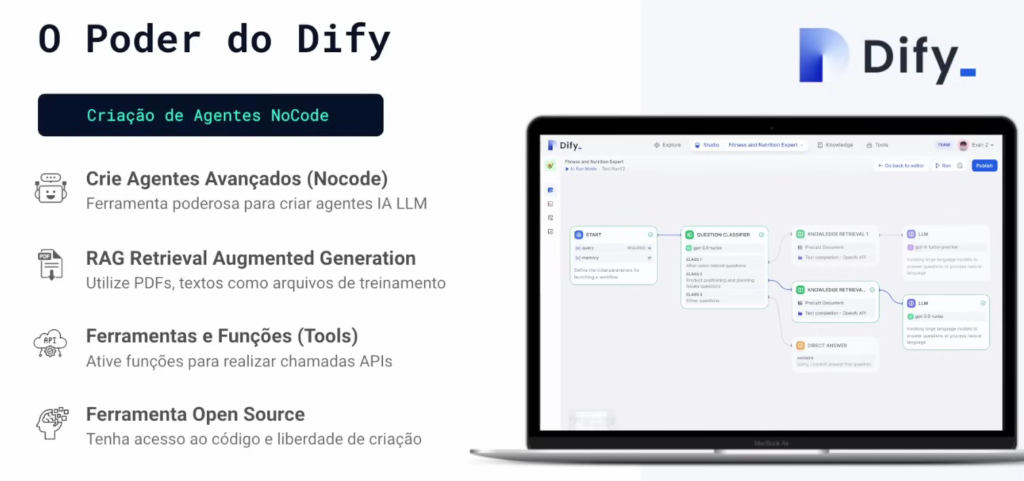
Dify stands out as an open-source platform that perfectly balances the ease of No-Code development with advanced features. It allows anyone to create robust AI agents, defining their behavior through prompts, without needing to be an expert programmer.
The 4 Pillars of Dify:
- No-Code Creation: You build the agent in an intuitive visual interface, focusing on logic and prompts, not code.
- RAG (Retrieval-Augmented Generation): Allows you to connect your own documents (PDFs, text files) so that the agent can respond based on them. your knowledge.
- Tools and Functions: You can "give a hand" to the agent, allowing it to perform actions such as searching Google, querying APIs, or generating images.
- Model Flexibility: Dify doesn't lock you into a single model. You can choose the "brain" you prefer (GPT-4, Gemini, Claude, LLaMA), optimizing cost and power.
Example: With Dify, you can create a support agent that first consults your product PDFs (RAGAnd if you can't find it, search on Google (Tool) before formulating the answer (Template).
Dify is a "Swiss Army knife" for creating agents, offering professional-level control and flexibility, but with the simplicity of No-Code.
Ease of No-Code Mode
Dify eliminates the need for programming to create AI agents. It offers a visual interface where you "design" the agent's logic, define its objectives, and configure its tools using prompts in Portuguese.
How it works in practice:
- Intuitive Interface: You select the function blocks (e.g., "Home," "Tools," "Knowledge Base") on a screen.
- Configuration via Command Prompts: Instead of code, you guide the agent's behavior. For example: "You are a sales assistant. Always be courteous and focus on scheduling a demo."“
- Chatbots and Workflows: The platform allows you to create both conversational agents (chatbots) and complex workflows that run without human interaction (e.g., processing emails).
Example: You can create a support chatbot in 10 minutes, just by writing the initial prompt and connecting your PDF database (RAG), something that would take days with code.
What you get: Dify democratizes AI creation, enabling No-Code creators and product owners Build and test robust agents without relying on developers.
Advanced features for businesses and developers
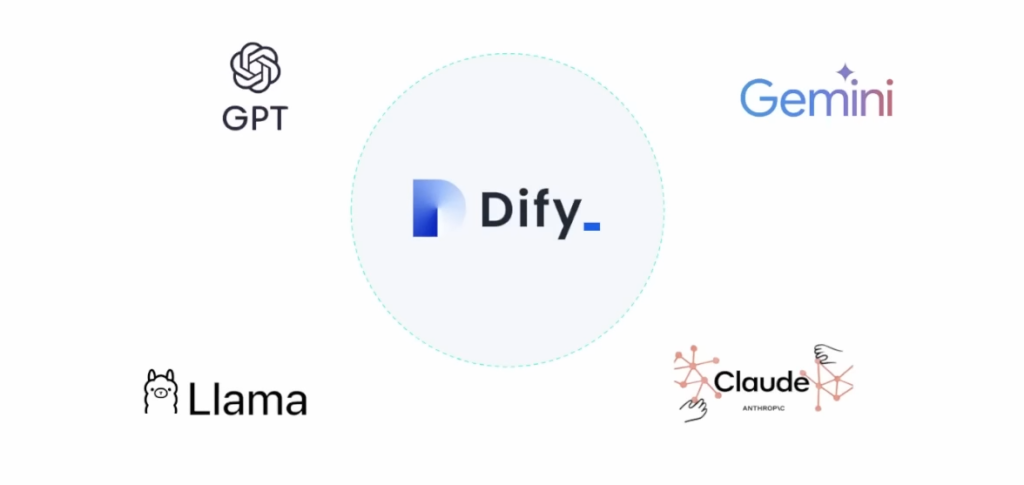
Dify offers a number of features that make creating AI agents simpler and more powerful:
- Integration with Various Models: You're not locked into a single provider. Dify lets you choose the AI model (GPT-40, Gemini, Claude 3, LLaMA) that best suits your cost and power needs.
- RAG (Retrieval-Augmented Generation): This is the function that allows the agent to "read" your documents. You upload PDFs, text files, or connect databases, and the agent learns to respond using them. exclusively its content.
- Tools (Tools / Function Calling): This is what allows the agent to perform actions in the real world. You can give it "tools" to search Google, generate images, or connect to any external API (e.g., your CRM system, your ERP, or an automation in Make/n8n).
Example: You can set up an HR agent that uses the Claude 3 (Model), consult the company policy PDFs (RAG) and connects to API for your time off system. (Tool) to answer employee questions.
What you get: Dify delivers the essential building blocks (RAG and Tools) visually, allowing you to create AI applications that truly solve business problems.
Customization and flexibility (The Power of Open Source)
Dify's greatest flexibility comes from its nature. open-source. This means that, in addition to using the platform in the cloud, you can download and install it on your own servers (self-hosting or self-hosting).
Why is self-hosting important?
- Complete Data Control: For companies that handle sensitive data (healthcare, finance), self-hosting ensures that no information leaves their secure environment.
- Cost Optimization: In large-scale projects, using your own servers can drastically reduce costs, since you only pay for the use of AI models, without platform fees.
- Extreme Customization: Developers can modify Dify's source code to create deep integrations or functionalities that don't exist in the standard version.
Example: A health startup can use Dify. self-hosted to create an agent that accesses patient data while maintaining full compliance with the LGPD (Brazilian General Data Protection Law), something impossible on many closed platforms.
What you get: Dify offers a strategic choice: get started quickly in the cloud or take full control with self-hosting to scale securely and with optimized costs.
No-Code Start-Up Training:
Comparison with other tools
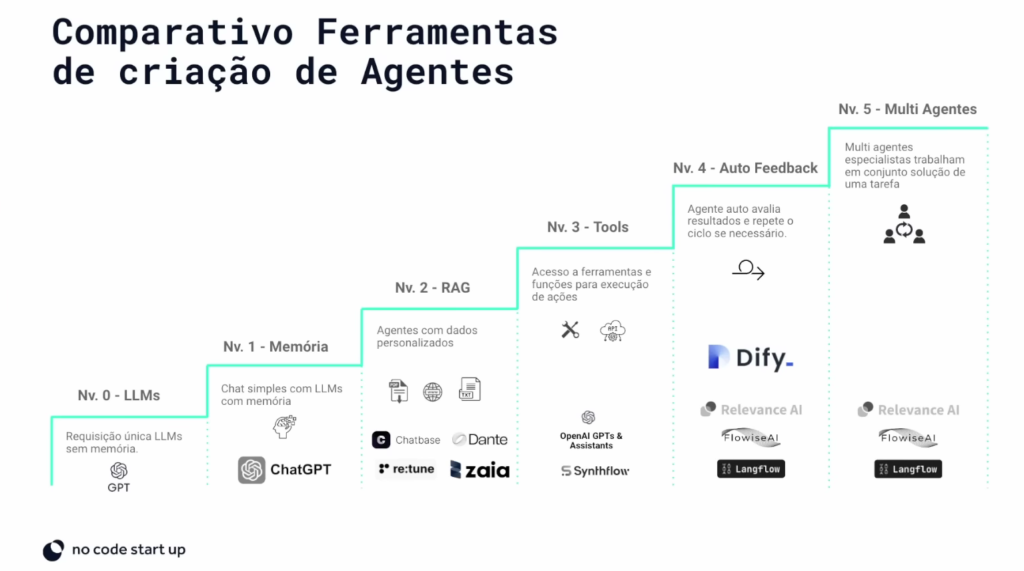
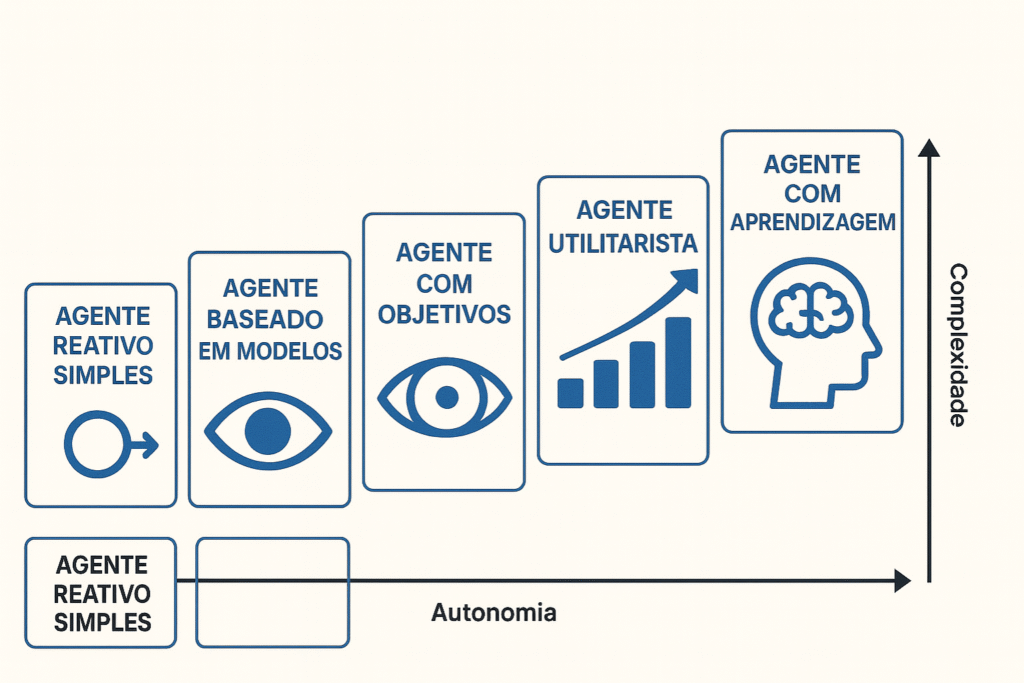
Dify positions itself as the ideal "Level 3" (Agent with Tools) platform. It is more powerful than basic tools (which only handle chat or RAG) and easier to use than complex code frameworks (like LangChain).
How to compare (Agent Levels):
- Level 0 (LLM): Only the AI model (e.g., ChatGPT) responds, but it has no long-term memory and cannot act.
- Level 1-2 (Chatbot with RAG): Tools that allow you to "talk to your PDF." They have memory and knowledge (RAG), but they cannot perform tasks.
- Level 3 (Dify – Agent with Tools): Where Dify shines. It combines RAG (knowledge) with Tools (actions via API), allowing the agent to query data AND act in the world.
- Level 4+ (Code/Multi-Agent): Frameworks for developers, where you need to program everything. Dify offers the advantage of being... open-source, allowing for more control over data and costs than closed platforms.
Example: A basic RAG tool cannot schedule a meeting. A Dify agent can, because you can give it the Google Calendar API "Tool".
What you get: Dify is the perfect balance between power (RAG + Tools) and ease of use (No-Code), with the added security of being... open-source.
Dify Pricing and Plans
Dify offers both free and paid plans, allowing users to test out the platform before opting for a more advanced plan. The free plan provides up to 200 messages and supports some basic integrations.
The paid plan offers advanced features, such as a higher message limit, unlimited storage, and access to additional tools. Therefore, for companies that want a fully customized solution, Dify offers plans for teams. In addition, there is a self-hosting option, ideal for reducing costs.
Example: A student can use the Free option. A growing startup uses the Paid option. A bank or hospital uses Self-Hosted to ensure data privacy.
Using Dify in practice: how to get started?
To get started with Dify, simply create a free account and explore the core features. So, here’s a basic walkthrough to create your first agent:
- Creating an agentIn the Dify studio, you can choose to create a basic chatbot Or an agent with advanced features, such as RAG and Function Calling. In the case of chatbots, you can connect AI models and define simple instructions.
- Connecting knowledge: Dify allows you to add knowledge bases such as documents, websites, and files. This makes it easy to create an agent that responds based on specific information.
- Configuring external tools: In the tool panel, you can enable various functions, such as Google search, Wikipedia query, and image generation. These tools allow the agent to fetch data in real time and perform additional actions.
- Testing and publishing: After configuring the agent, you can test it to verify that it works. Then, just publish it and it will be ready to use.
In addition, the platform also offers resources such as templates and workflows, facilitating the creation of agents for different purposes, from customer service chatbots to sales assistants.
Is Dify worth using?
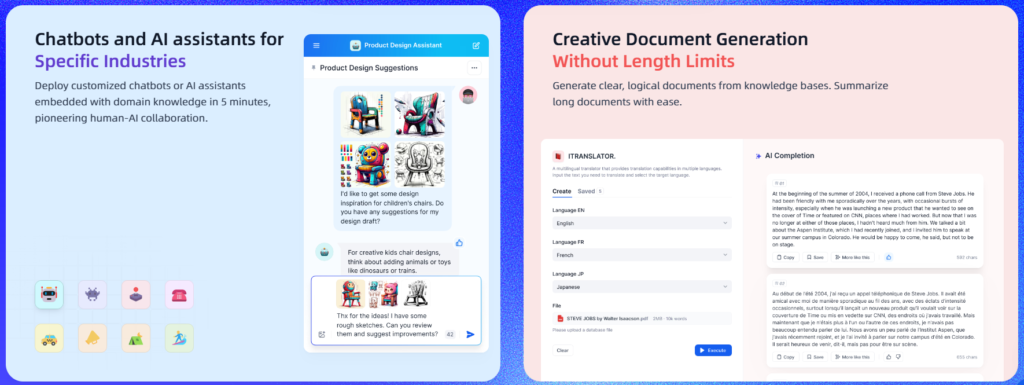
Dify is one of the best AI tools among the options for creating AI agents on the market, especially for those looking for a no-code solution with high flexibility. With features such as conversation memory, RAG training, Function Calling and integration with various models, Dify offers a complete environment for creating robust and customized agents.
Thus, the platform is an excellent choice for both companies looking to implement AI solutions in their operations and for developers looking to explore the potential of intelligent agents.
So, for those interested in getting the most out of Dify, it’s worth exploring the tutorials and additional resources available on the website and social media. After all, with such a powerful and accessible tool, creating efficient AI agents has never been easier. So, be sure to watch our full video on NoCode Startup Youtube!















 EN
EN  PT
PT  ES
ES