I'm going to show you, in practice, how to move beyond generic customer service. We're going to build a system. multi-agent with AIs experts. Each agent responds based on reliable data and updated.
Table of Contents
The problem of repetitive customer service in companies.
Have you ever wasted hours answering the same questions? Or seen a generic AI make mistakes on simple technical questions? This is the bottleneck that undermines satisfaction and scalability.
What works is specialization + context. Instead of an agent that does everything, we created... several specialists. Each one solves a part of the process with precision.
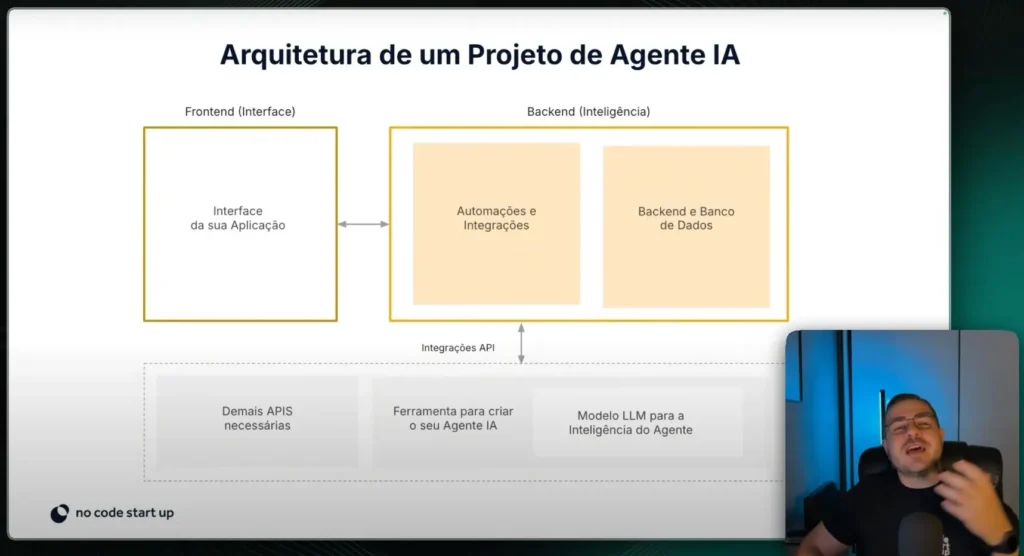
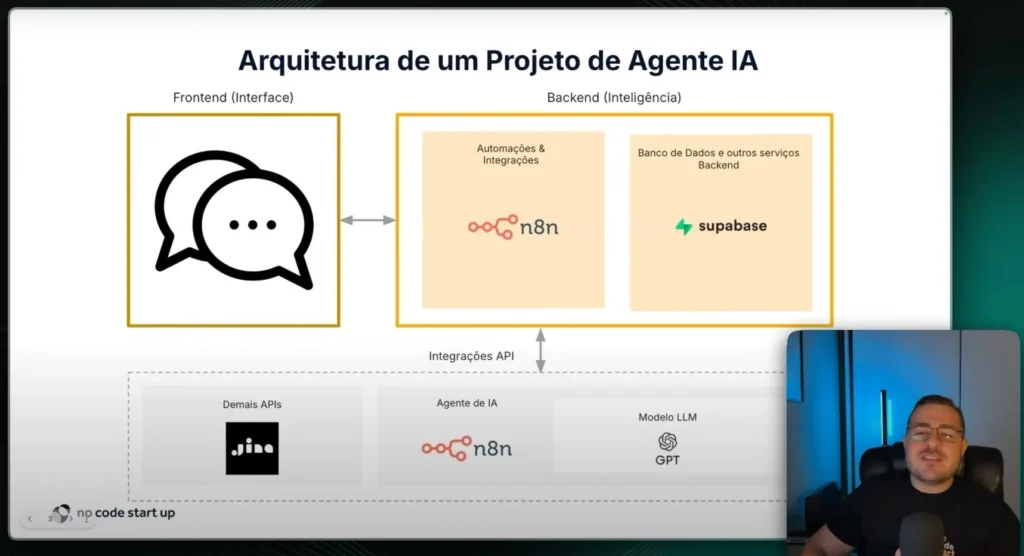
Architecture of an Agent project
Layered view
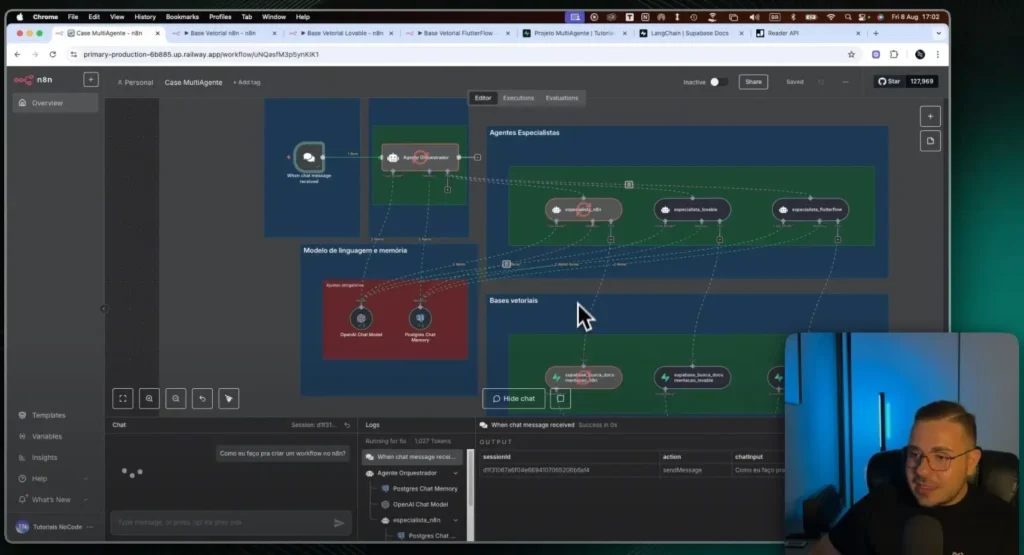
Front-end: User chat (n8n Chat Trigger or web/chat). Orchestration: flows in n8n coordinating agents and tools. Knowledge: vector bases in Supabase (Postgres + pgvector).
Main components
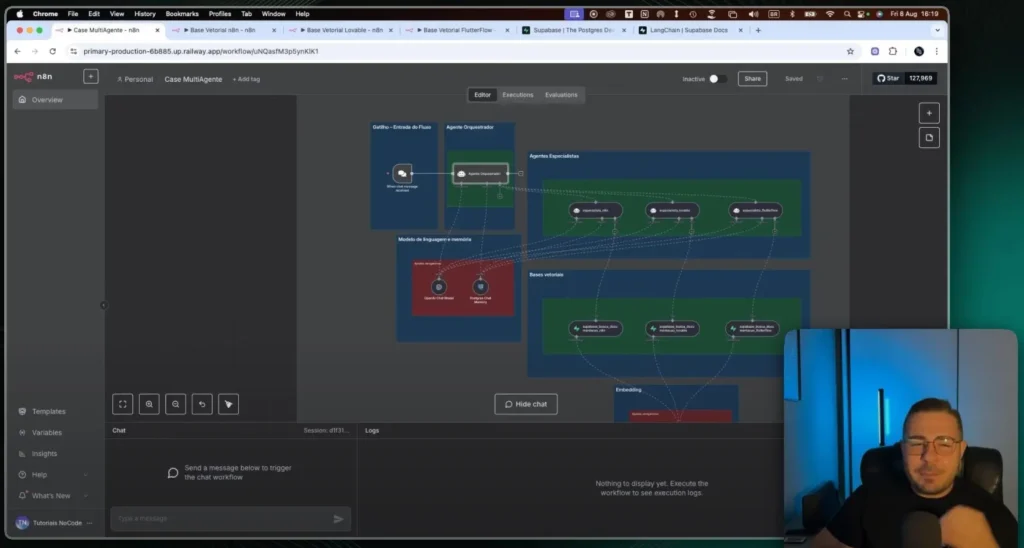
Orchestrating Agent: He receives the question and decides which path to take. Specialist Agents:n8n, Lovable and FlutterFlow. RAG: Semantic search in the official documentation of each tool.
Summary flow
User asks a question → Orchestrator classifies it → Expert consults RAG. Expert generates an answer with sources → Orchestrator delivers it in the chat. Logs and metrics are saved for continuous improvement.
The role of the Orchestrating Agent in orchestrating the flows.
The orchestrator is the conductor of the system. It classifies the intention, asks for clarifications when necessary. Only then does it delegate to the correct specialist.
He applies quality policies. Formats responses, includes citations/links, and sets limits. If context is lacking, prompts the user for minimal information.
Also manages fallbacks. If one expert fails, another is tried, or reliable guidance is provided. This ensures stability even in error scenarios.
Practical demonstration: experts responding in real time.
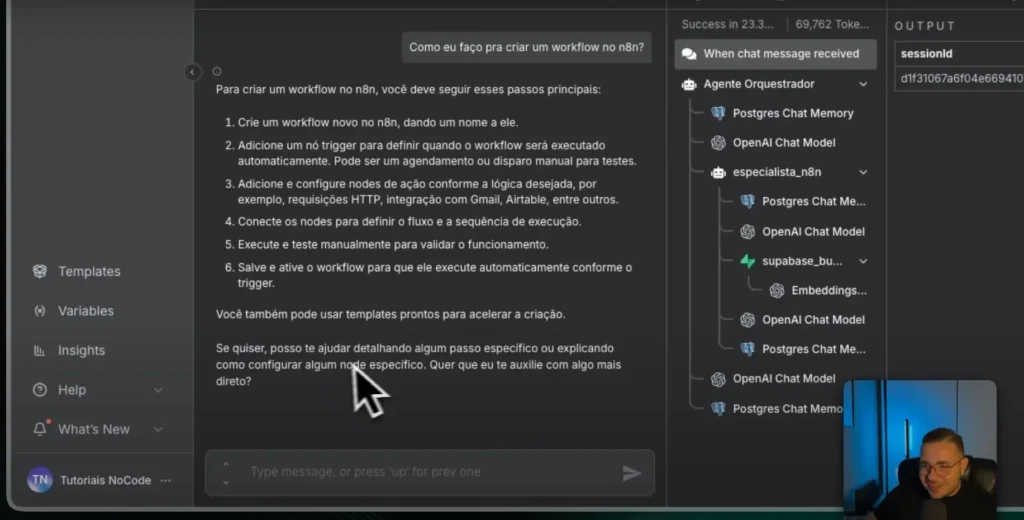
When the user asks about n8n, The orchestrator routes the data. The n8n expert consults the vector database for that document. The response comes structured with steps and best practices.
If the question is about Lovable or FlutterFlow, The same logic applies. Each specialist reads only their own isolated knowledge base. This avoids confusion and improves accuracy.
Messages and decisions are recorded. This allows us to measure response time, accuracy, and costs. And we optimize prompts and thresholds with real data.
Knowledge base preparation
Intake pipeline
Collect: use Jina Reader to extract clean pages.
Processing: Cleaning, chunking, and metadata (source/URL).
Embeddings: generation with OpenAI (text-embedding-3).
Indexing: insertion into Supabase with pgvector.
Observability: Scheduled jobs and versioning.
Good practices
Separate a table by tool. Store title, URL, excerpt, embedding, and date. Use the version to see what has changed and when.
Meet Jina AI
THE Jina AI It offers tools for data pipelines. In the project I use the Jina Reader to extract clean content. Works via URL shortcut or by API with key.
Advantages: speed, simplicity, and zero initial cost. Great for POCs and to keep the documentation always up-to-date. Integrates well with n8n and vector databases.
Examples of real questions and answers from the system.
Question (n8n): How do I create a workflow from scratch? Response: Create workflows, add triggers, chain nodes. Manually test, save, and activate. Suggest templates.
Question (Loveable): How do I generate a quick dashboard? Response: Create project, define schema, import data. Generate automatic UI and customize components.
Question (FlutterFlow): How to consume a REST API? Response: Configure endpoints, map fields and states. Test requests and handle errors in the navigation flow.
Test with ambiguous questions and system limitations.
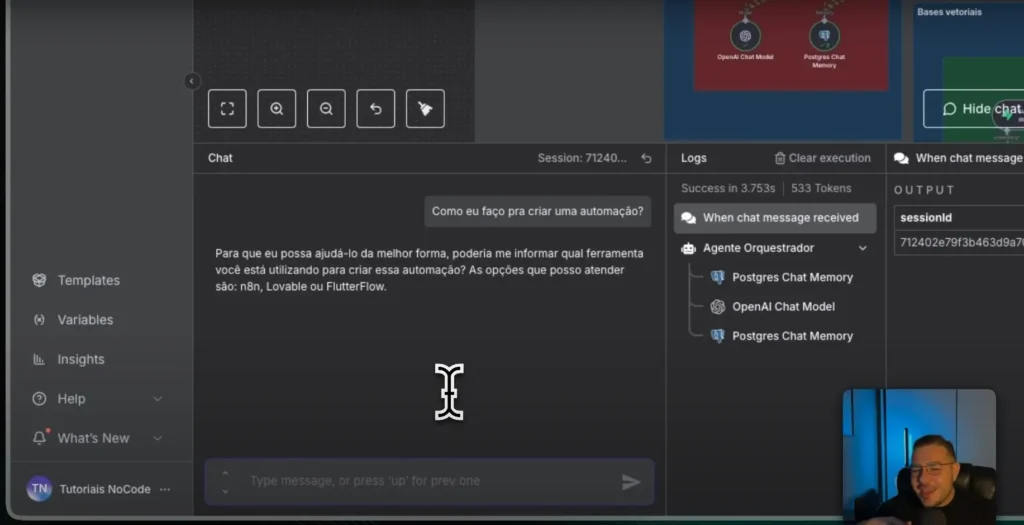
When the question is generic (e.g., "How to automate?"), the orchestrator requests the target tool. This avoids vague answers and reduces costs.
If the user asks for something out of scope (ex.: ZapierThe system responds with transparency and alternatives. It's better to be clear than to "invent" answers.
Limitations exist: outdated databases and poor prompts. We mitigate this with monitoring, re-ingestion, and prompt revisions. And satisfaction metrics to close the loop.
Reference stack
Models: GPT-5 Thinking (orchestration); GPT-5 Mini for general use. Embeddings: text‑embedding‑3; optional local Llama/Mistral. Orchestration: n8n (AI Agents + HTTP + Schedulers).
Knowledge: Supabase + pgvector; logging in Postgres. Extraction: Jina Reader (shortcut/API) with Markdown normalization. Messaging: Web/App chat; optional WhatsApp/Slack.
Quality: Source validation, minimum score, and fallback. Observability: Metrics by agent, cost, latency, and accuracy. Security: RBAC, PII masking, and audit trail.
Multi-agent systems solve what generic AIs can't. The right architecture, specialization, and data make all the difference. With this blueprint, you can start your pilot today.
If you want, I can generate them. n8n workflows Initial steps. I've included prompts, table schemas, and ingestion jobs. This allows you to test quickly and reliably measure ROI.
The evolution of artificial intelligence has reached significant milestones, and the arrival of multimodal AI This represents one of the most important transitions in this ecosystem.
In a world where we interact with text, images, audio, and video simultaneously, it makes sense that AI systems should also be able to understand and integrate these multiple forms of data.
This approach revolutionizes not only how machines process information, but also how they interact with humans and make decisions.
What is Multimodal AI?
What is Multimodal AI?
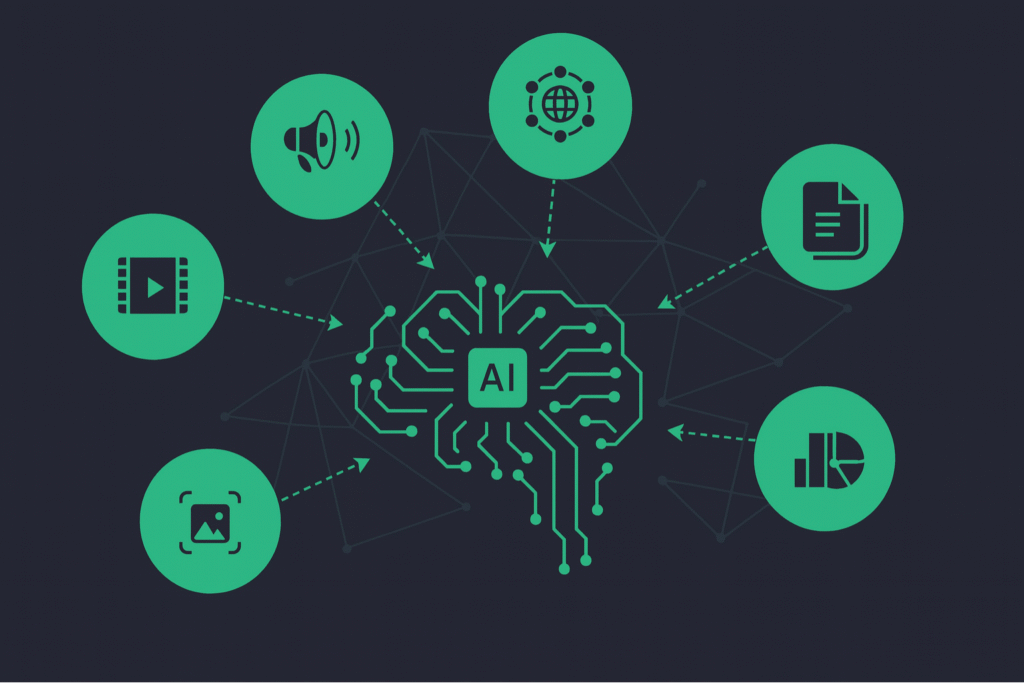
Multimodal AI It is a branch of artificial intelligence designed to process, integrate, and interpret data from different modalities: text, image, audio, video, and sensory data.
Unlike traditional AI, which operates with a single source of information, multimodal models They combine various types of data for a deeper and more contextual analysis.
This type of AI seeks to replicate the way humans understand the world around them, since we rarely make decisions based on just one type of data.
For example, when watching a video, our interpretation takes into account both visual and auditory and contextual elements.
How does Multimodal AI work in practice?
The foundation of multimodal AI lies in data fusion. There are different techniques for integrating multiple sources of information, including early fusion, intermediate fusion, and late fusion.
Each of these approaches has specific applications depending on the context of the task.
Furthermore, multimodal models utilize intermodal alignment (orcross-modal alignment) to establish semantic relationships between different types of data.
This is essential to allow AI to understand, for example, that an image of a "dog running" corresponds to a text caption that describes that action.
Technical Challenges of Multimodal AI
Technical Challenges of Multimodal AI
Building multimodal models involves profound challenges in areas such as:
RepresentationHow do you transform different data types—such as text, image, and audio—into comparable numerical vectors within the same multidimensional space?
This representation is what allows AI to understand and relate meanings between these modalities, using techniques such as embeddings and specific encoders for each data type.
AlignmentHow can we ensure that different modalities are semantically synchronized? This involves the precise mapping between, for example, an image and its textual description, allowing AI to accurately understand the relationship between visual elements and language.
Techniques such as cross-attention and contrastive learning are widely used.
Multimodal reasoningHow can a model infer conclusions based on multiple sources? This ability allows AI to combine complementary information (e.g., image + sound) to make smarter and more contextualized decisions, such as describing scenes or answering visual questions.
GenerationHow to generate output in different formats coherently? Multimodal generation refers to creating content such as image captions, spoken responses to written commands, or explanatory videos generated from text, always maintaining semantic consistency.
TransferHow can a model trained with multimodal data be adapted for specific tasks? Knowledge transfer allows a generic model to be applied to specific problems with minimal customization, reducing development time and data requirements.
QuantificationHow can we measure performance using comparable criteria across different modalities? This requires metrics adapted to the multimodal nature of media, capable of evaluating consistency and accuracy between text, image, audio, or video in a unified and fair way.
Main Benefits of Multimodal Models
By integrating multiple sources of information, multimodal AI offers undeniable competitive advantages.
Firstly, it significantly increases the accuracy of decision-making, as it allows for a more complete understanding of the context.
Another strong point is robustness: models trained with multimodal data tend to be more resilient to noise or failures in one of the data sources.
Furthermore, the ability to perform more complex tasks, such as generating images from text (text-to-image), is driven by this type of approach.
How to Evaluate Multimodal Models?
To measure the quality of multimodal models, different metrics are applied depending on the task:
BLEU multimodal: evaluates quality in text generation tasks with visual input.
Recall@k (R@k): used in cross-modal searches to check if the correct item is among the top-k results.
FID (Fréchet Inception Distance): used to measure the quality of images generated based on textual descriptions.
Accurate evaluation is essential for technical validation and comparison between different approaches.
Real-World Examples of Multimodal AI in Action
Several technology platforms already use multimodal AI on a large scale. The model Gemini, Google's [model name] is an example of a foundational multimodal model designed to integrate text, images, audio, and code.
Another example is GPT-4o, which accepts voice and image commands along with text, offering a highly natural user interaction experience.
These models are present in applications such as virtual assistants, medical diagnostic tools, and real-time video analysis.
The advancement of multimodal AI has been driven by platforms such as Google Vertex AI, OpenAI, Hugging Face Transformers, Meta AI and IBM Watson.
Furthermore, frameworks such as PyTorch and TensorFlow They offer support for multimodal models with specialized libraries.
Within the NoCode universe, tools such as Dify and make up They are already incorporating multimodal capabilities, allowing entrepreneurs and developers to create complex applications without traditional coding.
Multimodal Data Generation Strategies
Multimodal Data Generation Strategies
The scarcity of well-matched data (e.g., text with image or audio) is a recurring obstacle. Modern techniques of data augmentation Multimodal options include:
Using generative AI to synthesize new images or descriptions.
Self-training and pseudo-labeling to reinforce patterns.
Transfer between domains using multimodal foundational models.
These strategies improve performance and reduce biases.
Ethics, Privacy and Bias
Multimodal models, due to their complexity, increase the risks of algorithmic bias, abusive surveillance, and misuse of data. Best practices include:
Continuous auditing with diverse teams (red-teaming).
Adoption of frameworks such as EU AI Act and ISO AI standards.
Transparency in datasets and data collection processes.
These precautions prevent negative impacts on a large scale.
Sustainability and Energy Consumption
Training multimodal models requires significant computational resources. Strategies to make the process more sustainable include:
Quantization and distillation of models to reduce complexity.
Use of renewable energy and optimized data centers.
Tools like ML CO2 Impact and CodeCarbon for measuring carbon footprint.
These practices combine performance with environmental responsibility.
From Idea to Product: How to Implement
Whether with Vertex AI, watsonx, or Hugging Face, the process of adopting multimodal AI involves:
Stack choice: open-source or commercial? The first strategic decision involves choosing between open-source tools or commercial platforms. Open-source solutions offer flexibility and control, making them ideal for technical teams.
Commercial solutions, such as Vertex AI and IBM Watson, accelerate development and provide robust support for companies seeking immediate productivity.
Data preparation and recording
This step is critical because the quality of the model depends directly on the quality of the data.
Preparing multimodal data means aligning images with text, audio with transcripts, videos with descriptions, and so on. Furthermore, the annotation must be accurate to train the model with the correct context.
Training and fine-tuning
With the data ready, it's time to train the multimodal model. This phase may include the use of foundational models, such as Gemini or GPT-40, which will be adapted to the project context via fine-tuning techniques.
The goal is to improve performance in specific tasks without having to train from scratch.
Implementation with monitoring
Finally, after the model has been validated, it must be put into production with a robust monitoring system.
Tools like Vertex AI Pipelines help maintain traceability, measure performance, and identify errors or deviations.
Continuous monitoring ensures that the model remains useful and ethical over time.
The ethics behind multimodal AI involve concepts such as self-supervised multimodal learning, where models learn from large volumes of unlabeled data, aligning their representations internally.
This results in multimodal embeddings, which are numerical vectors that represent content from different sources in a shared space.
These embeddings are crucial for tasks such as cross-modal indexing, where a text search can return relevant images, or vice versa.
This is transforming sectors such as e-commerce, education, medicine, and entertainment.
Future and Trends of Multimodal AI
Future and Trends of Multimodal AI
The future of multimodal AI points to the emergence of AGI (Artificial General Intelligence), an AI capable of operating with general knowledge in multiple contexts.
The use of sensors in smart devices, such as LiDARs in autonomous vehicles, combined with foundational multimodal models, is bringing this reality closer.
Furthermore, the trend is for these technologies to become more accessible and integrated into daily life, such as in customer support, preventative healthcare, and the creation of automated content.
Entrepreneurs, developers, and professionals who master these tools will be one step ahead in the new era of AI.
Learn how to take advantage of Multimodal AI right now.
Multimodal AI is not just a theoretical trend: it's an ongoing revolution that is already shaping the future of applied artificial intelligence.
With its ability to integrate text, images, audio, and other data in real time, this technology is redefining what is possible in terms of automation, human-machine interaction, and data analysis.
Investing time in understanding the fundamentals, tools, and applications of multimodal AI is an essential strategy for anyone who wants to remain relevant in a market that is increasingly driven by data and rich digital experiences.
In a scenario where the volume of information is growing exponentially, relying solely on manual analysis has become unfeasible.
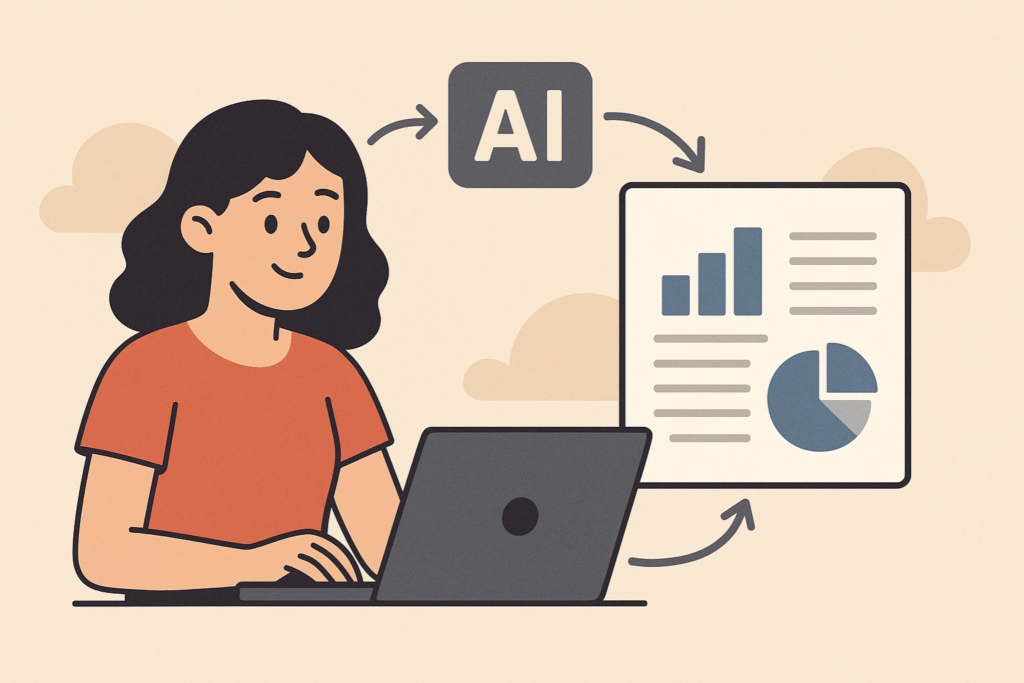
Artificial intelligence not only allows for faster report generation but also improves report quality, offering insights that would be invisible to the human eye.
In this article, you'll learn everything about automating reports using AI: from fundamental concepts to practical tools, real-world case studies, and trends.
If you're looking for efficiency, accuracy, and scalability in your data analysis processes, keep reading.
What is AI-powered report automation?
THE Automating reports with artificial intelligence. and the process of generating, updating and distributing Generates reports using intelligent algorithms, eliminating manual and repetitive steps.
By using AI, these reports are generated based on patterns, predictions, and correlations that often go unnoticed by humans.
Unlike traditional scripts or automated spreadsheets, AI can interpret contexts, identify anomalies, and even propose actions based on data.
Automation with AI goes beyond simply filling in fields: it understands what the data means and delivers actionable narratives.
Why adopt AI-powered reporting automation?
Why adopt AI-powered reporting automation?
Adopting AI-based tools to generate reports is not just a trend, but a real competitive advantage.
Organizations that invest This type of technology offers advantages in speed, error reduction, and analytical capabilities.
Furthermore, AI-powered automation frees up team time for more strategic activities, replaces outdated processes, and makes data communication more efficient and visual.
It is possible to create dynamic dashboards, natural language reports, and real-time alerts based on critical events.
10 tools that use AI for report automation
We selected 10 powerful tools that integrate artificial intelligence into report generation and data management. They serve everyone from freelancers to large corporations:
1. Medallia
Medallia
The former MonkeyLearn now redirects to Medallia Experience Cloud, which combines text analytics capabilities with AI within a comprehensive experience management platform.
The price is calculated by the model. Experience Data Record (EDR)You pay for the volume of interaction records captured and you have unlimited users and all modules (analytics, alerts, workflows) included, avoiding seat-based fees.
Market reports indicate that Initial packages start from approximately US$20,000/year. in smaller-scale programs, while enterprise deployments may include a one-time setup fee and higher layers of EDR.
The model offers predictability, but projects with large volumes need to negotiate customized tiers to avoid cost overruns. Explore the EDR model. and calculate the best fit for your company.
2. Zoho Analytics
Zoho Analytics
A BI tool with an AI assistant that answers questions in natural language and generates automatic visual reports based on integrated data.
O Basic plan part of R$ 185/month (2 users, 500,000 lines, daily synchronization and up to 2 apps connectors), and there is also a free plan (2 users, 10,000 lines), plus a 15-day trial with all Premium features.
Limitations include restricted data refresh, processing queues for volumes above 1 million lines, and additional charges starting from [amount]. R$ 50/month per extra user or through packages of additional lines.
3. Power BI + Copilot
Power BI + Copilot
The integration of Power BI with Microsoft Copilot incorporates generative AI into dashboards, generating natural language summaries, automated explanations, and actionable predictions.
To enable Copilot you will need at least one Power BI licensing Premium Per User (US$ 24/month) or one Fabric F64 capacity, whose investment starts from US$ 4 995/month. Alternatively, Microsoft offers billing. pay‑as‑you‑go at US$ 0.22 per CU‑hour or Instance reserved for US$ 0.14 per CU-hour (equivalent to ~US$ 0.46 or US$ 0.27 by iteration, respectively).
Limitations include unavailability in test SKUs, the need for Premium for very large data volumes, and restrictions on advanced customizations.
4. Google Looker Studio (formerly Data Studio)
Google Looker Studio (formerly Data Studio)
With AI-powered integrations and connectors like BigQuery ML, Looker Studio offers visualizations and insights across large volumes of data, and the version Basic education remains free..
Already the Looker Studio Pro part of US$9 per user/project per month (annual billing), adding SLA, team workspaces, and advanced governance.
Extra costs come from paid connectors and BigQuery queries, which are charged separately. Limitations include performance issues with highly complex queries, daily quotas, and the lack of premium support in the free edition. To assess whether it's worthwhile, Compare the plans now.
5. Tableau with Einstein AI
Tableau with Einstein AI
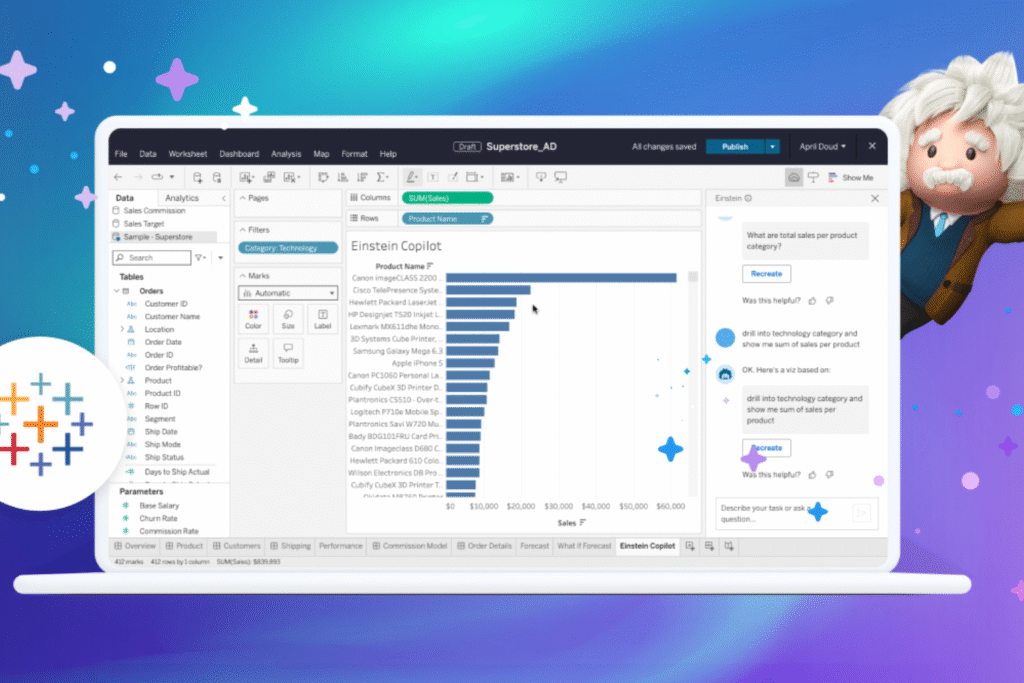
Salesforce integrated Einstein Analytics with Tableau, adding trend forecasting, automated explanations, and natural language insight generation directly to dashboards.
To begin with, you need at least one Creator licensing on Tableau Cloud (US$ $75/user/month) and the add-on Einstein Predictions (US$ 75/user/month), which includes the Einstein Discovery.
THE Enterprise edition or the package Tableau + It adds advanced governance and on-demand AI credits. Limitations include a steep learning curve, the need to configure permissions in both Tableau and Salesforce Org, and costs that scale rapidly in large teams or with high forecast volumes (extra AI credits are charged separately).
6. Dashbot
Dashbot
Designed for bots and voice, it generates automated reports about user behavior, with actionable insights powered by AI.
O Build plan starts at US$ 49/month and releases up to 1 million messages per month; the Free plan It supports 3 bots with reduced volume, while organizations that exceed these limits can negotiate the... Enterprise.
Limitations include shorter data retention on the free plan, lack of advanced exports, and bottlenecks when analyzing conversations that exceed the Build limit.
7. Narrative BI
Narrative BI
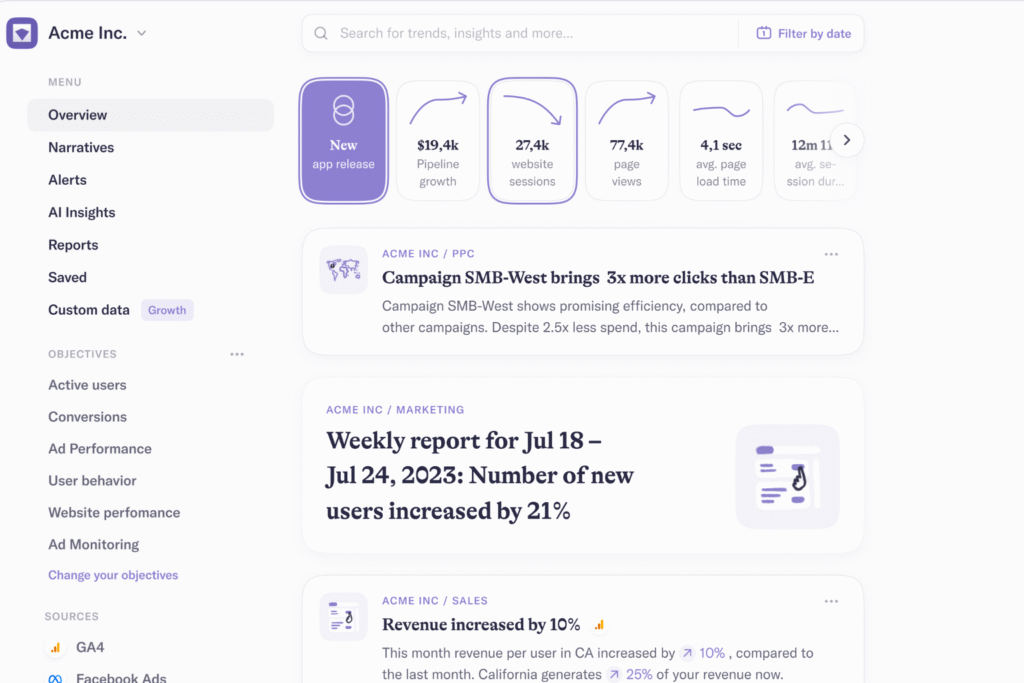
A platform that transforms raw data into natural language stories, generating real-time KPI narratives for marketing and growth teams.
O Pro plan starts at US$ 30 per data source/month (annual fee) and offers unlimited seats, 1 workspace, 10 GB of data and synchronization every 6 hours, in addition to 30 daily requests to the AI Analyst.
O Growth rises to US$$ 40 per source/month, provides 50 workspaces, 20 GB of storage, and 100 daily requests, while the Enterprise Provides customized limits upon request. There is also 7-day free trial.
Limitations include data quotas and AI request limits that may require upgrading in high-volume scenarios. Start your free trial and evaluate which plan best suits your needs.
8. Polymer Search
Polymer Search
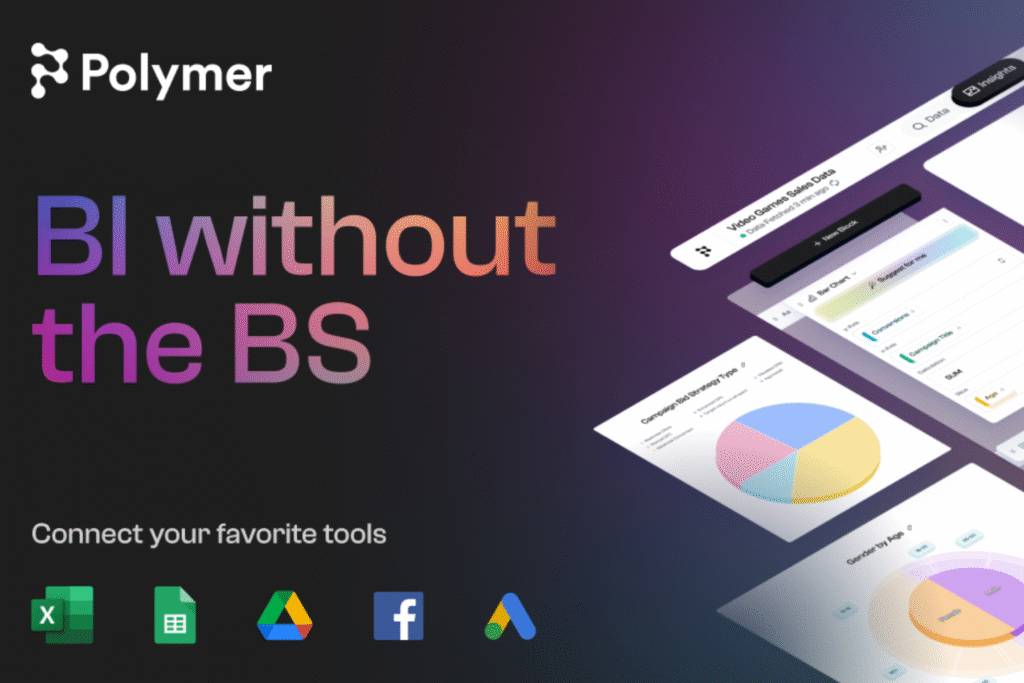
It allows you to upload spreadsheets and generate interactive dashboards with AI without requiring technical knowledge.
O The Basic plan costs US$$ 50/month. (or US$ 25/month (with annual payment) and includes 1 editor, unlimited connectors, and manual synchronization; the plans Pro (US$ 50/month annually / US$ 100 monthly) and Teams (US$ 125 annual / US$ 250 monthly) They add more frequent synchronizations, PolyAI responses, custom metrics, and more editors.
There is still 14-day free trial. Limitations: AI-chat quotas (0 in Basic, 15 in Pro), only 1 account per connector in Basic, and reduced performance in very large databases.
Provides 30 days of free access; After the trial, it adopts a credit-based model in which the The starter price is around US$$ 83 per user/month. (≈ US$ 1,000/year) according to independent estimates.
The final cost, however, depends on the volume of data processed—market reports indicate average of ~US$134 000/year in medium-sized companies, while small teams rarely pay less than US$ 10,000/year.
Limitations: steep learning curve, rapid credit consumption in intensive pipelines, and extra costs for premium support or additional storage.
10. Beautiful.ai
Beautiful.ai
Focused on presentations, it generates automatic slides based on data and facilitates visual storytelling.
O Pro plan starts at US$$ 12/month (billed annually) or US$ 45 if paid month by month, including unlimited presentations, PowerPoint export, and view analytics.
For advanced collaboration, the Team costs US$$.40 per user/month. (annual) and offers a centralized slide library, branded themes, and permission controls.
Limitations: customization of highly complex charts, lower performance on large databases, and the need for the Team plan for complete branding.
How to create your own AI-powered automation using N8N
How to create your own AI-powered automation using N8N
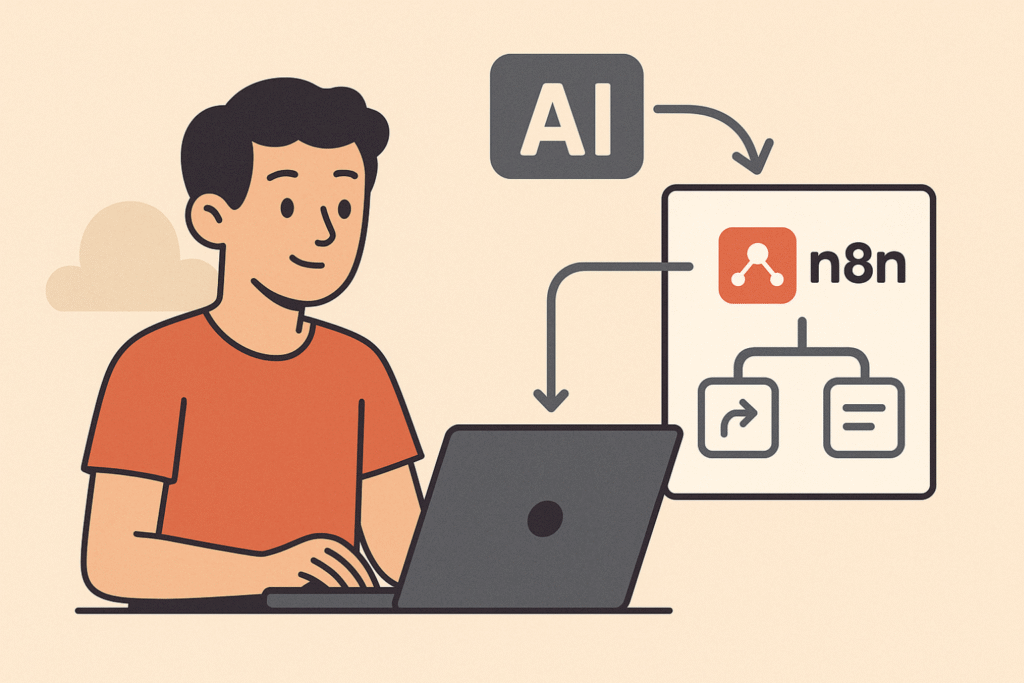
Although there are ready-made tools available, it is entirely possible to create your own. Custom AI-powered report automation using the N8N — a highly flexible open-source automation tool.
Practical example:
Imagine you want to generate a weekly report with mentions of your brand on Twitter, perform a sentiment analysis, and send a summary via email.
Use an AI model (via OpenAI or Hugging Face) to classify the sentiment of tweets;
Summarize the data using AI and generate a PDF;
Send the report by email automatically every Monday.
This workflow can be expanded to dozens of applications — all without writing code.
To master these possibilities, explore the N8N Course from No Code Startup, Where you'll learn in practice how to create AI-powered automations for reporting and much more.
Real-world use cases of AI-powered report automation
Real-world use cases of AI-powered report automation
Companies of all sizes are already using AI-powered automation to transform their relationship with data. Here are some real-world examples:
E-commerce: They automate daily sales reports with inventory forecasts and product suggestions for campaigns.
Digital marketing: Agencies are using AI to generate monthly performance reports with automated improvement insights.
HR and People Analytics: Reports with predictive analysis of employee turnover and engagement based on behavioral data.
Financial: Automation of risk and cash flow reports with projections adjusted by machine learning algorithms.
Instead of simply showing what happened, future reports will automatically answer strategic questions and suggest actions.
Tools like Dify and Agents with OpenAI They are at the forefront of this evolution, enabling the creation of agents that interpret and report data autonomously.
Transform your reports with AI today.
Transform your reports with AI today.
THE AI-powered report automation It is already an accessible, scalable, and extremely powerful reality.
By combining specialized tools with platforms like N8N, it's possible to create automated workflows, save time, and make smarter decisions.
If you want to master this new landscape, consider taking the next step with... No Code Startup Training Programs and start creating your own solutions with artificial intelligence.
This means that professionals without programming experience can build and operate data pipelines with intelligent AI support, saving time and money and reducing reliance on technical teams.
The central idea is to democratize access to data engineering and enable startups, freelancers, marketing teams, and business analysts to make autonomous, data-driven decisions, all powered by no-code ETL with artificial intelligence.
This approach has been particularly powerful when combined with tools such as n8n, Make (Integromat) and Dify, which already offer integrations with generative AI and visual ETL operations.
Integrate artificial intelligence agents The no-code ETL workflow brings practical and strategic benefits, promoting data automation with generative AI.
The first is AI's ability to interpret data based on context, helping to identify inconsistencies, suggest transformations, and learn patterns over time.
With this, we not only eliminate manual steps such as data cleansing and table restructuring, but we also allow tasks to be executed at scale with precision.
Automation platforms such as make up and n8n already allow integrations with OpenAI, enabling the creation of intelligent automations for data, as:
Anomaly detection via prompt
Semantic classification of entries
Generation of interpretive reports
Automatic conversion of unstructured data into organized tables.
All of this, with visual flows and based on rules defined by the user.
How do AI agents for no-code ETL work?
In practice, a AI agent for no-code ETL It acts as a virtual operator that performs tasks autonomously based on prompts, rules, and predefined objectives.
These agents are built on no-code platforms that support calls to AI model APIs (such as OpenAI, Anthropic, or Cohere).
Executing an ETL flow with AI involves three main phases:
Extraction
The agent connects to data sources such as CRMs, spreadsheets, databases, or APIs and collects data according to defined triggers.
Transformation
With AI, data is processed automatically: named columns, grouped data, summarized text, categorized fields, inferred missing data, among others.
Loading
Finally, the transformed data is sent to destinations such as dashboards, internal systems, or cloud storage like Google Sheets or PostgreSQL.
To orchestrate data pipelines at scale, Managed services like Google Cloud Dataflow can be integrated into the flow.
Today, a series of no-code tools for ETL pipelines This allows the creation of agents focused on data operations. The most relevant include:
n8n with OpenAI
n8n allows you to create complex flows with smart us Using generative AI. Ideal for workflows with conditional logic and handling large volumes of data.
Make (Integromat)
With a more user-friendly interface, Make is ideal for those who want speed and simplicity. It allows integration with AI models to process data automatically.
Dify
One of the most promising platforms for creating autonomous AI agents with multiple functions. It can be integrated with data sources and transformation scripts.
Although primarily focused on no-code backend development, Xano enables AI-powered workflows and can be used as an endpoint for processed data.
Real-world use cases and concrete applications
Real-world use cases and concrete applications
Companies and independent professionals are already using AI agents for code-free ETL in various contexts, boosting their operations and reducing manual bottlenecks.
Startups SaaS
Startups that develop digital products, especially SaaS, use AI agents to accelerate user onboarding and personalize their experiences from the very first access.
By integrating registration forms with databases and analytics tools, these agents extract key information, categorize profiles, and deliver valuable insights about user behavior to the product team.
This allows for more assertive actions in UX, retention, and even the development of features based on real-time, up-to-date data.
Marketing teams
Marketing departments are finding in AI agents for ETL a powerful solution to deal with data fragmentation across multiple channels.
By automating the collection of campaign information from Google Ads, Meta Ads, CRMs, and email tools, it's possible to centralize everything into a single, intelligent workflow.
AI also helps to standardize terminology, correct inconsistencies, and generate analyses that optimize real-time decision-making, improving budget allocation and campaign ROI.
Financial analysts
Analysts and finance teams leverage these agents to eliminate manual and repetitive steps in document processing.
For example, an agent can read bank statements in PDF format, convert the data into organized spreadsheets, apply sorting logic, and even generate automatic charts for presentation.
This shifts the analyst's focus from data entry to strategic interpretation, resulting in faster reports with less margin for error.
Agencies and freelancers
Freelancers and B2B agencies offering digital solutions are using AI agents to deliver more value with less operational effort.
For example, by building a smart ETL pipeline, a freelancer can integrate the client's website with a CRM, automatically categorize incoming leads, and trigger weekly reports.
This allows you to scale your service, generate measurable results, and justify ticket price increases based on AI-optimized deliveries.
The use of AI agents for code-free ETL It tends to expand with the advancement of language models and more robust integrations.
Next, we explore some of the key trends that promise to further transform this scenario:
Agents with long contextual memory
With extended memory, agents can retain the context of previous interactions, enabling greater accuracy in history-based decisions and more refined personalization in automated data flows.
Integrations with LLMs specializing in tabular data
Language models trained specifically to handle tabular structures — such as TabTransformer — They make the transformation and analysis process much more efficient, allowing for deeper interpretations and smarter automation.
Conversational interfaces for creating and operating pipelines.
Creating ETL pipelines can become even more accessible with natural language-based interfaces, where the user interacts with an agent through written or spoken questions and commands, without the need for visual logic or coding.
Predictive automation based on operational history.
By analyzing historical pipeline execution patterns, agents can anticipate needs, optimize recurring tasks, and even autonomously suggest improvements to the data flow.
You can get started today with AI agents for no-code ETL.
You can get started today with AI agents for no-code ETL.
If you want to learn how to apply AI agents for no-code ETL in your project, startup, or company, you no longer need to rely on developers.
With accessible tools and practical training, it's possible to create intelligent, scalable, and resource-saving ETL workflows without programming.


























 EN
EN  PT
PT  ES
ES 