


Have you ever tried to extract information from a website and been frustrated because it was all a mess? Menus, ads, meaningless HTML blocks, and lots of manual rework. Today I'll show you how to solve this in seconds, without programming.
Table of Contents
The tool is the Jina Reader, from the Jina AI. It transforms pages into clean, structured content. Perfect for feeding content. AI (Artificial Intelligence), RAG (Retrieval‑Augmented Generation) and no-code automations.
How does Jina Reader work?
Jina Reader functions as a smart, ready-to-use web scraper. Instead of writing code and dealing with noisy HTML, you provide the URL. It returns clean text in HTML. Markdown or JSON.
The secret is to focus on the main content. Menus, footers, and ads are automatically ignored. What remains are relevant titles, paragraphs, lists, and blocks (ready for consumption).
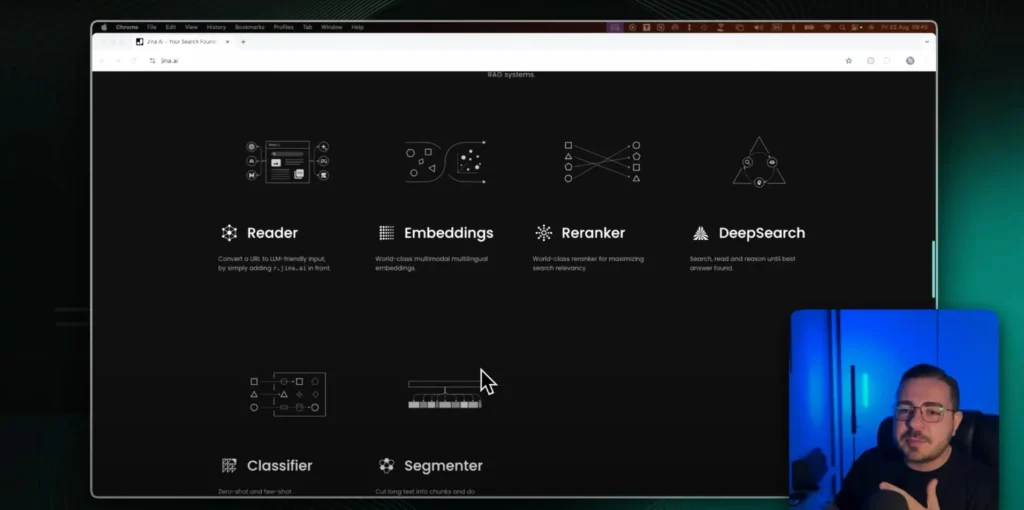
There are two simple ways to use it. You can call the API with your API Key. Or use the shortcut by adding r.jina.ai/ before the page link.
The Jina AI platform also offers other solutions. Embeddings, Reranker, Deep Search, Classifier and Segmenter. All designed for data pipelines that feed models.
How it works in practice (real-world tests)
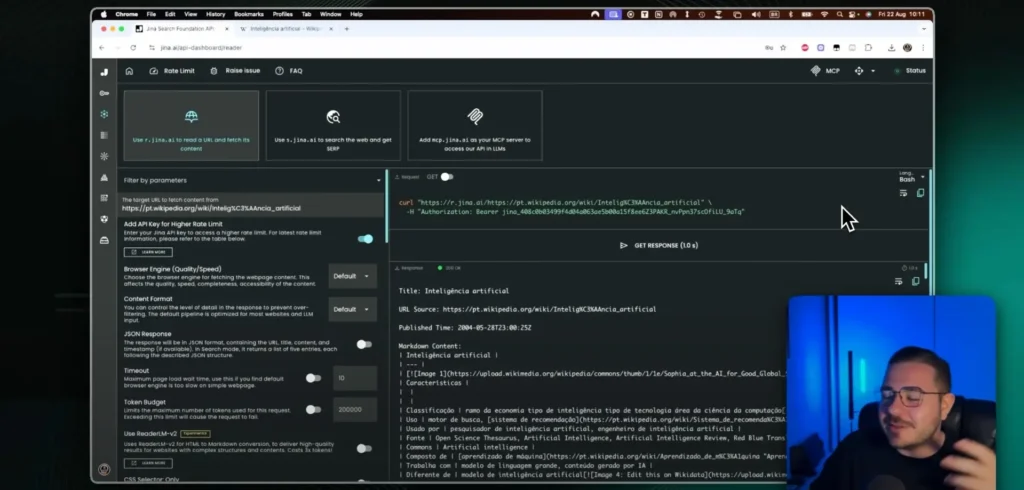
Let's test this with a familiar page. I'll take a reference article (like a Wikipedia page). Copying and pasting directly usually introduces noise and unnecessary navigation.
With Jina Reader, the flow is straightforward. I enter the URL, click on Get Response And I wait a few seconds. The return arrives structured in Markdown, ready for LLMs.
It's also possible to open the result in a browser. Just use the default option. r.jina.ai/target-URL. The content appears clean, without needing to configure anything.
If you prefer an API, log in and generate one. API Key. There's a generous quota of free credits for testing. You can experiment quite a bit before incurring any cost.
Advanced cases: technical documentation (n8n and Lovable)
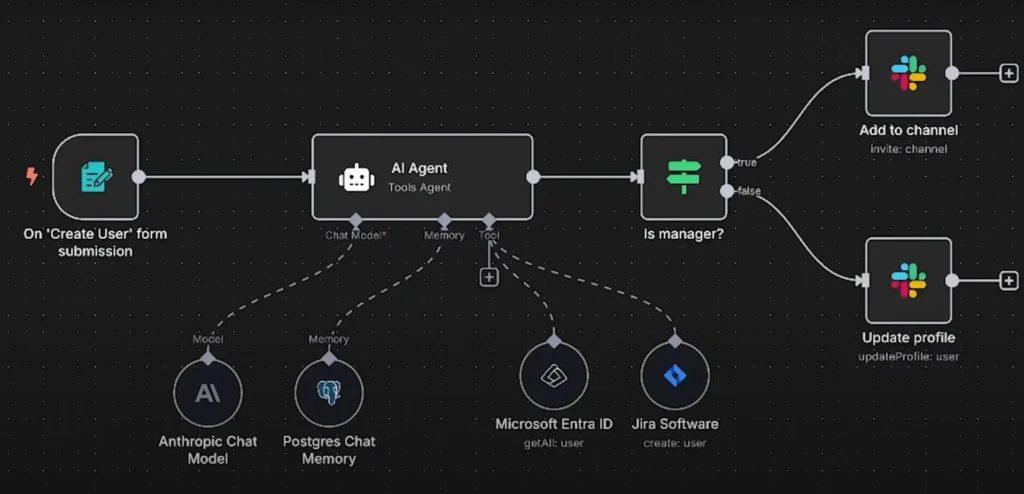
Now imagine creating a real knowledge base for RAG. I use Jina Reader to extract the documentation from n8n. Then I put everything into an automated workflow.
The pipeline retrieves the index page and the links from the sections. Then it extracts each page individually. The result is normalized and versioned in the database.
I like to save in Supabase (Postgres + Storage). From there I generate embeddings and index them in my vector. It's then ready to answer questions with reliable context.
With the doc of Lovable I do something similar. First I get the index, then the child pages. I extract, clean, and send them to the same pipeline.
This process creates a consistent repository. Great for agents, chatbots, and internal assistants. You can consult sources, cite sources, and avoid hallucinations.
Advantages of Jina Reader: speed, simplicity, and zero cost.
| Benefit | Description |
|---|---|
| Speed | Responses in seconds, even on long pages. No waiting for complex parsers or fine-tuning. Ideal for those who need to validate ideas quickly. |
| Simplicity | Zero code to get started. Paste the URL, get Markdown/JSON, and use it in your flow. Minimal learning curve. |
| Zero cost to start. | There are free credits for initial use. Perfect for POCs, pilots, and value proofs. You only pay if you scale your volume. |
| Text quality | Precise structure preserved. Titles, lists, and code blocks are clean. Less rework before ingestion into your RAG. |
| Flexibility | API, shortcut r.jina.ai/, and convenient exports. Works well with n8n, Supabase, and vector databases. No ties to a single stack. |
Closing
If you needed painless scraping, here it is. Jina Reader democratizes extraction for any profile, from a single article to a complete documentation pipeline.
If you liked it, comment which site you want to extract first. I can bring practical examples in the next piece of content. And continue building your foundation for... AI with quality data.



















 EN
EN  PT
PT  ES
ES 