

What is Flutterflow and how does it work?
For anyone seeking solutions in the world of development, understanding what can be created with Flutterflow is essential.
This LowCode platform is an amazing tool that allows developers to create complete applications with robust features.
Using the Flutterflow, With this, you can build everything from mobile applications to sophisticated web platforms, efficiently and creatively meeting diverse demands.
Furthermore, it combines accessibility and performance, reducing development time and simplifying complex processes without the need for manual programming.
With its intuitive features, Flutterflow is ideal for developers who want to explore new possibilities.
Because you can customize every detail, it's possible to deliver solutions tailored to different needs, providing innovative experiences for your users.
Additionally, the platform also allows integrations with popular services such as Make Integromat, facilitating automated and secure flows.
Innovative projects: what can be built in practice

Did you know that many startupss have been using Flutterflow to build amazing products? Understanding what is possible with Flutterflow helps you expand your creative horizons and explore innovative ideas. Below, see some practical examples:
- Internal app (Operations/Field Service): Opening support tickets, photos, status updates, and push notifications. Stack: Native Auth + Firestore/Supabase Cloud Functions/Edge; integrates with n8n/Make for shooting.
- Niche marketplace: Seller registration, dynamic catalog, shopping cart, reviews and checkout (Stripe/Mercado Pago). Stack: relational DB (Supabase) + Webhooks + Storage for images.
- Edtech/Course Community: Video lessons, learning paths, commentary, certificates, and a student area. Stack: Auth + Video Storage + Access rules (RLS) + email automations in n8n/Make.
- Lightweight CRM for pre-sales: Leads, Kanban boards, WhatsApp/email reminders, and simple reports. Stack: Firestore/Supabase + n8n/Make + WhatsApp integration (official API).
- Local delivery app: Map (routes), shopping cart, payment, real-time status. Stack:Google Maps API, Stripe/Mercado Pago, Realtime/Subscriptions for orders.
In addition, projects focused on automation also stand out. Thanks to the simplicity of Flutterflow, companies can launch their solutions in less time, while maintaining a high standard of quality.
Flutterflow Design: Responsiveness, Animations, and Prototyping in Practice
One of the biggest advantages of Flutterflow is its ability to transform ideas into stunning designs. What is possible with Flutterflow in the design field amazes many professionals. The tool allows you to create:
- ResponsivenessUse Flutter's constraints and LayoutBuilder (exposed in FlutterFlow) to adapt grids and cards between mobile and web. Tip: test 3 widths (≤480px, 768–1024px, ≥1200px).
- AnimationsApply page transitions and animate on scroll to key elements (hero sections, CTAs), avoiding animating long lists to prevent performance degradation.
- PrototypingValidate the flow with States and Conditional Visibility (e.g., "if cart is empty → empty state") before calling it in the backend.
Combining Flutterflow with other tools such as Bubble it's the Framer, It is possible to achieve even more impressive results.
This makes the platform ideal for designers who want to create high-performance applications with attractive visuals.
Integrations that boost your app (payments, automations, and APIs)

Another fascinating aspect of exploring what’s possible with Flutterflow is the use of smart integrations. The platform allows developers to connect their applications to third-party services to increase functionality.
With make integromat, for example, it is possible to automate repetitive tasks and optimize the efficiency of internal processes. This approach not only saves time, but also reduces the margin for operational errors.
- Payments: Stripe or Mercado Pago via REST/API; handle webhooks For order status.
- Data/Backends: Firestore (Quick CRUD) or Supabase (relational, RLS and Edge Functions).
- Automation: n8n or Make (ex-Integromat) for emails, CRM, spreadsheets, and asynchronous tasks.
- Messaging: WhatsApp Business API / Twilio for notifications and onboarding.
- Maps & Location:Google Maps Platform For address/route/delivery fee.
Start with the bare minimum.:
- login;
- DB with 2-3 collections/tables;
- 1. Automation (e.g., post-registration email).
Next, connect payment and notifications. This delivers a real MVP in just a few days.
These integrations make development more dynamic and accessible, allowing professionals to focus on the user experience while the platform takes care of the technical complexity.
Community and learning paths that accelerate your project.
If you want to learn even more about what's possible to create with Flutterflow, it's important to explore the active communities.
Platforms like Flutterflow Community provide valuable support for developers of all levels. In addition to sharing experiences, members help solve technical problems and drive creative ideas.
On the other hand, it is also possible to find specific courses, such as flutterflow course, which offers a structured approach for beginners and advanced users.
By participating in these communities and training programs, you expand your knowledge and gain the confidence to create more ambitious projects.
Finally, don't underestimate the value of participating in networks like Bubble Community, where you can combine NoCode solutions to achieve even better results.
Trail 30–60–90:
- 0–30 days: Free FlutterFlow course + "3 screens" challenge (Login, List, Detail).
- 31–60 days: Integrations (n8n/Make) + 1 useful automation (e.g., follow-up).
- 61–90 days: Payments and deployment (web + mobile) with performance checklist.
Stack by Goal in 10s
| Objective | Recommended Stack |
|---|---|
| Fast CRUD + mobile-first | FlutterFlow + Firestore + Auth + n8n/Make. |
| Relational (marketplace/SaaS) | FlutterFlow + Supabase (RLS + Edge) + Stripe/Mercado Pago. |
| Notifications/automation | n8n/Make + WhatsApp Business API. |
Markets, MVP, and rapid validation
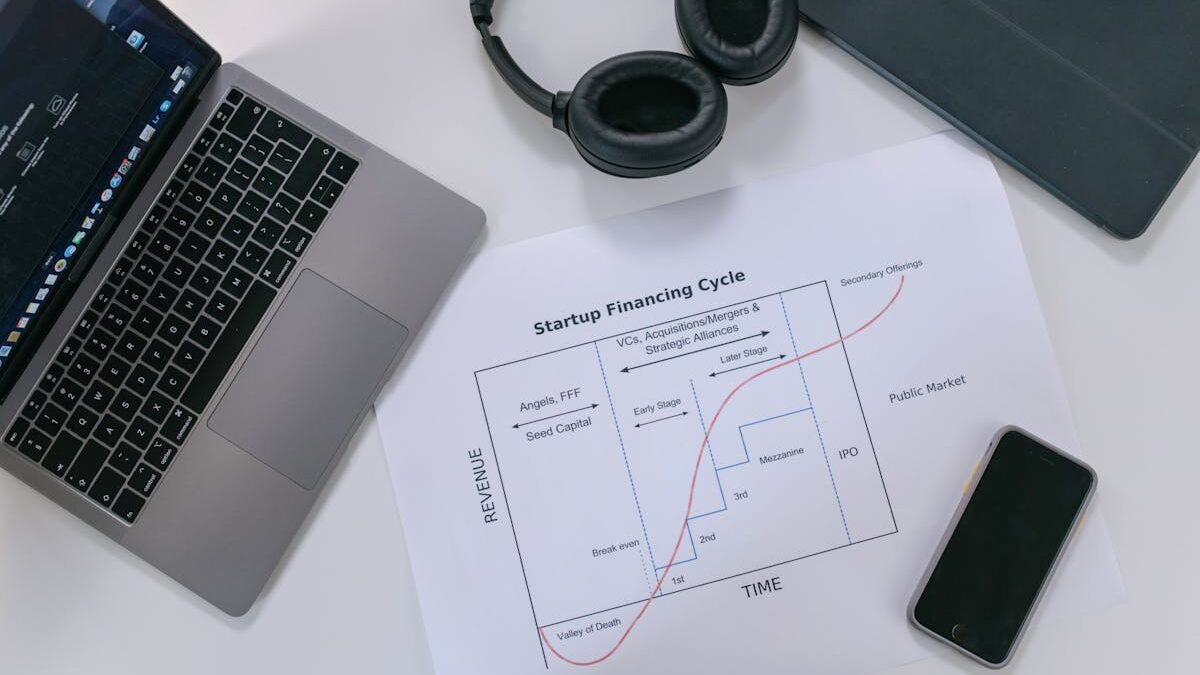
By understanding what's possible to create with Flutterflow, developers discover opportunities in different markets. The platform not only simplifies development but also democratizes access to advanced technologies.
Small businesses can launch competitive products without needing large investments in IT teams or complex infrastructure.
Furthermore, startups (presumably a typo, should be 16T) find Flutterflow an effective way to quickly validate their ideas. The ability to create MVPs (Minimum Viable Products) at low cost and in a short timeframe is one of its major attractions.
In this way, entrepreneurs can test market hypotheses, adjust their products based on user feedback, and scale their operations more safely.
The platform is also an ally for freelance professionals and development agencies. With it, it is possible to deliver high-quality projects in short deadlines, ensuring customer satisfaction and expanding the business base.
Make your ideas a reality by knowing what is possible to create with Flutterflow
Exploring what’s possible with Flutterflow is the first step to turning ideas into real solutions. With this tool, you can develop impactful projects, reduce costs, and optimize development processes.
If you want to learn more about how to use this LowCode tool, Subscribe to the YouTube channel and access the website of NoCode StartUp. Discover unique features that can change the way you build apps!
FAQ: Frequently Asked Questions
What is FlutterFlow used for?
FlutterFlow is used to create mobile and web applications without having to program everything manually.
It offers a visual interface for designing screens, connecting databases, integrating APIs, and publishing the app directly to app stores, accelerating development.
Is FlutterFlow worth it?
Yes, it's worthwhile for those seeking speed in development, ease of use, and native integration with Flutter.
It is ideal for startups, companies, and freelancers who need to launch high-quality apps with lower costs and programming time.
What applications are made with Flutter?
Some of the main applications made with Flutter are:
Google Ads – Campaign and ad management.
BMW App – apps connectivity and services for vehicles.
Nubank – a leading Brazilian digital bank in UX.
Alibaba/Xianyu – marketplace with millions of users in China.
eBay Motors – buying and selling vehicles.
Reflectively – personal diary with AI.
Realtor.com – searching for properties in the USA.
Hamilton Musical App – Official app of the Broadway show.
Toyota App Automotive services and connectivity.
Tencent (WeChat Mini Programs) – Integrations made in Flutter for some of the services.
Which is better, FlutterFlow or Bubble?
It depends on the need: FlutterFlow is better for native mobile applications (Android and iOS), offering higher performance and better integration with Flutter.
Bubble, on the other hand, is more suitable for web and SaaS applications, focusing on data flow and business logic without code.















 EN
EN  PT
PT  ES
ES 