If you want to learn How to create an AI agent in ChatGPT, This article is your starting point.
Creating an AI agent in ChatGPT is much more than a task accessible only to professionals and technology enthusiasts.
This is a strategic opportunity to boost productivity, offer personalized services, and explore new ways to generate value with Artificial Intelligence.
This guide will take you from basic to advanced, with real-world examples, practical resources, and links to complementary tools.

What is an AI agent in ChatGPT?
An AI agent on ChatGPT is a customized chatbot that responds based on pre-determined instructions, data, and functions. It can be trained to represent your brand, answer specific customer questions, assist in internal processes, or even be monetized as a digital product.
The key difference lies in the ability to configure behaviors, add knowledge, and adapt language according to the context.
This feature is natively available within ChatGPT Plus, through the “Explore GPTs” option. From there, you can create your own agent based on your objectives. See the official OpenAI guide on how to create a custom GPT..
Benefits of creating an AI agent in ChatGPT
Creating an AI agent in ChatGPT offers practical and strategic benefits that apply to a variety of professional contexts.
With it, it's possible to implement sales assistants who are active 24 hours a day, automate proposals, onboard clients, and optimize customer service flows and internal productivity.
The versatility of this technology allows for tangible gains in efficiency, customization, and scalability for projects of different natures.
Among the main benefits, the following stand out:
- Save time by automating repetitive tasks.
- Creating personalized experiences for clients or the public.
- Cost reduction in customer service and support.
- Potential for monetization through digital products.
- Centralizing specialized knowledge in a single channel.
Steps to create an AI agent in ChatGPT
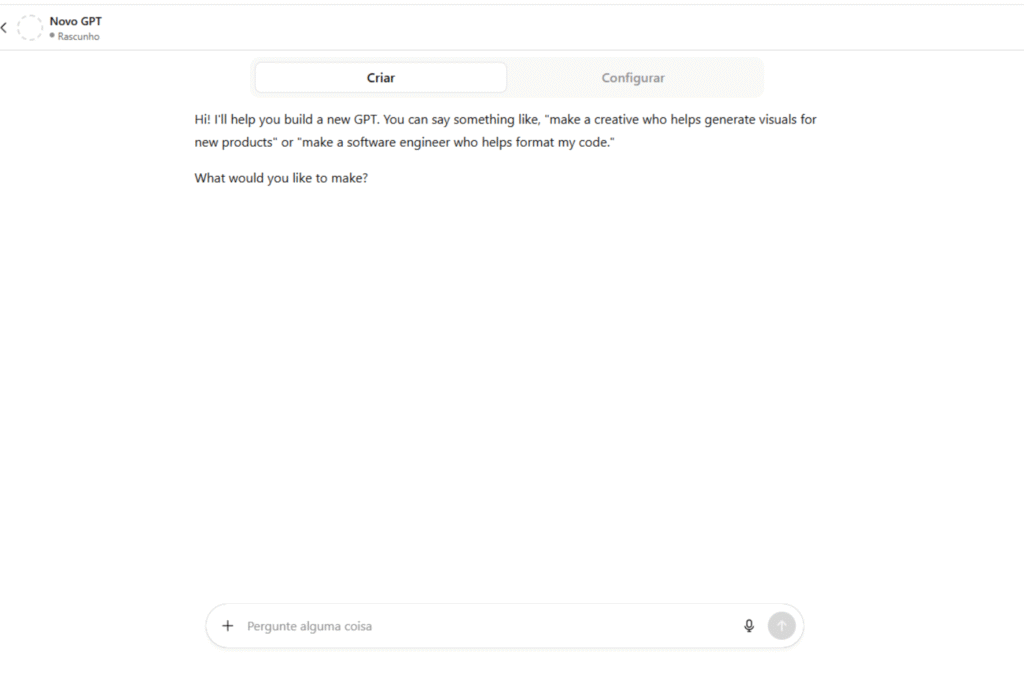
1. Access the “Explore GPTs” area.”
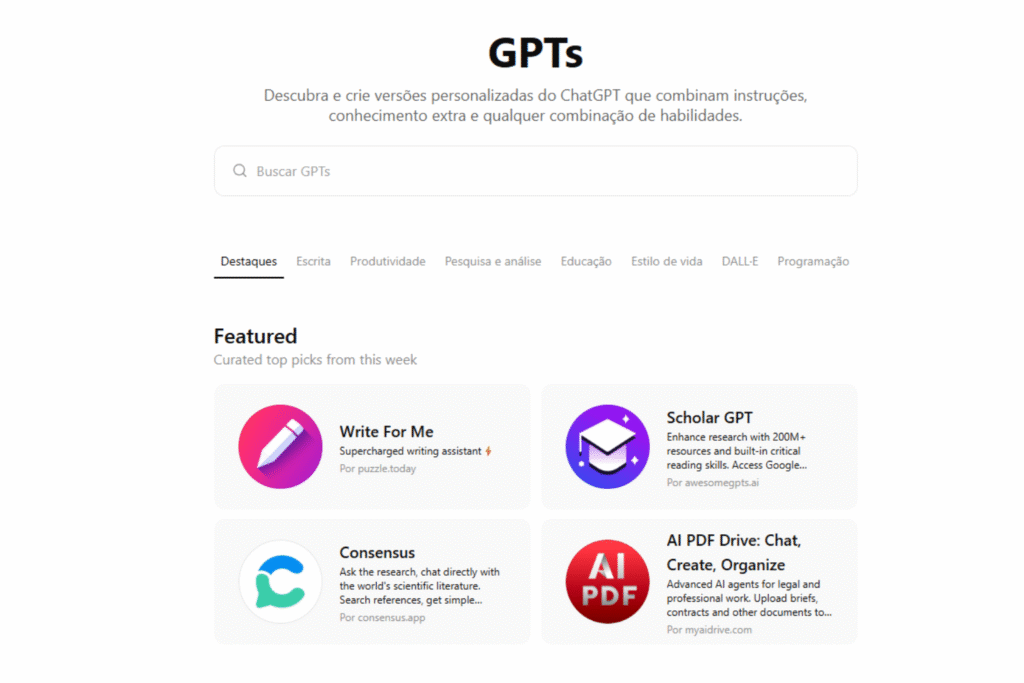
With an active ChatGPT Plus account, click on “Explore GPTs”In the sidebar menu, select the "Create" option in the upper right corner.
2. Choose between guided assistant or advanced mode.
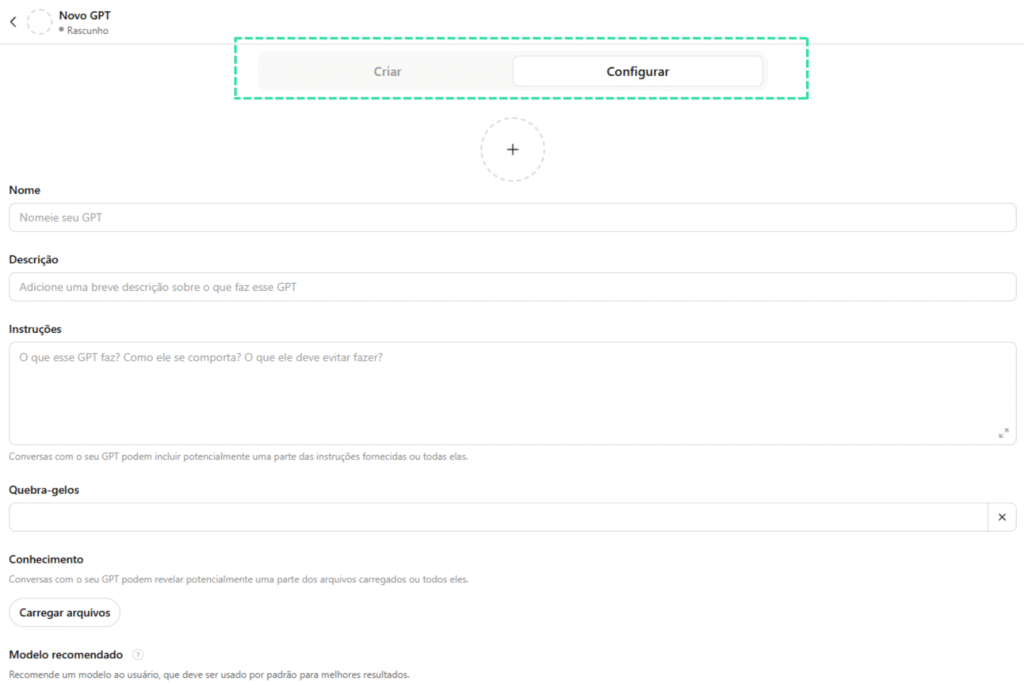
ChatGPT offers an interactive mode where you answer questions and it creates the agent based on your answers, or you can choose to manually set all the settings, such as name, image, behaviors, and knowledge sources.
3. Configure the agent's identity.
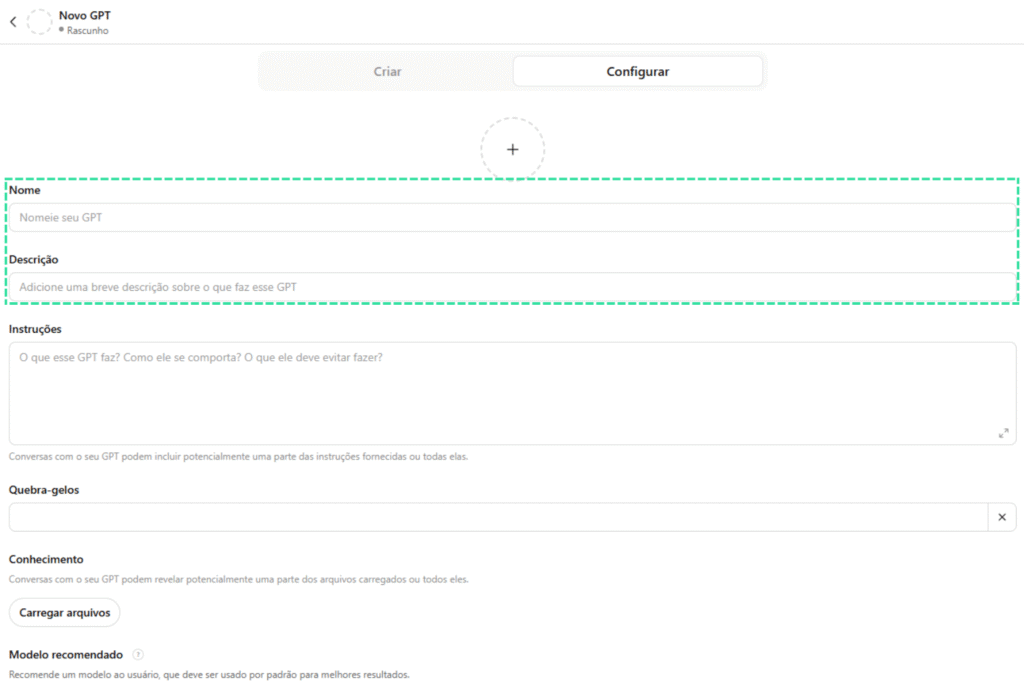
In this step you define the name, purpose, tone of voice, type of language, and desired behaviors. For example: "To act as a customer service representative specializing in health plans, using friendly and objective language.".
4. Add customized knowledge.
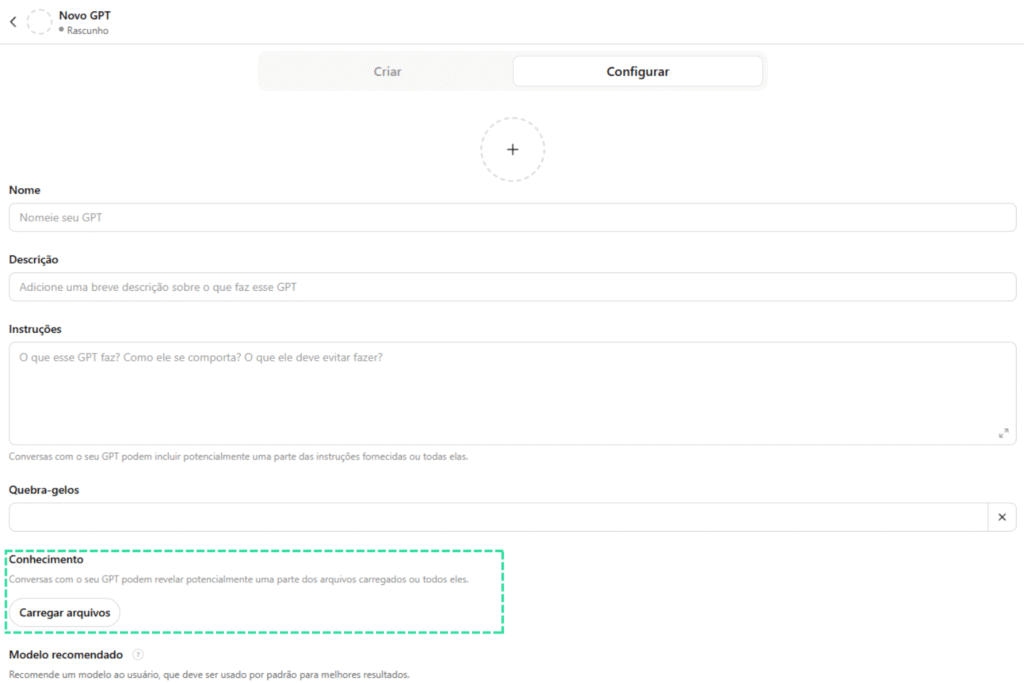
This is where the AI agent gains value. You can send PDF files, spreadsheets, knowledge bases, or insert links with public data. This allows the agent to respond accurately within the desired context.
This functionality is essential for building AI agents with technical content, such as those used in... specialized courses from No Code StartUp.
5. Define the system instructions.
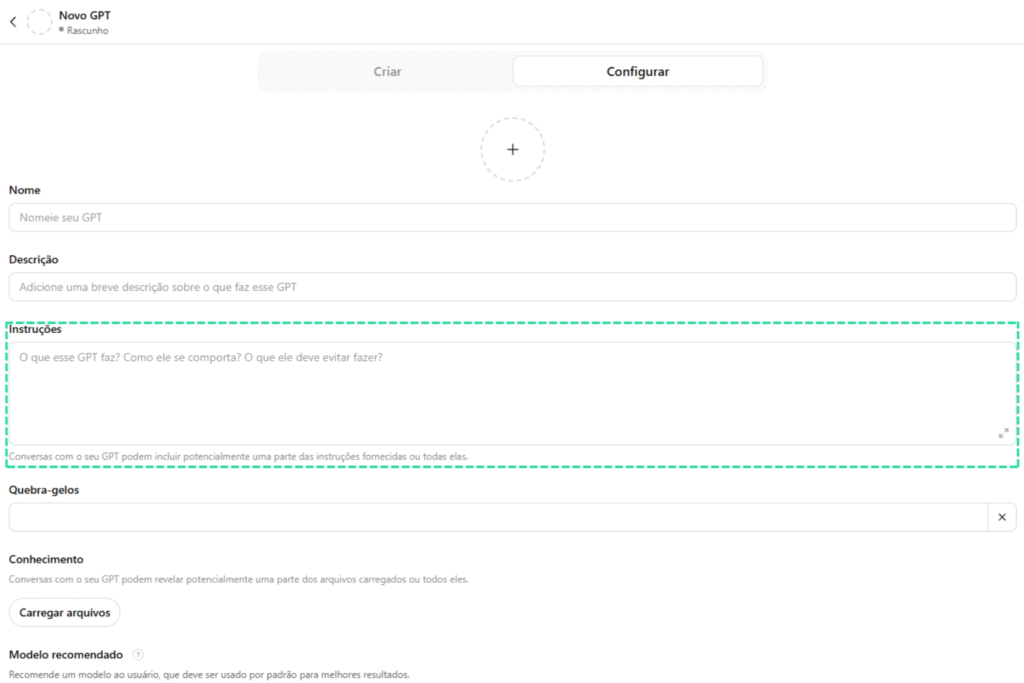
The system's instructions are guidelines invisible to the user, but fundamental in shaping the agent's behavior. For example: "Do not provide answers that involve medical diagnosis," or "Prioritize solutions based on the tools taught on platform X.".
Best practices and advanced tips for effective agents.
Creating an AI agent in ChatGPT goes beyond the initial setup. To ensure good performance and user retention, apply best practices in conversational design, such as:
Use open-ended questions to encourage interaction.
Incorporating open-ended questions into your AI agent's responses is an effective way to extend the conversation and encourage the user to provide more details. This allows for more accurate answers and a more natural experience, simulating real human interactions.
Adapt the language to the target audience based on personas.
Customizing the agent's tone of voice to match the audience profile is essential for building rapport. An agent targeting startups, for example, might use informal and objective language, while one targeting corporate environments should prioritize formality and clarity. This technique is taught in detail in [reference to a specific course/course]. AI Agent Manager Training.
Test your answers with different prompts before posting.
Before making your agent available to the public, it is recommended to test different types of questions, variations in language, and usage contexts. This practice ensures that the agent is prepared to handle multiple scenarios and avoids inadequate or limited responses.
Constantly update the agent's knowledge base.
The agent's relevance is directly linked to the timeliness and accuracy of its information. Reinforce the habit of periodically reviewing the content loaded into the agent, adding new data, removing outdated information, and improving internal instructions as actual use reveals new demands.
Complementary tools to enrich your agent.
Although ChatGPT itself offers powerful features, you can use other no-code tools to boost your agent, such as:
- Dify for customized interfaces
- Make (Integromat) for integration with apps and automations
- WebWeb and Framer for visual builders
These tools allow you to transform your agent into a complete product, integrating it with external systems, databases, and custom front-ends.
Real-world examples of application
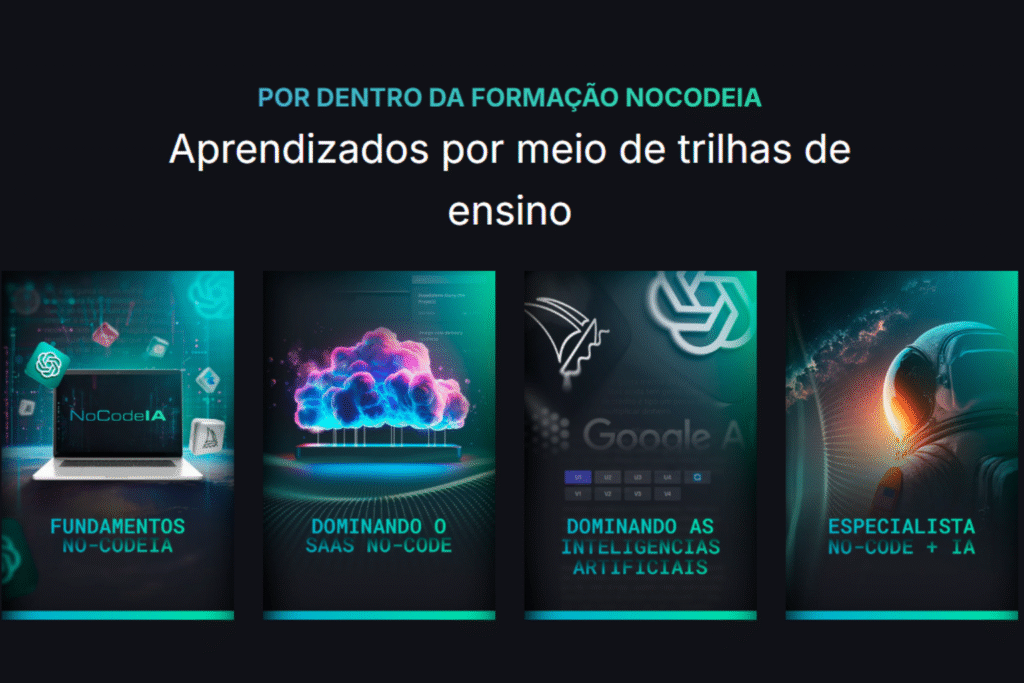
At No Code StartUp, several students from SaaS IA NoCode Training They are creating AI agents to:
- Automate customer support on landing pages.
- Creating learning co-pilots within e-learning platforms
- Develop SaaS MVPs with specialized assistants.
- Build customer service funnels with data segmented by persona.
These examples demonstrate the practical potential of a well-built AI agent, with a direct impact on revenue, productivity, and scalability.
The future of personalized AI agents.
The advancement of language models and the ease of customization have made AI agents a central part of the productivity revolution. Soon, we will see the native integration of these agents into market-leading CRMs, ERPs, and apps systems.
Companies like OpenAI They have already signaled improvements in interfaces, extended context, and integrations with plugins. This opens doors for professionals without coding knowledge to develop robust AI-based products.
What you learned and how to apply it now.
Now that you know How to create an AI agent in ChatGPT, You can put this knowledge into practice to transform your business, increase your productivity, or even create a scalable digital product. Start with a simple agent, validate it with real users, and evolve iteratively.
If you want to go further and master the creation of agents with automation and AI, explore the specialized courses from [Company Name]. No Code Startup and immerse yourself in this universe with structured support.















 EN
EN  PT
PT  ES
ES