


Creating a professional website can be a big challenge for people who don't know how to code or don't have the money to hire a developer.
But what if there was a way to create an efficient website without using any code?
This is the Webflow proposal, a platform that allows you to create professional websites without the need for code, using just one visual and intuitive interface.
Webflow has an intelligent content manager that allows create and manage different types of content.
Additionally, it provides marketing and SEO tools that help optimize your website for search engines and social networks.
Are you curious and want to know more about the tool? In this content, we will explain everything about Webflow, its advantages and features.
If you want to create a professional and efficient website without using code and without hiring a developer, this text is for you. Keep reading and discover how Webflow can turn your idea into reality!
Contents
What is the Webflow no-code tool?
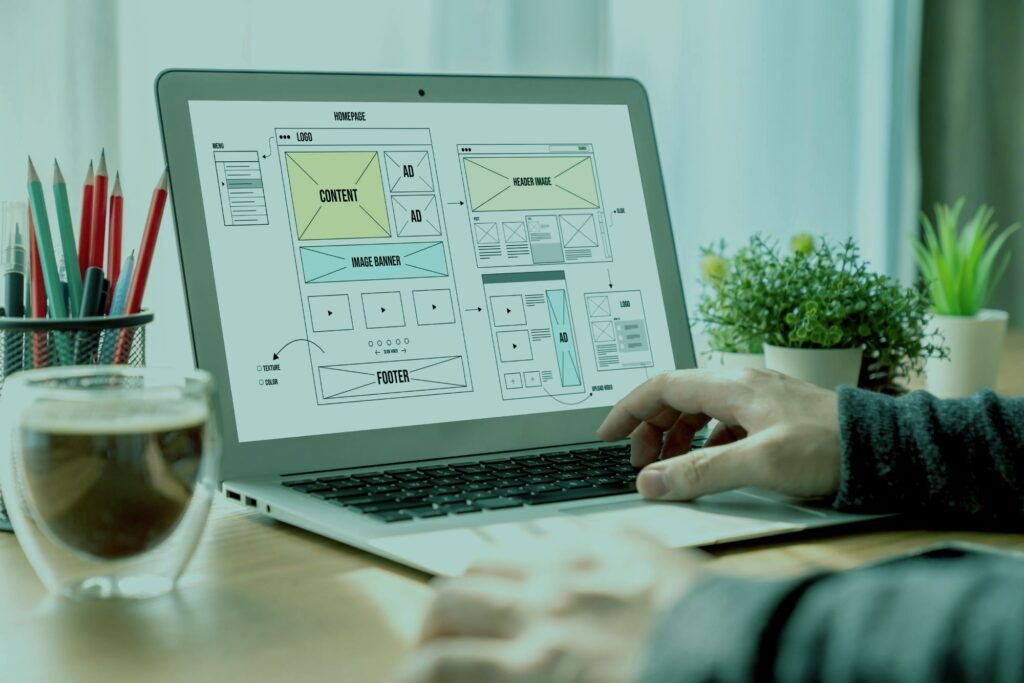
Webflow is a visual development platform used to build professional, content-rich websites without writing code. It stands out by automatically generating clean code (HTML, CSS, JavaScript), offering the power of a developer with the workflow of a designer.
It's worth knowing that it's the right choice when total control over design, website performance, and a robust content management system (CMS) are priorities for your project.
Criteria for choosing Webflow:
- Complete control over the design: You need to build a unique website with a precise design that doesn't look like a pre-made template. Webflow uses a visual editor that mirrors the logic of web development, allowing granular control over every element.
- Dynamic content is key: Your project relies on a blog, portfolio, or case studies that need to be easily managed by a non-technical team. Webflow's CMS is a core part of the platform, not an add-on.
- Performance and SEO are non-negotiable. You're looking for a website that loads quickly and has clean code, making it easier for search engines like Google to index. Webflow's architecture avoids the "bloated" code common in platforms that rely on many plugins.
Example: A tech startup needs a marketing website. With Webflow, it can create a landing page with micro-animations to capture attention, a blog managed by the content team using the CMS, and custom-designed product pages that adapt perfectly to mobile phones, tablets, and desktops.
Webflow is the tool for those seeking professional power and control, not just the quickest solution to get a website up and running.
You can also integrate your website with external services, such as:
- Mailchimp;
- Zapier;
- Google Analytics.
Here are some other examples of pages you can create within Webflow:
- Professional no-code website;
- no-code business blog;
- no-code website for e-commerce;
- Landing page no-code;
- no-code Microsite;
- no-code portfolio.
What are the differences between Bubble and Webflow tools?
O Bubble and Webflow are two popular no-code tools on the market that allow you to create websites and web applications without programming. But it is important to highlight that they have differences that can influence their creation.
Bubble is ideal for those who want create a dynamic web application that involves:
- Interaction with user;
- Database;
- Logic and workflows.
Bubble has a slightly higher learning curve, but offers more flexibility and resources to create complex solutions. It also has an active community and a marketplace for plugins and templates.
If you want to know more about this platform and its features, find out more about our bubble course free right now!
Webflow has a greater focus on creating static websites or websites with manageable content, which involve design, layout and aesthetics. Its learning curve is smoother, but it offers fewer options for creating advanced features.
FlutterFlow vs Webflow?
Despite the similarity in name, FutterFlow and Webflow have totally different purposes. We will detail the information below.
The first is a tool to create apps native mobile devices without programming, using Flutter, a development framework from Google.
It presents a visual interface that allows you to create screens, components, navigation and logic for your application. You can even: export your project to Android Studio or Xcode and publish your app in stores.
Webflow, as we have seen, is a tool that allows you to create professional websites without programming, using a visual interface that generates HTML, CSS and JavaScript code.
With it, you can host your website on Webflow itself or export the code to another service.
How to use Webflow to make a professional website without code?
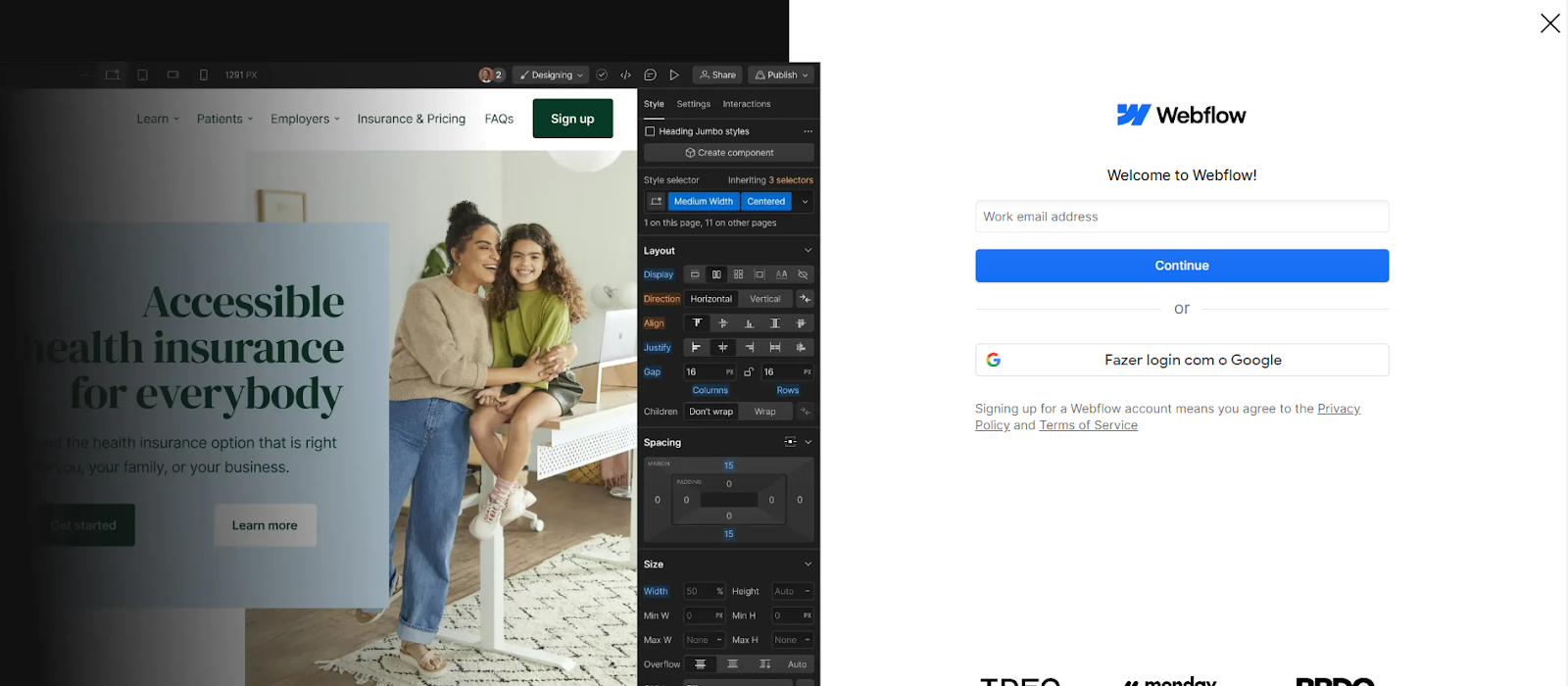
Creating a website in Webflow follows a professional workflow: first you structure the content with HTML elements, then you apply the visual design using CSS classes, and finally, you publish the result with a click. This process clearly separates the "what" (content) from the "how" (appearance).
Now that you understand the logic, let's move on to the essential steps.
How to do it (essential steps):
1. Define the starting point.
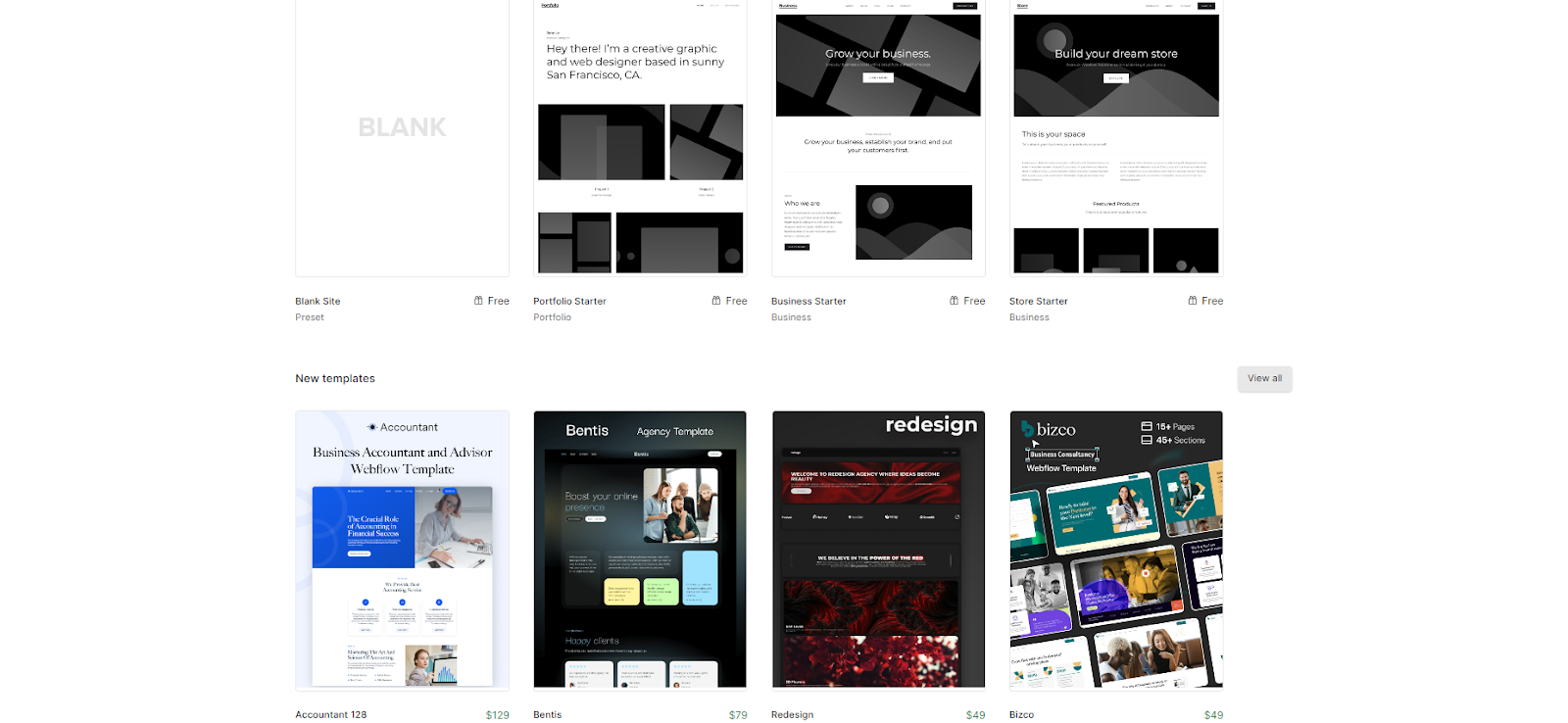
After creating your account, choose between starting with a template ready to speed up the process or with a blank screen (blank canvas) to have complete creative control.
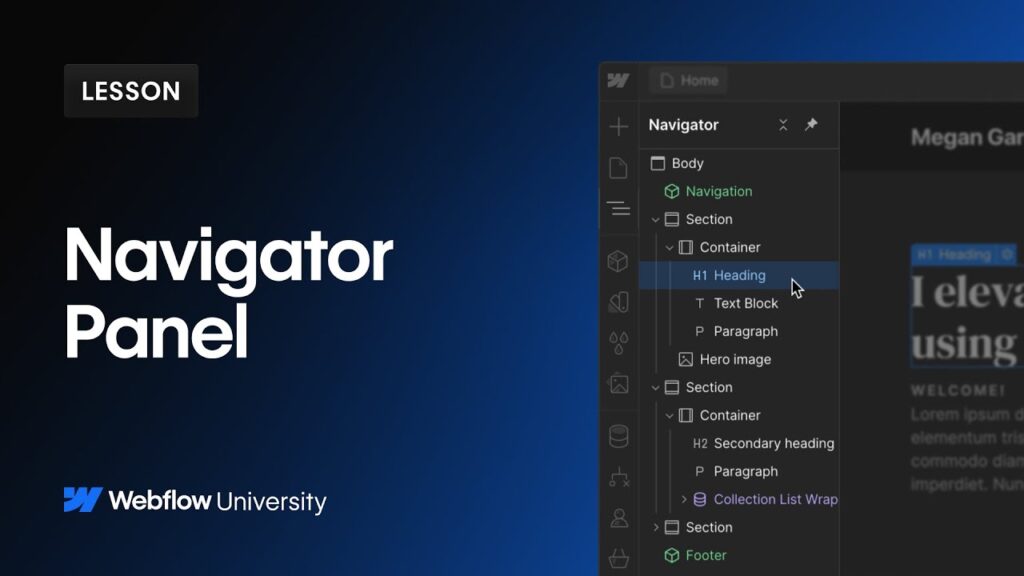
2. Structure your pages
Use the panel Navigator To add basic HTML elements, such as sections, containers, headings, and paragraphs. Think of it as the skeleton of your website.
3. Place the contents
The fourth step is to place the content you want on your website. To do this, simply drag and drop the elements you want to use from the right panel to the workspace in the center.
Here is the time to use creativity and bet on elements that represent your project!

4. Style the elements with classes.
Select an element and use the panel. Style (on the right) to control everything: colors, fonts, spacing, and layouts (such as Flexbox and Grid). By saving these styles in a "class," you can reuse them on other elements to maintain consistency.
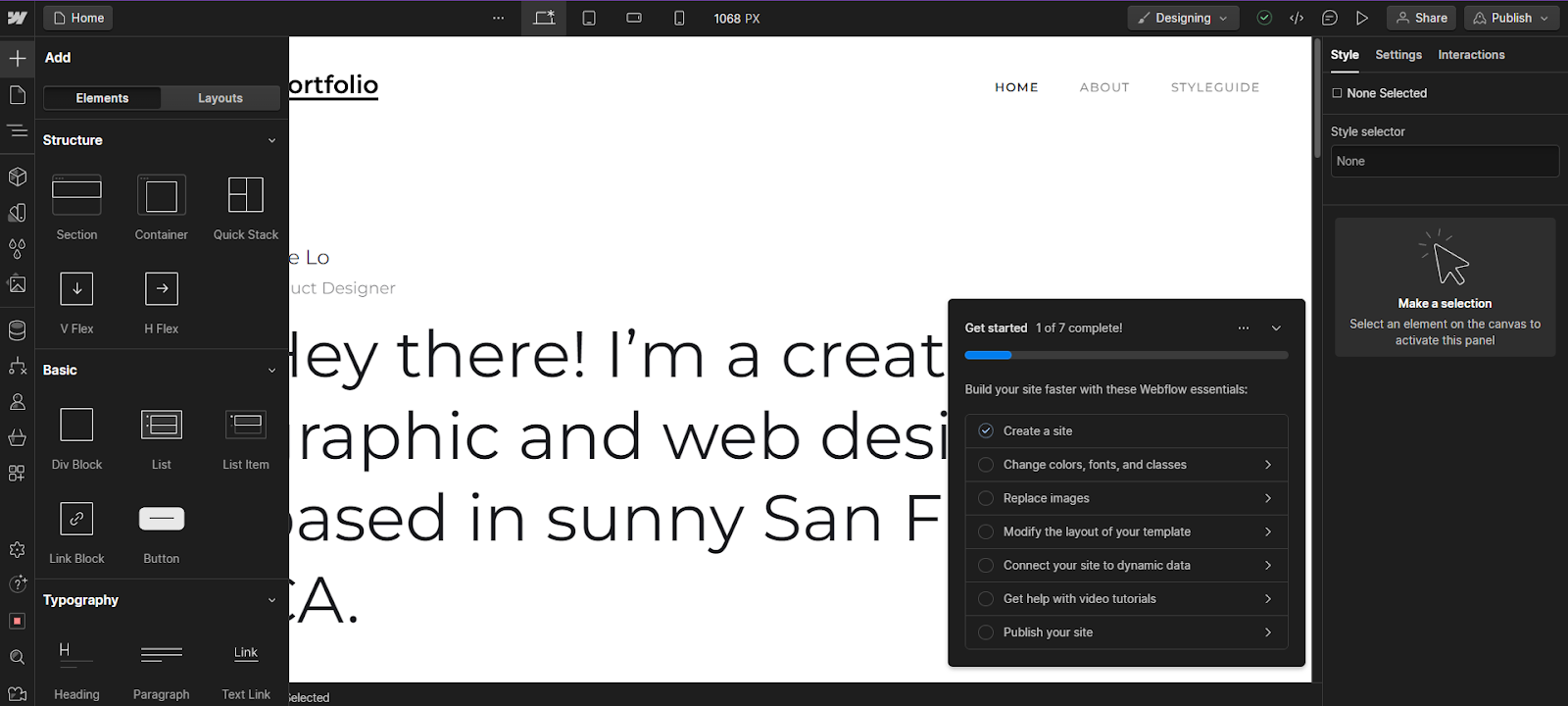
5. Ensure responsiveness.
Use the bar breakpoints at the top of the screen to view and adjust the design on different devices (desktop, tablet, mobile). Changes made at a smaller breakpoint (such as mobile) are inherited from larger ones, but not vice versa.
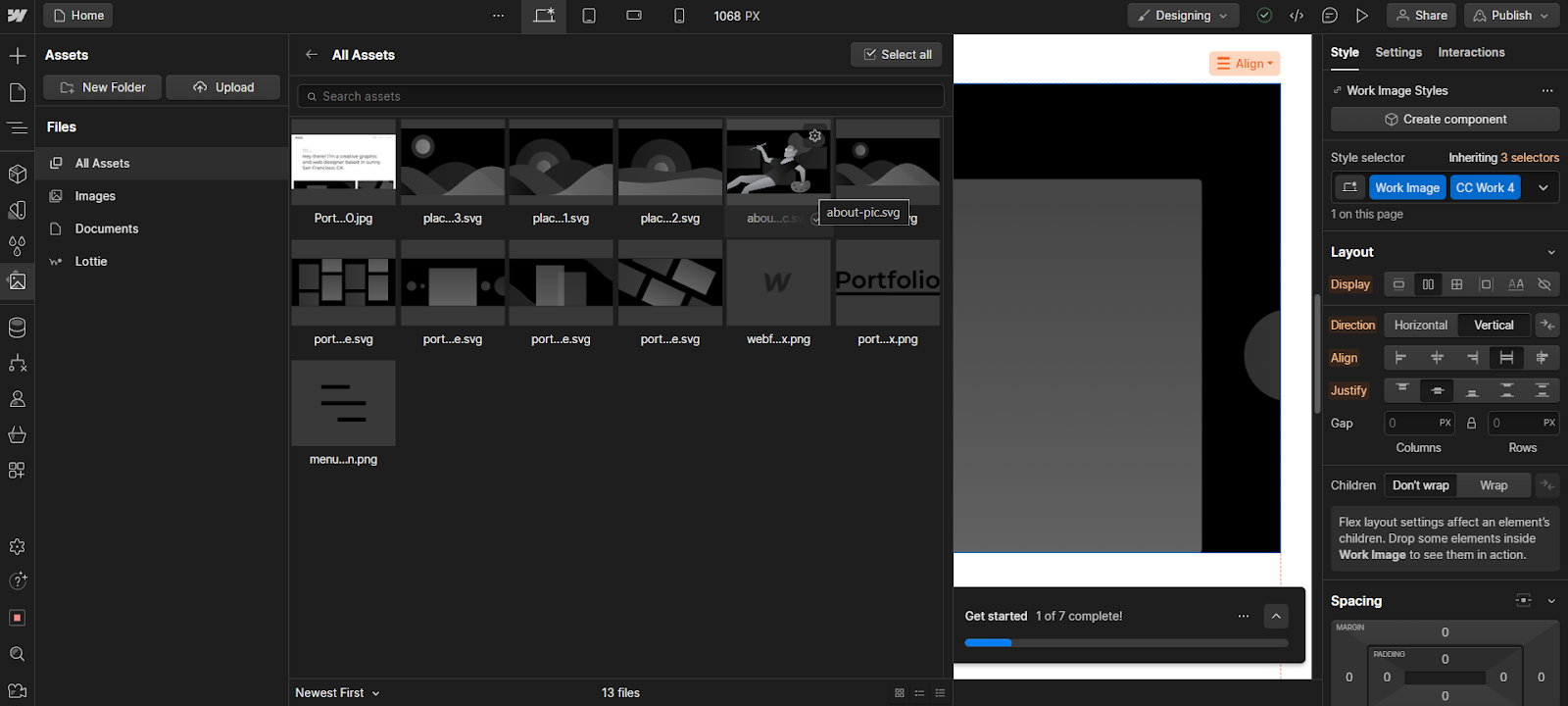
Publish your website.
Finally, it's time to publish your website. This can be done in Webflow itself or by exporting the code to another service. Let's explain the two options step by step:
Once your design is ready, click "Publish". Webflow allows you to publish for free on a subdomain (yoursite.webflow.io) for testing or connect a custom domain on paid plans. You can also configure SSL, CDN, and website backup.
To export the code
Just click on the “Export” button in the top right corner and download the ZIP file with your website’s HTML, CSS and JavaScript code.
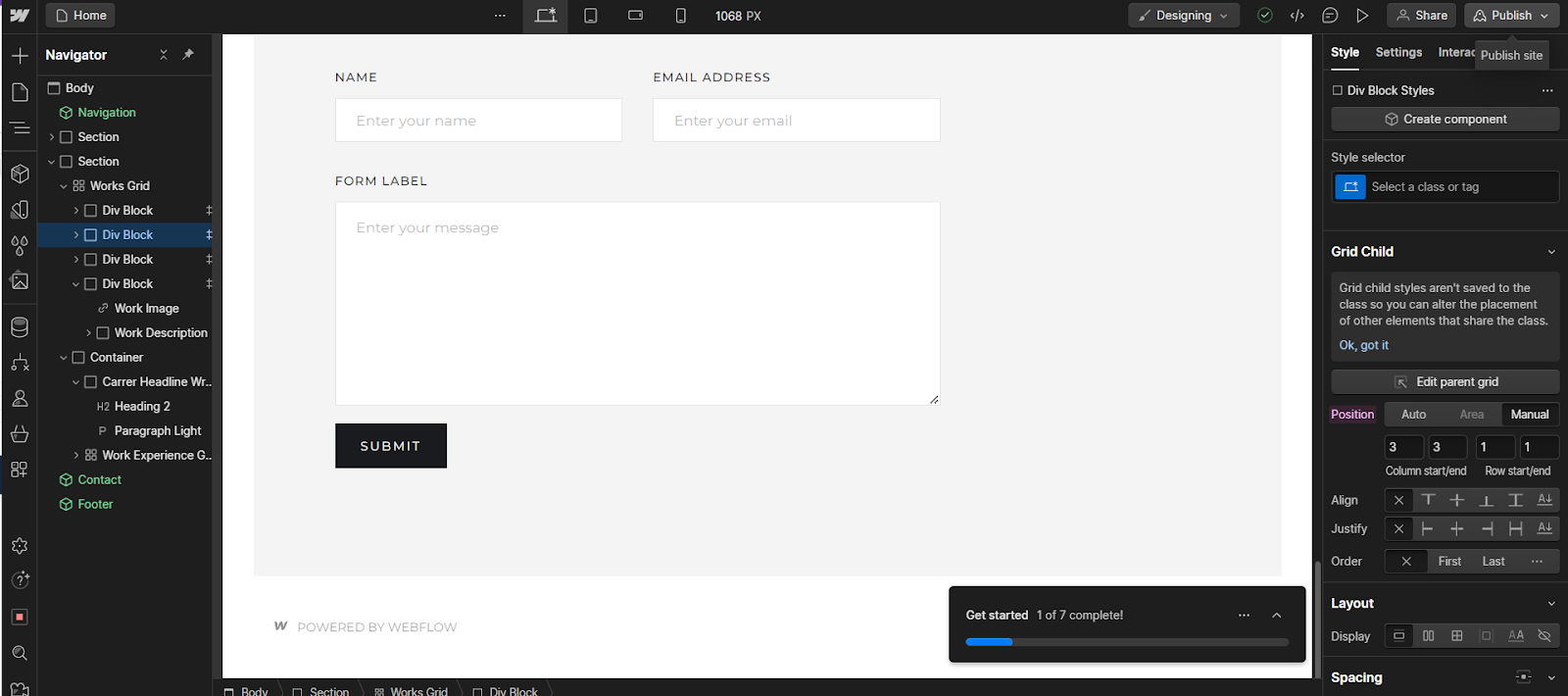
Example: To create a blog, you would use the Webflow CMS To create a "Collection" of posts, you would then design a single template page for all posts, connecting elements (such as the title and cover image) to the CMS fields. This way, each new post added to the CMS automatically generates a new page using the same design.
The Webflow workflow teaches you to think like a web developer (structure first, style later), but with the agility of a visual tool.
What are the advantages of the Webflow no-code tool?
Now that you know how to use Webflow to create your professional website without code, let's see what the advantages are of choosing to use the tool:
The advantages of Webflow go beyond simply not needing code; it offers a unified environment where design, content, and performance work together. This results in websites that are faster to build and optimize, with complete creative freedom and high-quality end-user code.
Now, let's detail the three pillars that make this possible.
Creative Freedom with Professional Control
Unlike builders based on ready-made blocks, Webflow offers a canvas A visual that behaves like real web development. You have granular control over every CSS property, can create complex interactions, and ensure the design executes with pixel precision, without relying on a developer to implement your vision.
Native Performance and SEO
The platform automatically generates clean, semantic code, a crucial factor for good Google ranking. Furthermore, all essential SEO tools (meta tags, custom URLs, 301 redirects, alt text) are integrated and easy to manage, eliminating the need for multiple plugins that can slow down the website.
Integrated Content Ecosystem
Webflow's CMS is its biggest competitive advantage. It allows marketing and content teams to autonomously manage blogs, portfolios, and other dynamic content without risking design disruption. This separation between structure (design) and content (CMS) optimizes the workflow of any company.
| Project Stage | Traditional Flow | Webflow workflow |
| Design | Designer creates in Figma. | The designer builds directly in Webflow. |
| Development | The developer translates the design into code. | Step eliminated. The design and the code. |
| Content Management | The content team is asking the developer to publish. | The content team publishes via the Webflow Editor. |
| SEO Optimization | SEO specialist requests adjustments from the developer. | The SEO specialist makes the adjustments in the dashboard. |
Almost free
Furthermore, it is an almost free tool, as it offers a Free plan to create up to two projects, with some resource and hosting limitations.
Very easy for beginners
Finally, Webflow is considered a very easy tool for beginners, as it does not require programming knowledge. It's possible learn how to use the Webflow in no time, following tutorials, tips and courses available on the website.
Webflow is not just a tool for "making websites," but a platform for optimizing the entire process of creating and managing a professional digital presence.
Learning to program is very easy with No-Code Start-Up!
In this content, you learned everything about Webflow, a no-code tool for creating professional websites. Now is the time to put learning into practice.
Create your website yourself without using code! Learn more about the No-Code Start-Up courses that can help you. Don't leave it until tomorrow, come surf with us!















 EN
EN  PT
PT  ES
ES 