ASSINATURA PRO COM DESCONTO

Hours
Minutes
Seconds

BLOG

If you want to learn How to create an AI agent in ChatGPT, This article is your starting point.

Creating an AI agent in ChatGPT is much more than a task accessible only to professionals and technology enthusiasts.

This is a strategic opportunity to boost productivity, offer personalized services, and explore new ways to generate value with Artificial Intelligence.

This guide will take you from basic to advanced, with real-world examples, practical resources, and links to complementary tools.

What is an AI agent in ChatGPT?

What is an AI agent in ChatGPT?

An AI agent on ChatGPT is a customized chatbot that responds based on pre-determined instructions, data, and functions. It can be trained to represent your brand, answer specific customer questions, assist in internal processes, or even be monetized as a digital product.

The key difference lies in the ability to configure behaviors, add knowledge, and adapt language according to the context.

This feature is natively available within ChatGPT Plus, through the “Explore GPTs” option. From there, you can create your own agent based on your objectives. See the official OpenAI guide on how to create a custom GPT..

Benefits of creating an AI agent in ChatGPT

Creating an AI agent in ChatGPT offers practical and strategic benefits that apply to a variety of professional contexts.

With it, it's possible to implement sales assistants who are active 24 hours a day, automate proposals, onboard clients, and optimize customer service flows and internal productivity.

The versatility of this technology allows for tangible gains in efficiency, customization, and scalability for projects of different natures.

Among the main benefits, the following stand out:

  • Save time by automating repetitive tasks.
  • Creating personalized experiences for clients or the public.
  • Cost reduction in customer service and support.
  • Potential for monetization through digital products.
  • Centralizing specialized knowledge in a single channel.

Steps to create an AI agent in ChatGPT

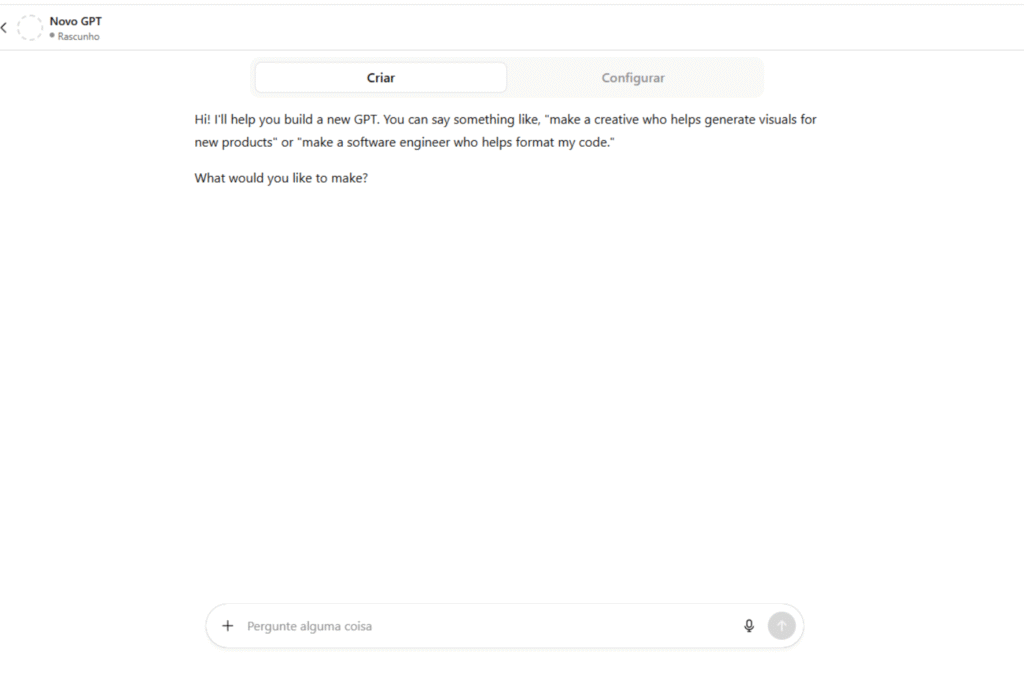
1. Access the “Explore GPTs” area.”
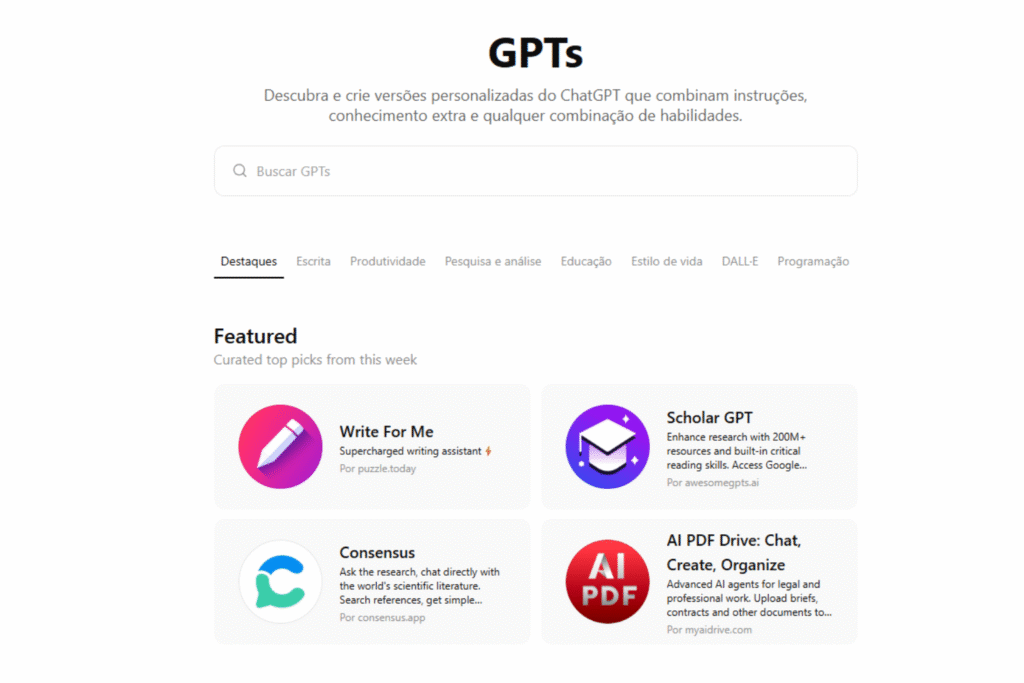
1. Access the “Explore GPTs” area.”

With an active ChatGPT Plus account, click on “Explore GPTs”In the sidebar menu, select the "Create" option in the upper right corner.

2. Choose between guided assistant or advanced mode.
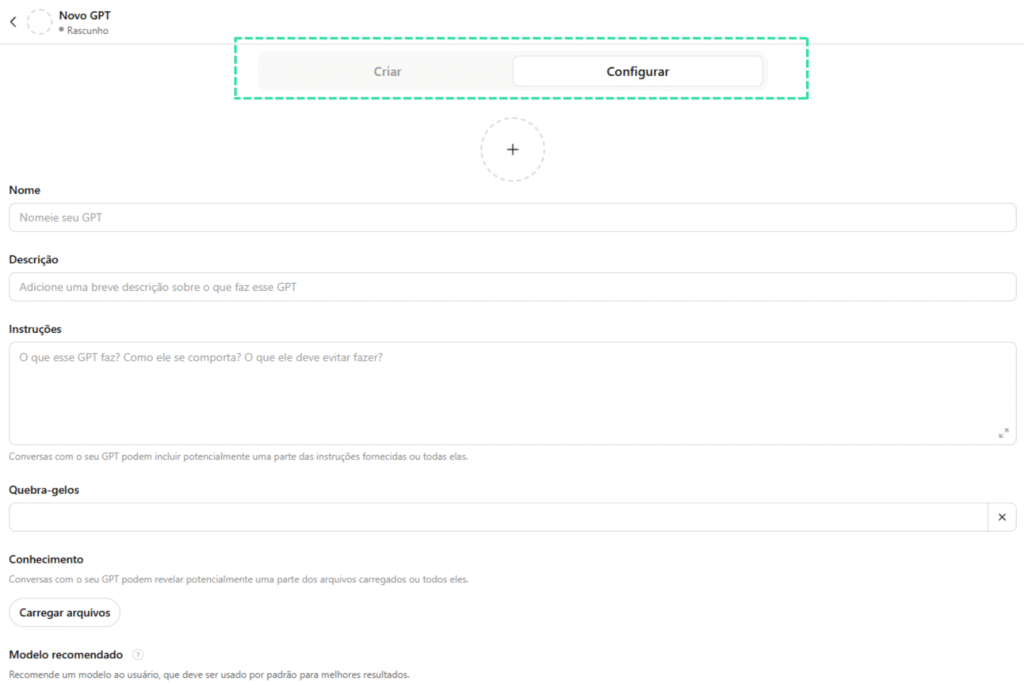
2. Choose between guided assistant or advanced mode.

ChatGPT offers an interactive mode where you answer questions and it creates the agent based on your answers, or you can choose to manually set all the settings, such as name, image, behaviors, and knowledge sources.

3. Configure the agent's identity.
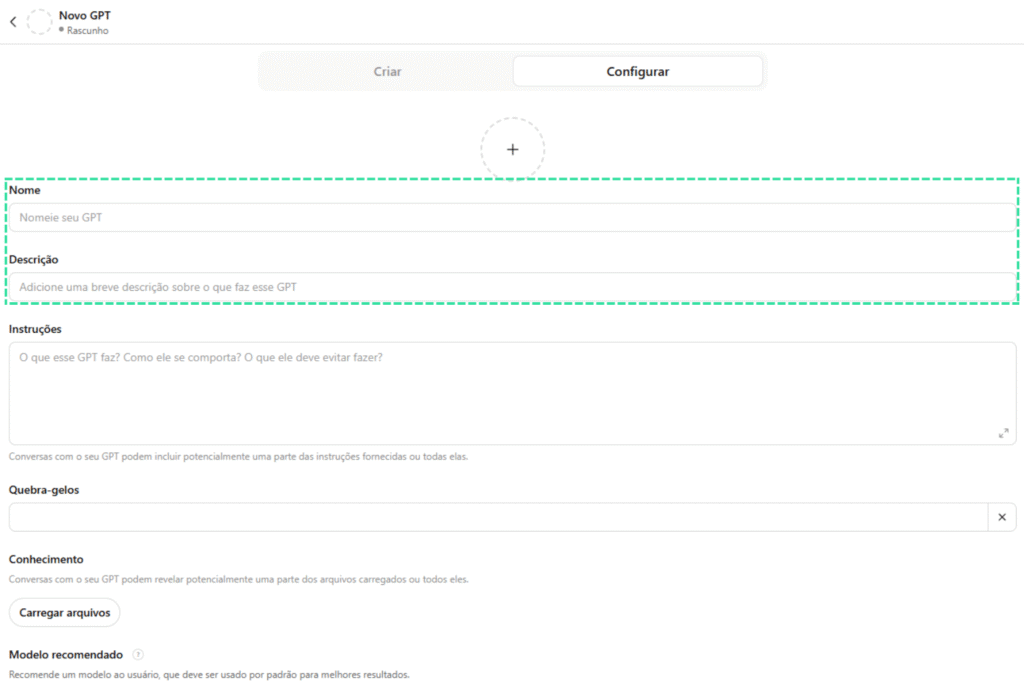
3. Configure the agent's identity.

In this step you define the name, purpose, tone of voice, type of language, and desired behaviors. For example: "To act as a customer service representative specializing in health plans, using friendly and objective language.".

4. Add customized knowledge.
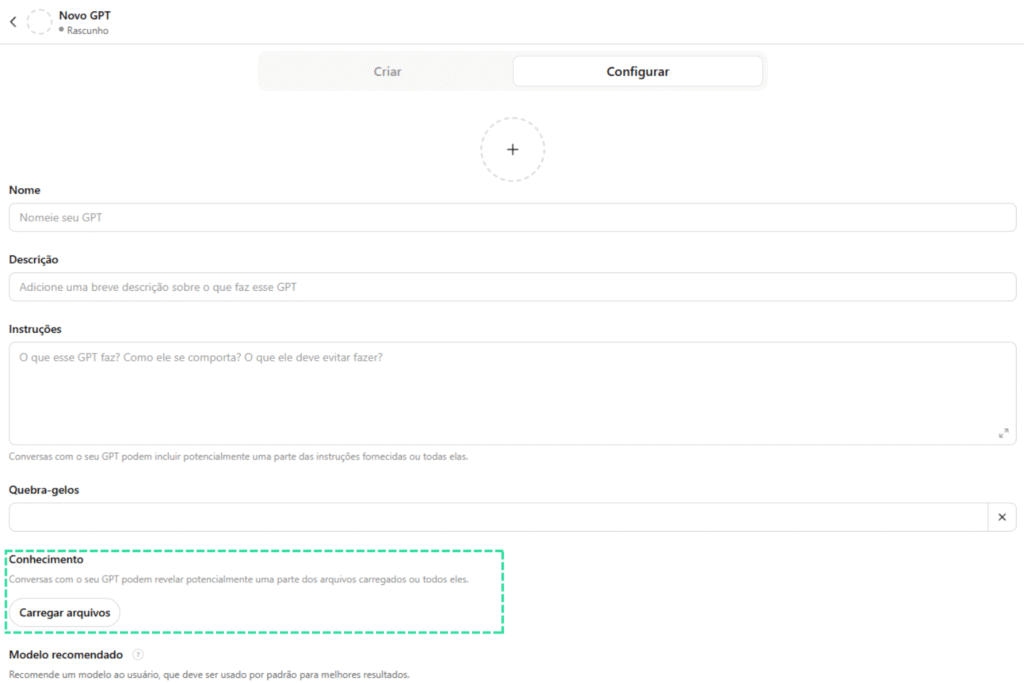
4. Add customized knowledge.

This is where the AI agent gains value. You can send PDF files, spreadsheets, knowledge bases, or insert links with public data. This allows the agent to respond accurately within the desired context.

This functionality is essential for building AI agents with technical content, such as those used in... specialized courses from No Code StartUp.

5. Define the system instructions.
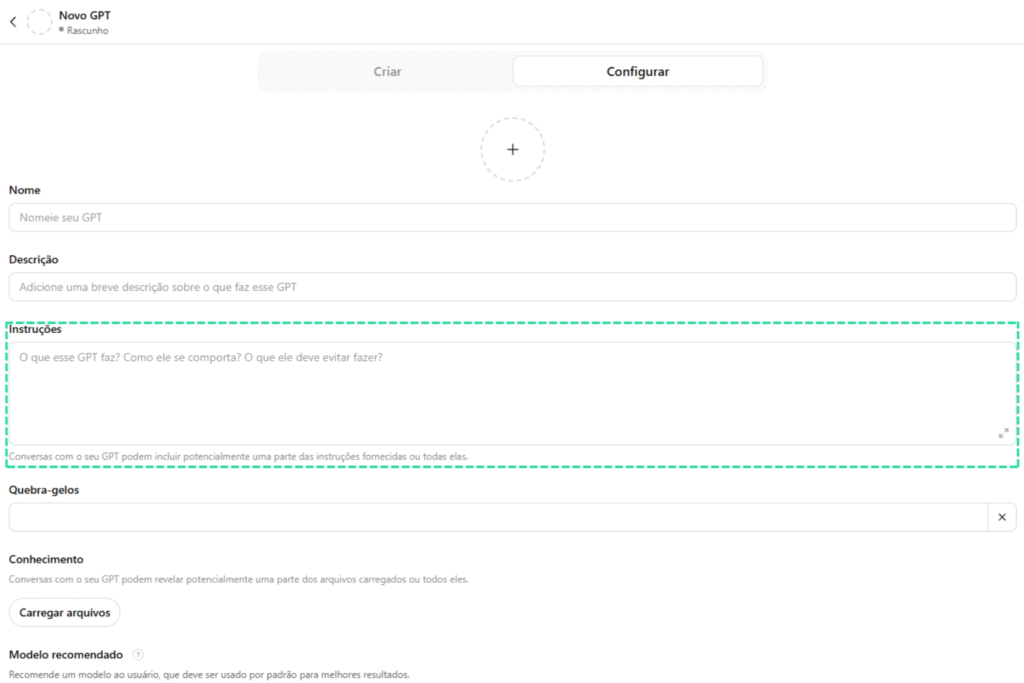
5. Define the system instructions.

The system's instructions are guidelines invisible to the user, but fundamental in shaping the agent's behavior. For example: "Do not provide answers that involve medical diagnosis," or "Prioritize solutions based on the tools taught on platform X.".
Best practices and advanced tips for effective agents.

Best practices and advanced tips for effective agents.

Creating an AI agent in ChatGPT goes beyond the initial setup. To ensure good performance and user retention, apply best practices in conversational design, such as:

Use open-ended questions to encourage interaction.

Incorporating open-ended questions into your AI agent's responses is an effective way to extend the conversation and encourage the user to provide more details. This allows for more accurate answers and a more natural experience, simulating real human interactions.

Adapt the language to the target audience based on personas.

Customizing the agent's tone of voice to match the audience profile is essential for building rapport. An agent targeting startups, for example, might use informal and objective language, while one targeting corporate environments should prioritize formality and clarity. This technique is taught in detail in [reference to a specific course/course]. AI Agent Manager Training.

Test your answers with different prompts before posting.

Before making your agent available to the public, it is recommended to test different types of questions, variations in language, and usage contexts. This practice ensures that the agent is prepared to handle multiple scenarios and avoids inadequate or limited responses.

Constantly update the agent's knowledge base.

The agent's relevance is directly linked to the timeliness and accuracy of its information. Reinforce the habit of periodically reviewing the content loaded into the agent, adding new data, removing outdated information, and improving internal instructions as actual use reveals new demands.

Complementary tools to enrich your agent.

Although ChatGPT itself offers powerful features, you can use other no-code tools to boost your agent, such as:

These tools allow you to transform your agent into a complete product, integrating it with external systems, databases, and custom front-ends.
Real-world examples of application

Real-world examples of application

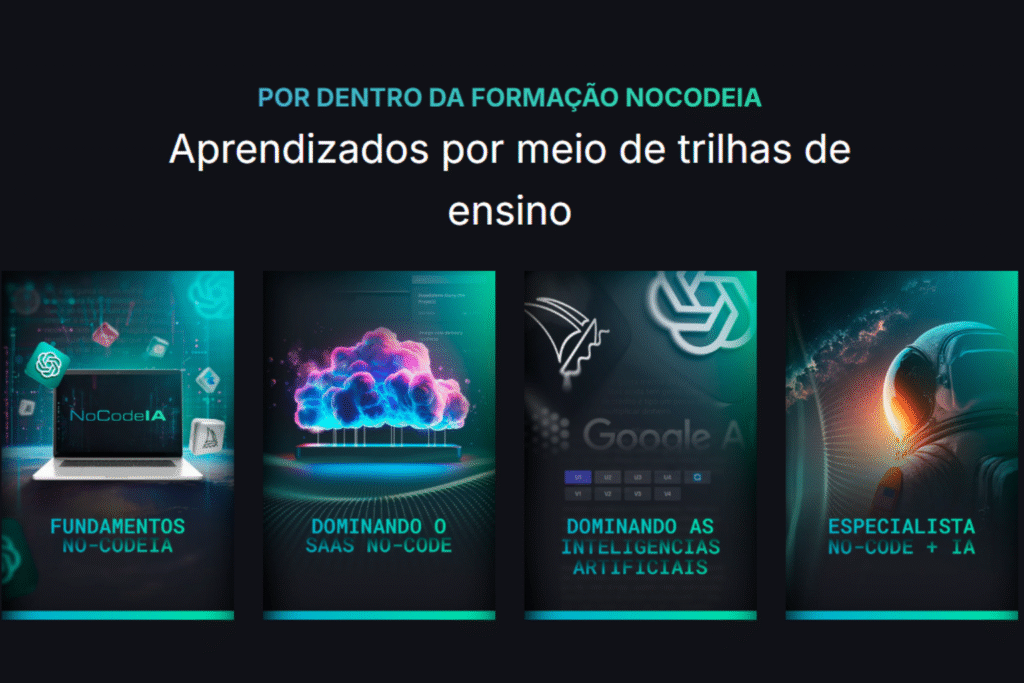
At No Code StartUp, several students from SaaS IA NoCode Training They are creating AI agents to:

  • Automate customer support on landing pages.
  • Creating learning co-pilots within e-learning platforms
  • Develop SaaS MVPs with specialized assistants.
  • Build customer service funnels with data segmented by persona.

These examples demonstrate the practical potential of a well-built AI agent, with a direct impact on revenue, productivity, and scalability.

The future of personalized AI agents.

The advancement of language models and the ease of customization have made AI agents a central part of the productivity revolution. Soon, we will see the native integration of these agents into market-leading CRMs, ERPs, and apps systems.

Companies like OpenAI They have already signaled improvements in interfaces, extended context, and integrations with plugins. This opens doors for professionals without coding knowledge to develop robust AI-based products.

What you learned and how to apply it now.

Now that you know How to create an AI agent in ChatGPT, You can put this knowledge into practice to transform your business, increase your productivity, or even create a scalable digital product. Start with a simple agent, validate it with real users, and evolve iteratively.

If you want to go further and master the creation of agents with automation and AI, explore the specialized courses from [Company Name]. No Code Startup and immerse yourself in this universe with structured support.
The integration between AI for Excel It is transforming the way professionals and companies analyze data, automate tasks, and make decisions. With the evolution of artificial intelligence, Excel has ceased to be just a calculation and organization tool and has become a platform for intelligent and predictive analysis.

In this article, we'll explore five AI tools that will take your Excel experience to a new level, from basic functionalities to advanced features that save you hours of work.

What does integrating AI into Excel mean?

What does integrating AI into Excel mean?

The expression AI for Excel This refers to the use of artificial intelligence technologies directly in spreadsheets or integrated into them to optimize tasks.

This can include everything from automated forecasting, pattern detection, and analysis of large volumes of data to the creation of predictive models and automations.

This integration allows you to transform raw data into valuable information, generate quick insights, and reduce human error. AI also expands Excel's traditional capabilities by connecting it to external databases, APIs, and machine learning systems.

Learn more about Training in intelligent automation with AI. and how to apply it in Excel.

Practical benefits of AI for Excel

By adopting AI for Excel, Companies and professionals can accelerate processes and gain a competitive advantage. Key benefits include increased productivity, improved analytical accuracy, more reliable forecasts, and optimized decision-making.

Many users also report significant gains in their ability to handle large volumes of information, something that was previously impossible due to manual limitations.

This combination opens doors to deeper and more strategic analyses. Learn more. No-Code and AI Training and discover how to transform spreadsheets into strategic tools.

Practical applications of AI in Excel

Practical applications of AI in Excel

The practical application of AI in Excel is vast and growing. Retail companies can predict demand and adjust inventory, marketing professionals can identify patterns in customer behavior, and finance departments can detect fraud in real time.

With AI, it's possible to perform sentiment analysis of feedback, predict market trends, and even automate the creation of weekly reports.

Integration with external APIs, such as weather forecasting or currency exchange services, also allows for more assertive and faster decisions.

Microsoft Copilot in Excel

Microsoft Copilot in Excel

O Microsoft Copilot It is Microsoft's AI solution integrated into Excel. It acts as an intelligent assistant capable of interpreting commands in natural language, automatically creating complex formulas, generating charts, and explaining results.

Find out more at Microsoft Copilot official page and see how to apply it to your workflows.

ChatGPT integrated with Excel

ChatGPT integrated with Excel

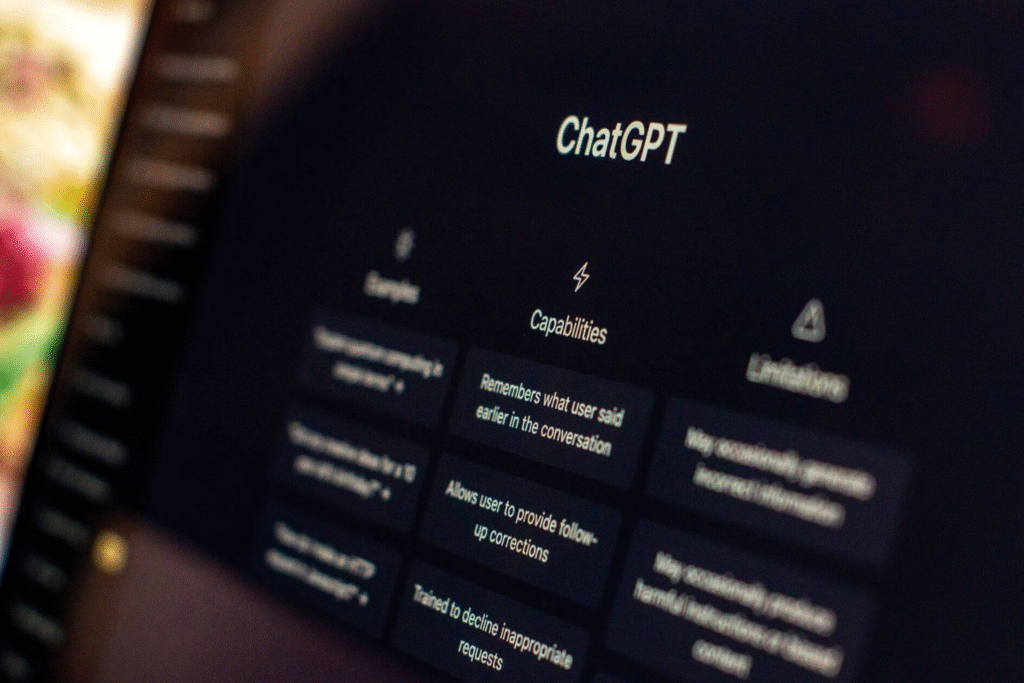
Integrate the ChatGPT Integration with Excel is a popular strategy for text analysis, data summarization, and insight generation. Integration can be done via VBA scripts, Power Automate, or third-party connectors.

See practical instructions at Documentation for integrating ChatGPT with Excel. and explore real-world applications in N8N Course.

MonkeyLearn for text classification and analysis.

MonkeyLearn for text classification and analysis.

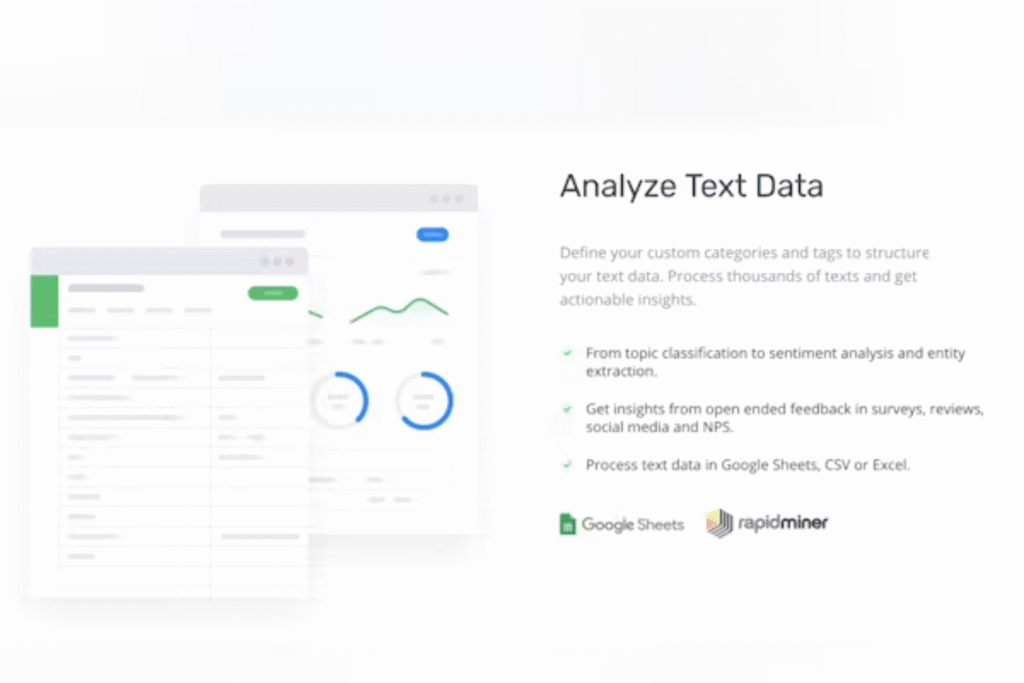
O MonkeyLearn It is an AI platform specializing in natural language processing (NLP). When integrated with Excel, it allows you to create custom models to classify data, detect sentiment, and extract keywords.

Learn more at MonkeyLearn's official website And see how this approach can accelerate your text analysis.

Power BI with integrated AI

Power BI with integrated AI

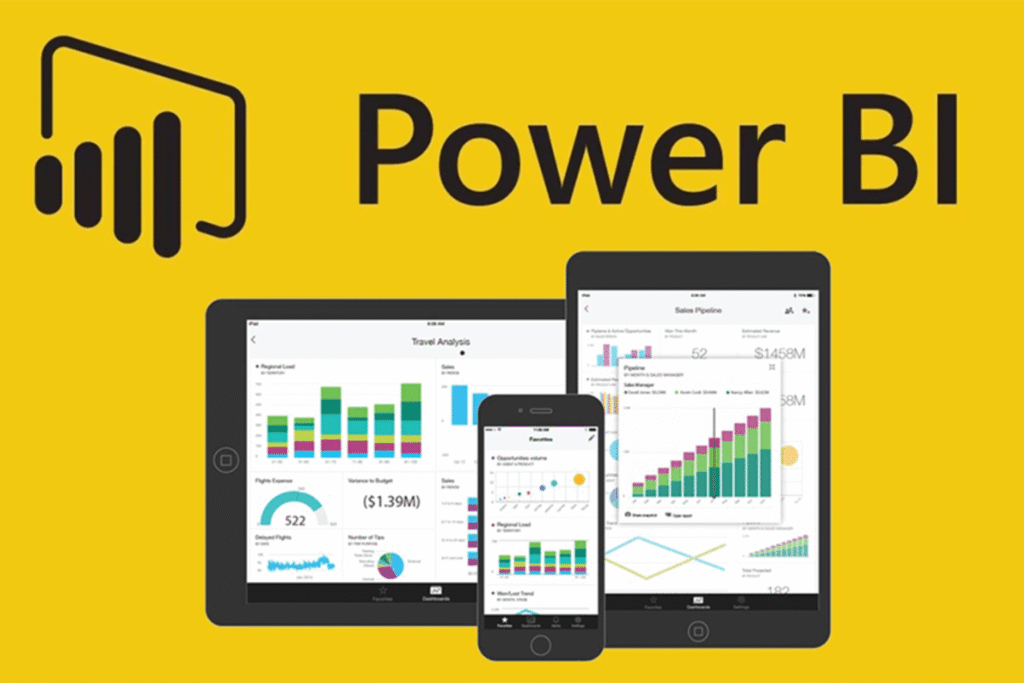
Although Power BI While traditionally a BI tool, its integration with Excel and AI capabilities allow you to create intelligent dashboards directly from spreadsheet data.

Learn more about these features at official Power BI page.

XLSTAT for advanced statistical analysis

XLSTAT for advanced statistical analysis

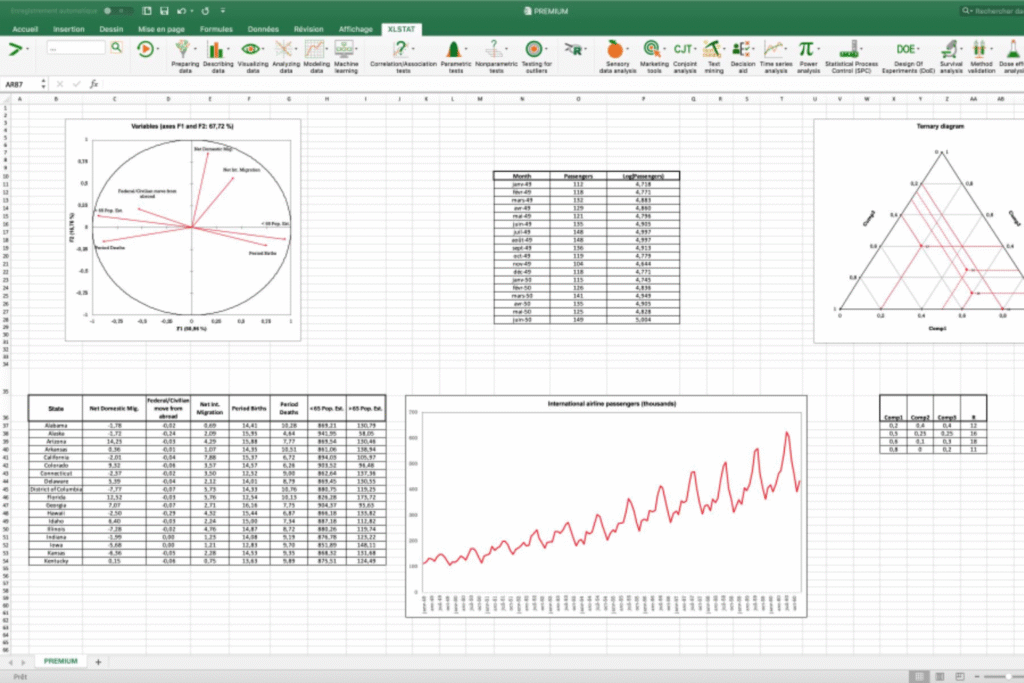
O XLSTAT It's an Excel add-in focused on statistics, incorporating AI to create predictive models and complex analyses. It's used in academic research, marketing, social sciences, and engineering.

Find out more at XLSTAT official page and see how to apply it to your projects.

Boost your Excel productivity with AI.

AI allows repetitive tasks to be automated, freeing up time for strategic analysis. For example, it's possible to program the automatic generation of reports, anomaly alerts, and complex calculations.

Learn how to create optimized Excel workflows with AI at [link/website/etc.]. SaaS AI NoCode training and increase your daily efficiency.

Future prospects for AI in Excel

The use of AI for Excel It is expected to grow exponentially in the coming years, with more intuitive features and native integrations. Companies that adapt early to this reality will be ahead, leveraging the full potential of data to generate strategic value.

Find out more about The future of automation with AI. And get ready to lead that transformation.

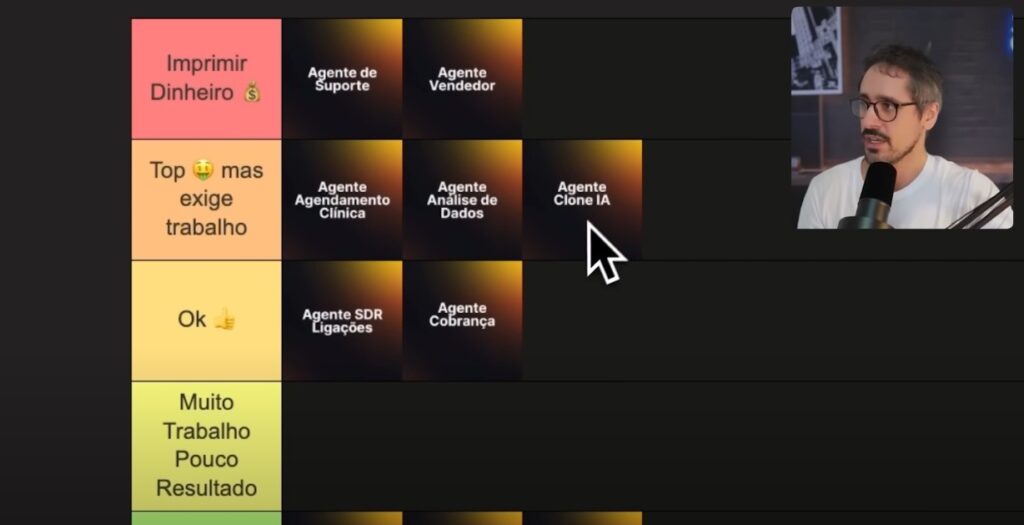
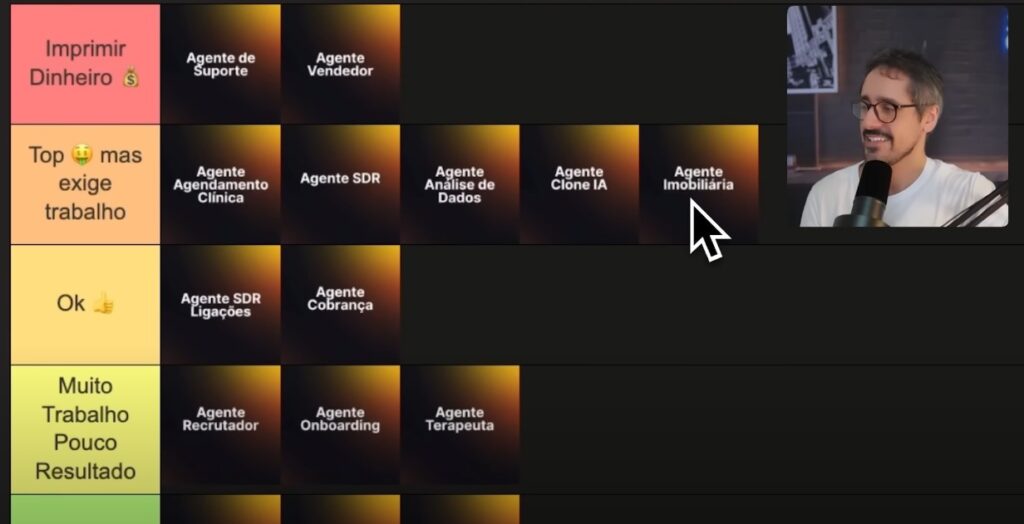
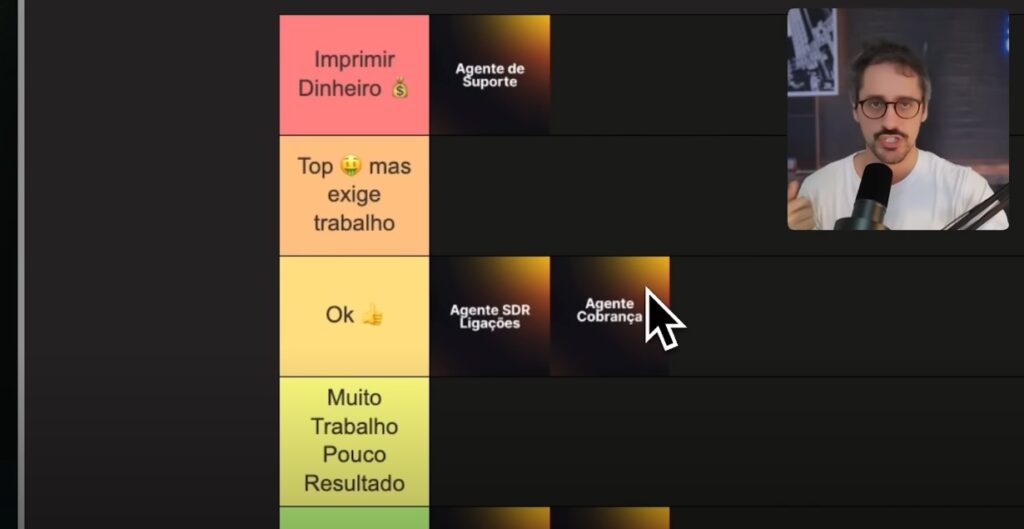
Want to earn R$1,150,000 per month offering AI solutions? Check out the most profitable and easiest-to-implement agents according to experts in the NoCode ecosystem and real market demands.

NoCode Startup is celebrating its anniversary with a special offer., Lifetime access to the complete ecosystem for a limited time..

This is a unique opportunity for those who want to fully immerse themselves in the market of Artificial Intelligence (AI) agents and accelerate your results.

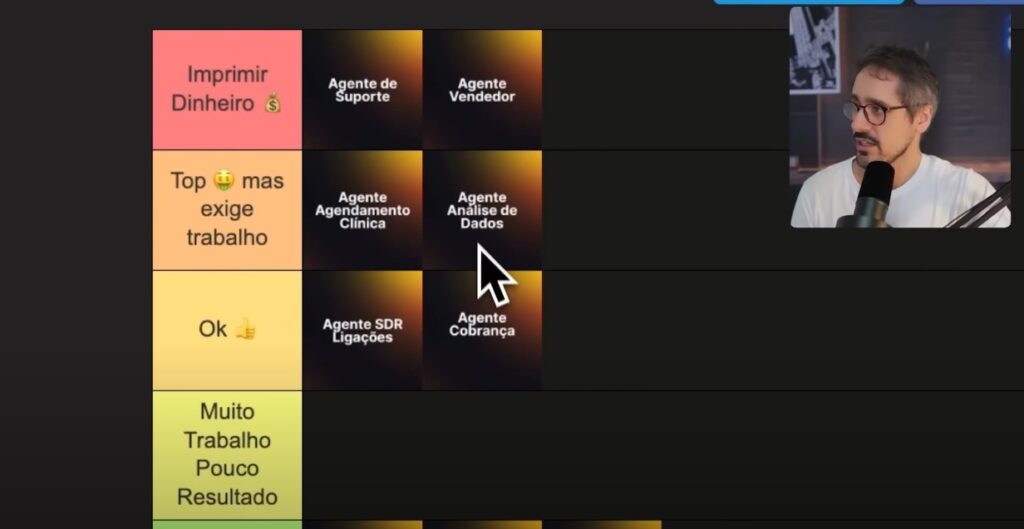
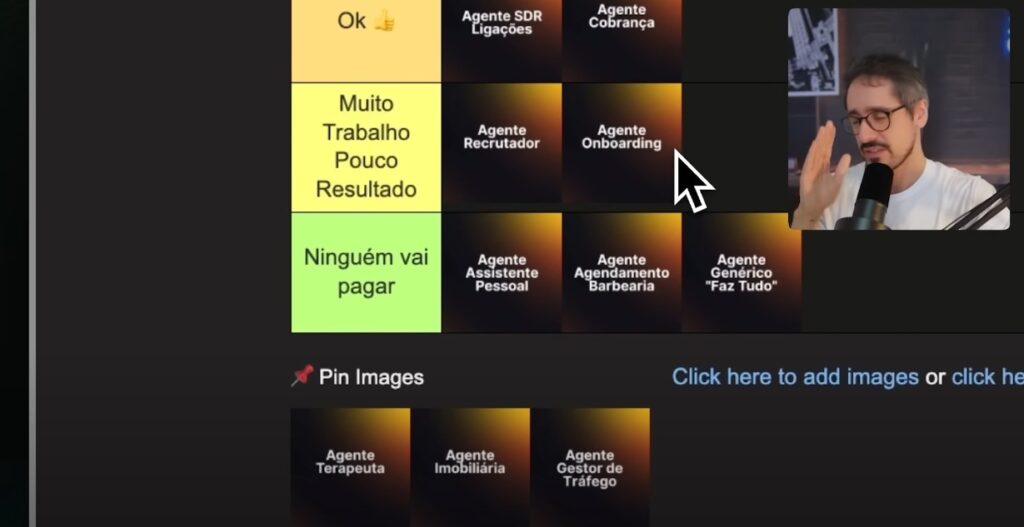
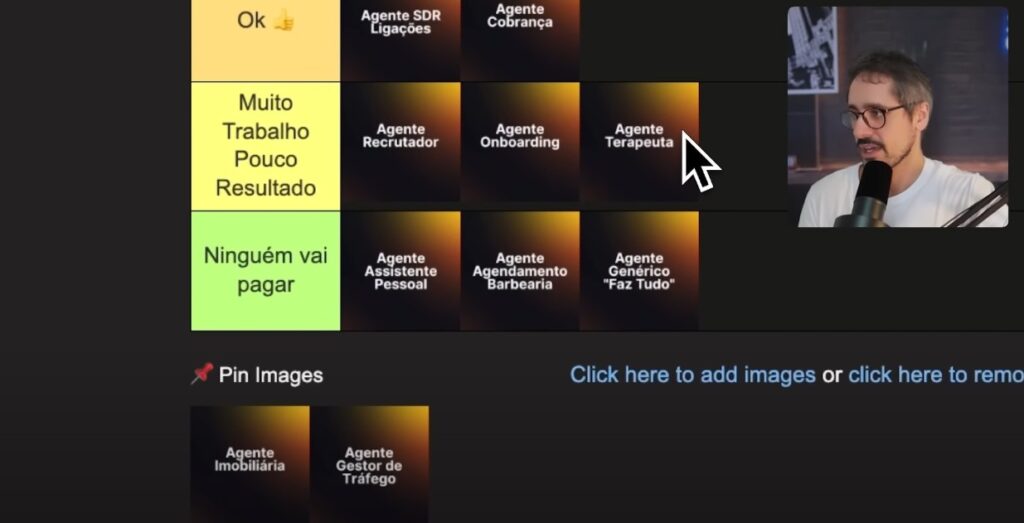
Most profitable agents to sell with AI

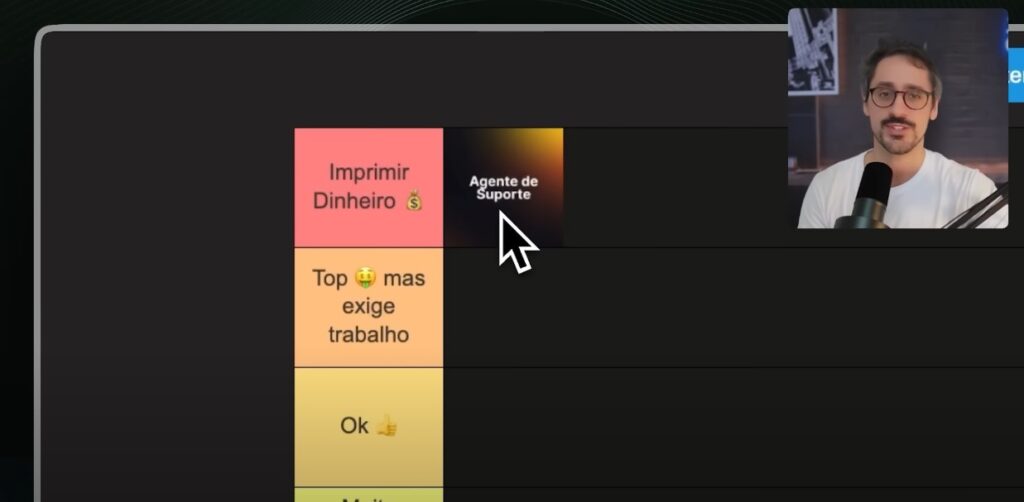
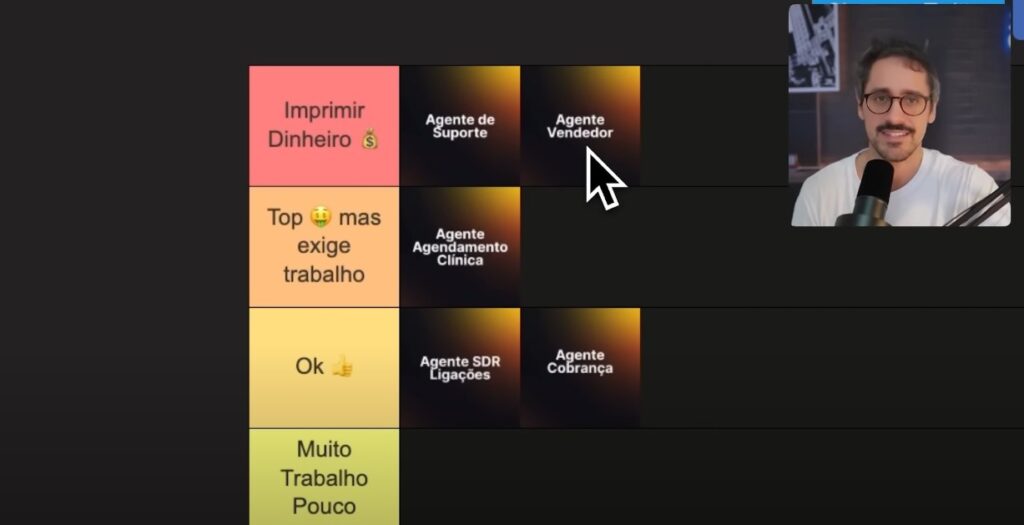
Support Agent

Most profitable agents Support Agent

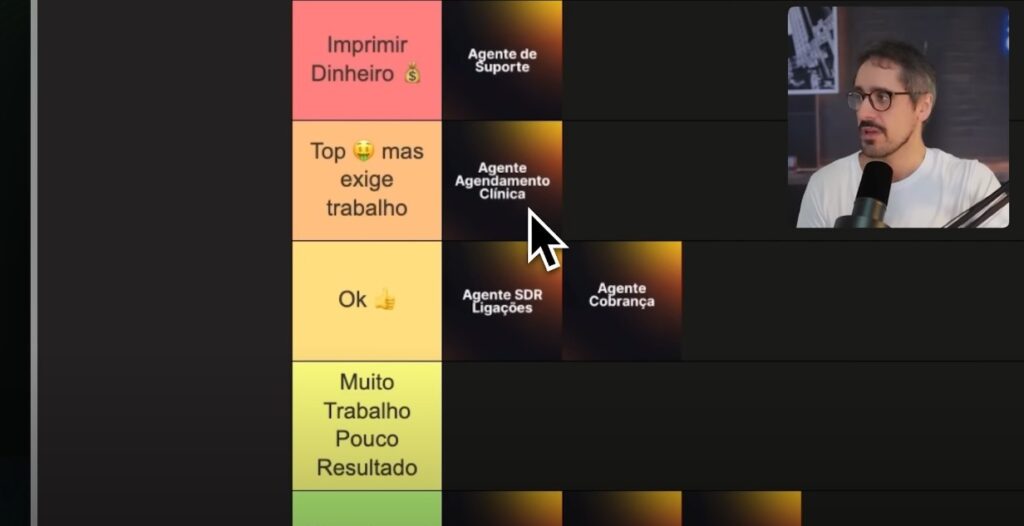
It provides personalized customer service, offering access to customized documents and integration with company tools. It's simple to create, solves a universal problem, and has a high willingness to pay from companies.

Sales Development Representative (SDR)

Most profitable agents Sales Development Representative (SDR) (2)

Engage with leads, send payment links, and qualify sales opportunities. Perfect for digital services and ideal for companies that want to increase sales through automated customer service.

Scheduling Agent for Clinics

Most profitable agents: Scheduling Agent for Clinics

It automates appointment and exam scheduling. Great for dental, aesthetic, and medical clinics. It solves a real pain point with high demand volume.

Agent Clone of a Specialist or Influencer

Agent Clone of a Specialist or Influencer

Trained using content from creators, they respond as if they were the expert themselves. They scale customer service and can integrate with social media and WhatsApp for sales and support.

Real Estate Agent

Agents that work but require more work: Real Estate Agent

It serves clients, sends property information, schedules visits, and automatically updates the CRM. Ideal for real estate agents and agencies that need to automate and scale operations.

Agents that work, but require more work.

Data Analytics Agent

Most profitable agents: Data Analytics Agent

It sends automated reports with sales, marketing, and operations metrics. Highly valued by medium and large-sized companies, but requires data modeling and organization.

SDR Agent with Voice

Most profitable agents: Sales Development Agent (SDR)

Connects leads with a humanized voice. Very effective for scheduling meetings, but requires structure and isn't ideal for all niches.

Collection Agent

Agents that work, but require more work: Collection Agent

It automates the collection of overdue invoices and installments. It can be combined with sales agents, but it is still seen as basic automation.

Recruitment and Onboarding Agent

Agents that work but require more work: Recruitment and Onboarding Agent

It collects candidate data and automates the hiring process. Ideal for large companies, but laborious and with uncertain returns.

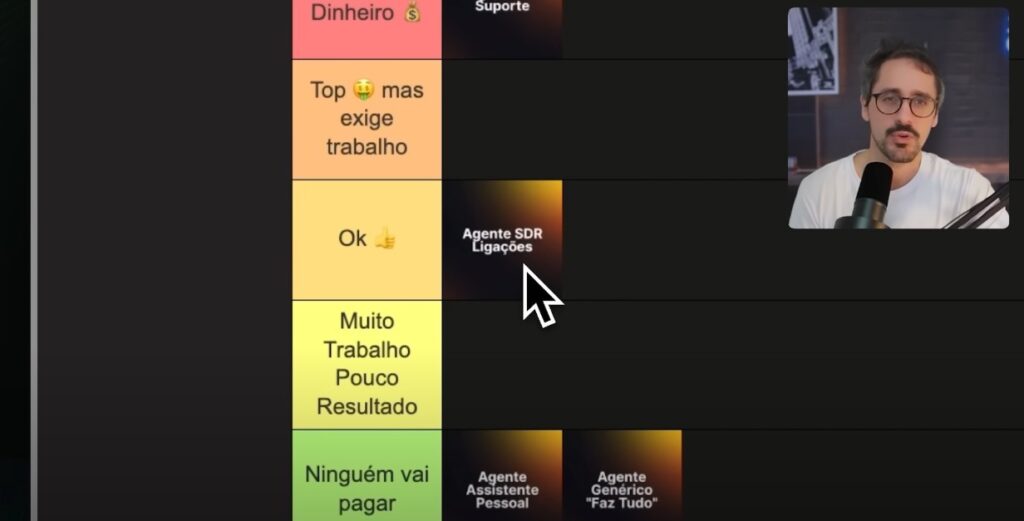
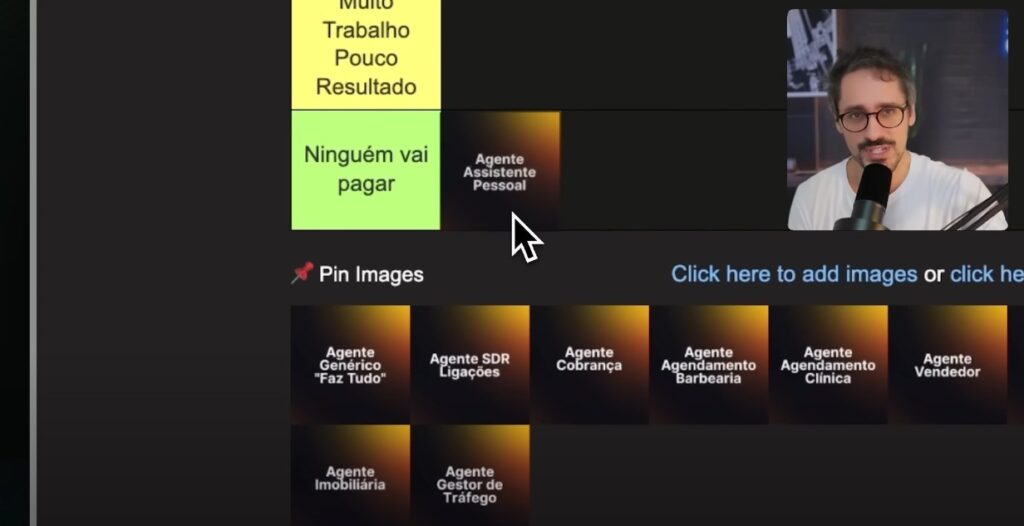
Unprofitable agents or agents with low demand.

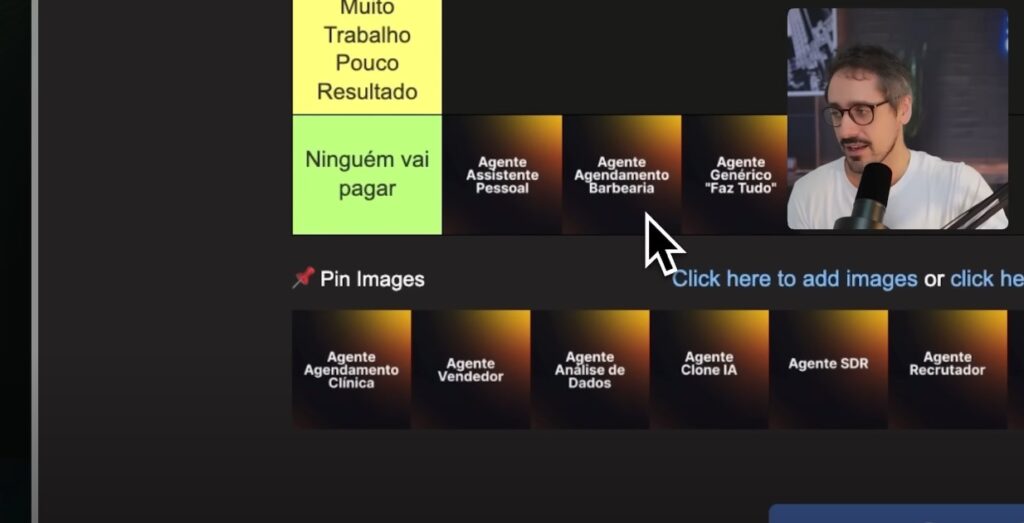
Personal Assistant Agent

Unprofitable Agents Personal Assistant Agent

It organizes schedules and emails, but it's not very marketable, since there are free and robust solutions on the market.

Generic Agent

He tries to do everything, but doesn't solve anything in depth. The market values specialization and focus on specific pain points.

Therapeutic Agent

Unprofitable agents or agents with low demand. Therapist Agent.

It deals with sensitive topics and requires careful attention to privacy and ethics. There is little willingness on the part of users to pay.

Agent for Barber Shops

Unprofitable or low-demand agents. Agent for Barber Shops.

It can automate scheduling, but the average ticket price is low, making the project unprofitable. It works best in premium salons.

Traffic Management Agent

It helps monitor paid media campaigns, but there are more comprehensive solutions integrated into the platforms themselves.

How to start creating profitable AI agents

The training AI Agent Manager 2.0 It teaches you from scratch how to plan, create, and sell AI projects, even if you don't know how to program. You also get access to... NoCodeMatch, a marketplace with real agent projects ready for you to take on and profit from.

Want to accelerate your entry into this market? Focus on solving real pain points, high-ticket niches, and tools that directly impact the client's revenue.

Create with focus and consistency. The AI agent market is booming.

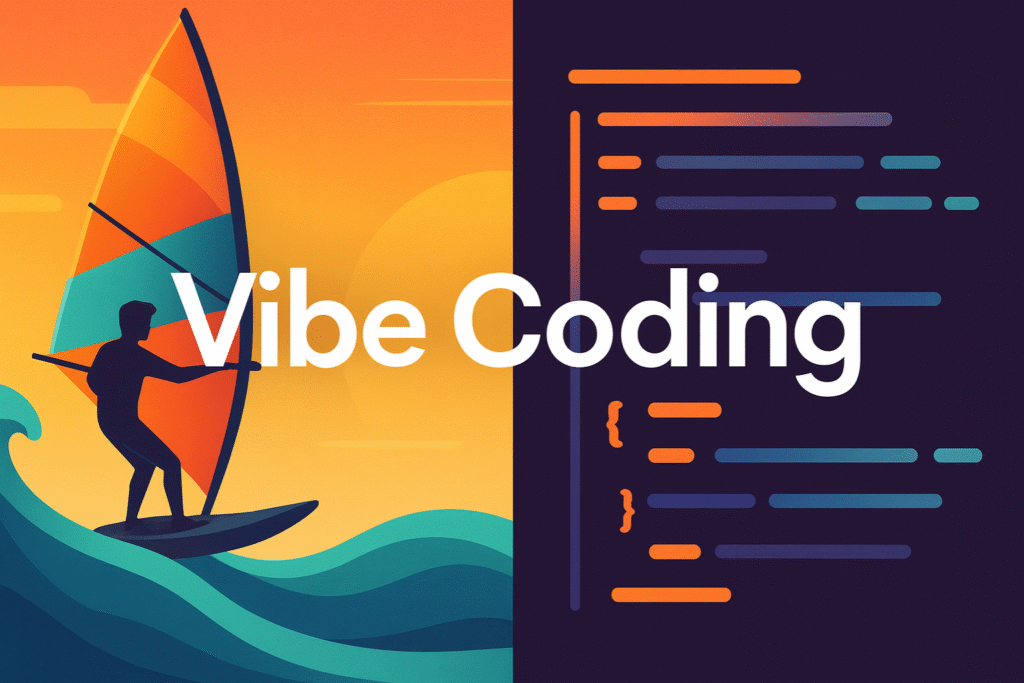
The concept of Vibe Coding Vibe Coding is revolutionizing the way developers and digital creators approach their projects. By blending development techniques with emotional, aesthetic, and creative aspects, Vibe Coding proposes a new paradigm in which the experience of creating is as important as the final product.

Market research indicates that teams that adopt sensory creative processes register significant leaps in productivity and well-being — some studies even suggest increases of up to 47% when the developer experience includes emotional dimensions.

THE Harvard Business Review, Similarly, it is highlighted that work experiences enriched by emotional factors significantly boost performance.

In this article, we'll explore what Vibe Coding is, how to apply it in practice, recommended tools, real-world examples, and the future of this trend. Get ready to dive into an approach that combines code, art, and sensitivity.

What is Vibe Coding?

What is Vibe Coding?

Vibe Coding is a software development approach that values the creator's subjective experience, creative flow, and aesthetic harmony during the construction of digital solutions.

Unlike traditional development, which focuses exclusively on performance, scalability, or technical standards, Vibe Coding seeks a balance between functional code and the aesthetic pleasure of creating it.

Inspired by movements such as creative coding Influenced by no-code/low-code culture, Vibe Coding allows developers to transform their process into a sensory and emotional experience.

This approach has been gaining traction, especially among designers, creative freelancers, and founders of startups, who see aesthetic freedom as a way to generate innovation.

Fundamentals and Principles of Vibe Coding

Vibe Coding is based on Four essential pillars—emotion, functional aesthetics, real-time collaboration, and developer well-being—simultaneously guide the technique and intention behind every line of code..

These pillars translate into concrete practices such as team satisfaction metrics, feel-driven design, adoption of shared visual pipelines, and creative break rituals to sustain the... flow.

The report Creative Trends 2025, Adobe's study shows that teams incorporating these fundamentals achieve significant leaps in prototype approval rates in the first round—reaching around 30% according to the study—demonstrating that creativity can be treated as a tangible business framework.

Emotion as a Guide to Development

The creator's emotional state directly influences the choices of interface, colors, micro-interactions, and experiences offered.

According to Flow Theory, Deep immersion states foster more creative solutions, reinforcing the idea that aligning emotion and coding is not only aesthetic but also scientifically recommended.

Vibe Coding encourages developers to consider their emotions in order to create more human and empathetic applications.

Creative Freedom

By abandoning such strict rules of conformity and allowing experimentation, Vibe Coding invites the creator to explore the "feeling" behind what they are building. Beautiful code is also effective code.

Intuitive Tools

Choosing tools that offer real-time feedback and visual support for the creative process is essential. Platforms such as Framer, FlutterFlow and WebWeb These are perfect examples.

How to Apply Vibe Coding in Practice

How to Apply Vibe Coding in Practice

To apply Vibe Coding to your projects, start by adjusting your mindset: prioritize feelings, colors, flow, and visual identity from the beginning. The process isn't linear, and that's intentional. Here are some ways to get started:

Choose Visual Platforms

no-code tools such as Bubble and AppGyver They allow you to create without worrying about syntax, focusing on the visual and interactive experience.

Create Living Prototypes

Use subtle animations, harmonious transitions, and custom color palettes. Sites like Lottie Files They offer visual resources that help enrich your project.

Follow Your Flow

Tools like Notion or Whimsical They help capture creative ideas in real time, keeping the process fluid. Vibe Coding requires actively listening to your internal state.

Use IDEs and Environments with Enhanced Experience

Another practical way to incorporate Vibe Coding is to use modern development environments and tools that stimulate creative flow.

IDEs such as Cursor, with integrated AI assistants and a clean interface, or tools like the Lovable, Companies focused on building emotional relationships with digital products are powerful examples.

These solutions enhance the developer experience and strengthen the connection between intuition, design, and technical execution.

Tools and Ecosystem Favorable to Vibe Coding

The choice of stack directly influences the creative experience. The Vibe Coding ecosystem values platforms that encourage rapid prototyping, instant feedback, and intuitive interfaces.

  • FramerIdeal for projects focused on animation and visual storytelling.
  • FlutterFlow: allows you to create complete apps boards with visual sensitivity.
  • DifyGreat for integrating with AI and building fluid interfaces.
  • Xano: enables backend development without sacrificing creative freedom. For a detailed comparison of these and other options — including IDEs like Cursor and emerging platforms — check out our article '‘best Vibe Coding tools’.

Check out Training SaaS IA NoCode From the No Code Startup to mastering these tools with real-world applications.

Real-life Cases and Inspiring Projects

Real-life Cases and Inspiring Projects

Many creators have applied Vibe Coding to their projects with impressive results. One example is the use of FlutterFlow by freelancers to create interactive portfolios that convey personal identity.

Another example is founders who build MVPs with WeWeb + Xano, prioritizing emotional design to engage early adopters.

Agencies are also adopting this approach. In a recent interactive installation at MoMA In New York, curators used openFrameworks to program projections that reacted to audience movement, exemplifying how Vibe Coding goes beyond the digital and creates physical artistic experiences.

The ability to create quickly, beautifully, and with impact is a competitive advantage. For teams, Vibe Coding encourages creative collaboration and reduces friction between design and development.

Read also:Prompt Engineering: A Complete Guide to Conversing with AIs

Future Trends: What to Expect from Vibe Coding

With the rise of no-code/AI tools, Vibe Coding is expected to become a key pillar of digital creation. Integration with AI agents that creatively assist in design will become increasingly common.

The trend also suggests the emergence of platforms that prioritize the joy of creation, and large corporations are already signaling this transition.

IBM, through its initiative Design Thinking, introduced guidelines that emphasize empathy and emotion as quality criteria for corporate software, with interfaces adapted to the user's emotional style.

More than functionality, the difference will lie in the feeling conveyed by each interaction.

Vibe Coding is much more than a style; it's a new way of creating.

Vibe Coding is Much More Than Style: It's a New Way of Creating

Adopting Vibe Coding means embracing a future where code is not just execution, but expression. Modern tools like Framer, FlutterFlow, Dify, and Xano are making this reality accessible.

By aligning technology, sensitivity, and identity, you create more human and memorable experiences. Ultimately, what makes a project memorable is not just what it does, but how it makes you feel.

Continue exploring: No Code Start Up Dify Course

mathues castelo profile

Matheus Castelo

grandson camarano profile

Neto Camarano

Two entrepreneurs who believe technology can change the world

Also visit our Youtube channel

en_USEN
menu arrow

Nocodeflix

menu arrow

Community